
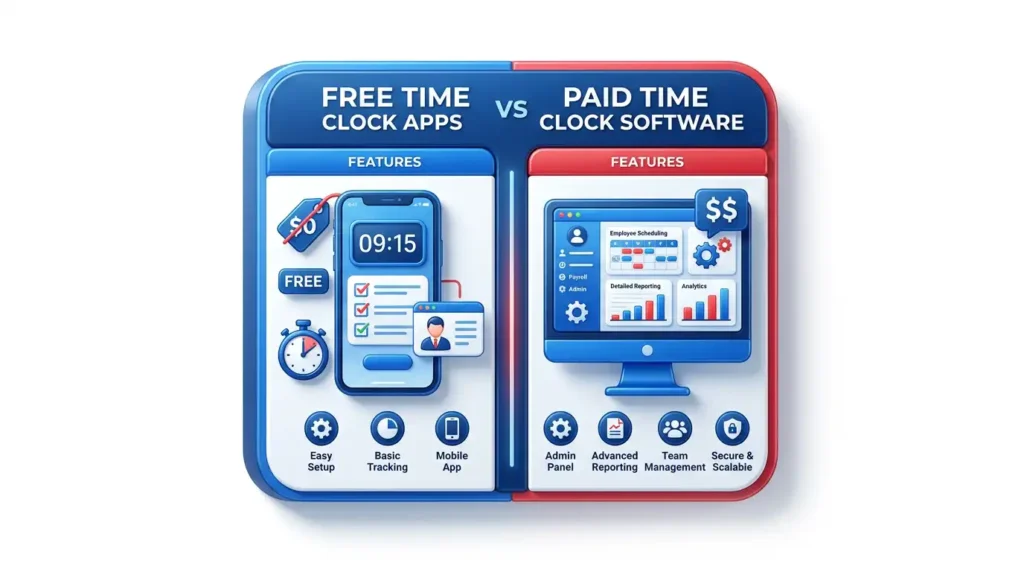

Free Time Clock Apps vs Paid Time Clock Software
TL;DR
Free time clock apps can be a practical starting point for very small teams with simple hours, low compliance complexity, and no urgent payroll integration needs. Paid time clock software becomes the better choice when the business needs manager approvals, GPS or geofencing, biometric verification, scheduling, PTO, job costing, payroll integration, audit trails, support, and reliable reports. The upgrade decision should be based on payroll risk and manager time, not only the subscription price. TimeTrex is strongest when the business needs time tracking connected to payroll, scheduling, HR, accruals, and workforce reporting.
Article Contents
Free time clock apps are attractive because they remove the first barrier to organized time tracking. A small business can stop using paper timesheets, collect basic clock-ins, and produce a simple hours report without committing to a full workforce system. That can be enough for a very small team with one location, few schedule changes, no overtime complexity, and an owner personally reviewing every timecard.
The problem begins when "free" becomes a payroll control strategy. Time records feed wages, overtime, tax deposits, job costing, PTO, labor budgets, employee disputes, and audit responses. If a free plan lacks approvals, permissions, audit trails, payroll integration, geofencing, break controls, support, or reporting depth, the business may pay for the missing features through manager time and payroll corrections.
The right question is not whether free apps are good or bad. The right question is whether the free plan still matches the business risk. A free app can be a useful first step. Paid time clock software becomes the safer decision when payroll accuracy, compliance, or labor cost control requires more than basic punches.
Free vs Paid Time Clock Decision
The decision turns on control depth, not brand preference.
When Free Time Clock Apps Work
Free time clock apps can work for small teams that need simple time capture and can tolerate manual review. A business with a handful of employees, one location, predictable hours, and a payroll administrator who personally checks every entry may not need advanced controls on day one. Free tools can also help a business test whether employees will use mobile clock-ins, kiosks, or web timesheets before investing in a larger system.
Several providers use free plans as a legitimate entry point. Homebase promotes a free time clock app and a Basic plan for hourly teams. Jibble states that its time tracking software is free without employee or time limits. Clockify lists a free time tracking plan and paid tiers for more advanced needs. These plans can be useful when the employer understands what is included and what is not.
A free plan is most defensible when the business can answer three questions: who reviews the time, how errors are corrected, and how approved hours reach payroll. If those answers are clear and low-risk, free may be enough. If the answers require spreadsheets and memory, the free plan is already creating hidden cost.
Where Free Time Clock Apps Break Down
Free time clock apps tend to break down when the workforce becomes more variable. Overtime, missed punches, multiple locations, job codes, departments, PTO, breaks, shift swaps, tipped wages, remote work, field crews, and employee turnover all increase the number of exceptions. A free plan may capture clock-ins but still lack the controls needed to approve, categorize, and transfer the time into payroll.
The most common breaking point is payroll. If payroll staff download a time report, clean it in a spreadsheet, change earning codes, calculate overtime, and then import it into payroll, the app has not automated payroll. It has digitized the first step and left the riskiest step manual. Another common breaking point is support. Free plans may not include the support level needed when payroll is due in hours and timesheets are wrong.
Free plans can also be limited by user count, feature access, location controls, scheduling depth, report history, integrations, permissions, or compliance tools. Employers should read the plan details carefully and avoid building a payroll process around a feature that disappears behind a paid tier once the team grows.
Upgrade signal: if managers spend more time fixing timesheets than scheduling employees, the business has outgrown basic free time tracking.
Paid Features That Matter
Paid time clock software should earn its cost by reducing payroll cleanup, improving records, and giving managers better controls. The most valuable paid features are usually not cosmetic. They are approvals, exception alerts, geofencing, biometric verification, scheduling, PTO and accruals, job costing, payroll integration, employee self-service, role-based permissions, and audit reports.
TimeTrex delivers those controls inside a broader workforce platform. Its time and attendance tools connect with scheduling and leave management, payroll, HRM, reporting, mobile time clocks, and biometric options. Its pricing page lists Time & Attendance Tracking, Comprehensive Payroll Solutions, Biometric Facial Recognition Timeclocks, mobile app access, employee scheduling, leave and absence management, HR management, customizable reports, and web access in the Professional Edition feature set.
| Paid Feature | Payroll or Compliance Value | When It Becomes Necessary |
|---|---|---|
| Manager approvals | Prevents unresolved time from reaching payroll. | More than one manager or more than one location approves time. |
| Payroll integration | Reduces manual entry and pay-code errors. | Payroll staff manipulate exports every pay period. |
| GPS or geofencing | Supports location accountability for mobile workers. | Employees work in the field, at client sites, or across branches. |
| Biometric verification | Reduces buddy punching and identity disputes. | Shared kiosks, high-volume shifts, or attendance fraud risk exists. |
| PTO and accruals | Keeps leave balances out of spreadsheets. | Employees request PTO and balances affect payroll or final pay. |
| Job costing | Connects labor hours to jobs, tasks, departments, and profitability. | The business needs labor cost by project, customer, or location. |
Free and Paid Market Examples
The time clock market contains several useful free and paid entry points. Homebase's public page describes a free Basic plan and paid location-based plans with advanced scheduling, time tracking, communication, PTO controls, departments, permissions, onboarding, and labor cost management. Jibble emphasizes free time tracking for unlimited users, with optional upgrades. Clockify lists free time tracking and paid tiers for more advanced productivity and administration needs.
Paid time clock tools often use base fees, per-user fees, or location pricing. Deputy lists per-user plans with scheduling, time clocking, leave, reporting, messaging, biometrics, geofencing, labor law compliance, and payroll integration features depending on tier. Buddy Punch lists per-user pricing plus a base fee and includes GPS punches, mobile apps, time off, job tracking, payroll integrations, reporting, geofencing, kiosk punches, and webcam punches across tiers. Employers should compare total cost at the actual number of employees, locations, and managers.
TimeTrex should be evaluated differently from a narrow time clock app because it includes broader workforce management. The relevant comparison is not only free versus paid time tracking. The relevant comparison is free time tracking plus payroll plus scheduling plus HR plus reporting versus an integrated platform that handles those workflows together. TimeTrex's features page positions the platform around payroll, time tracking, scheduling, and HR management in one system.
Compliance and Recordkeeping Risk
The Department of Labor states that covered employers must keep records that include accurate information about hours worked and wages earned. Records must include hours worked each day and total hours worked each workweek for covered nonexempt workers. If a free time clock plan cannot preserve records, corrections, approvals, and report history in a way the employer can use, it may not support the recordkeeping obligation well enough.
Overtime adds another risk. Covered nonexempt employees generally must receive overtime for hours worked over 40 in a workweek. If a free app tracks hours but does not enforce the employer's workweek, breaks, overtime rules, pay codes, or approvals, the employer may still rely on manual calculations. A paid system with better controls can be cheaper than repeated payroll corrections.
Hidden Cost Risk When a Free Plan Is Outgrown
Illustrative risk score for common limitations after a team becomes more complex.
The Real Cost of Free
The real cost of a free time clock app is the administrative work left behind. If the owner spends two hours per pay period fixing entries, a manager spends one hour chasing approvals, and payroll spends another hour cleaning the export, the free app is not free. It has transferred cost from the software invoice to internal labor.
Hidden costs also appear in payroll errors, employee frustration, delayed payroll, poor labor reporting, unsupported integrations, and weak audit trails. Businesses that cannot see labor cost by department, job, or shift may overspend without realizing it. TimeTrex's job costing tools help employers connect time to labor cost, projects, and operational decisions.
Upgrade Decision Checklist
| Question | Stay Free If... | Upgrade If... |
|---|---|---|
| How many people approve time? | One owner reviews every timecard personally. | Multiple managers need permissions, approvals, and exception alerts. |
| How complex is payroll? | Employees have simple hours and one pay rate. | Overtime, PTO, tips, premiums, job codes, or multiple rates are common. |
| Where do employees work? | All work happens at one supervised location. | Employees work remotely, in the field, at job sites, or across branches. |
| How does time reach payroll? | Manual entry is rare and easy to verify. | Payroll requires exports, spreadsheets, corrections, or repeated imports. |
| What records are needed? | Basic reports satisfy internal needs. | The business needs audit trails, report history, wage-hour proof, and payroll tie-outs. |
Growth Thresholds That Change the Math
A free plan can remain useful for longer than expected when the team stays small and stable. The upgrade threshold usually arrives when growth changes the control environment. The first threshold is management complexity: once more than one supervisor approves time, permissions and audit trails become important. The second threshold is location complexity: once employees work away from one supervised location, GPS, geofencing, job codes, or kiosk rules may be needed. The third threshold is payroll complexity: once the business regularly handles overtime, PTO, premiums, tips, or job costing, payroll integration becomes more valuable than a free subscription.
Support is another threshold. Free tools can be adequate until payroll is blocked and there is no fast support path. Payroll deadlines do not move because a time clock export failed or a manager cannot approve timesheets. Paid software should reduce that operational risk through support, implementation help, better permissions, stronger reports, and cleaner payroll workflows.
| Growth Signal | Why Free May Stop Working | Paid Control to Require |
|---|---|---|
| More than one manager approves time | Approval responsibility becomes unclear and edits are harder to trace. | Role-based permissions, approval workflows, and audit logs. |
| Employees work at multiple locations | Time records may not show where labor occurred. | Location rules, GPS, geofencing, branch reporting, and schedule-to-actual review. |
| Payroll requires repeated corrections | Exports do not carry enough context for clean wage calculation. | Native payroll integration, pay-code mapping, and exception alerts. |
| Labor cost needs to be tracked by job or department | Basic time totals do not support profitability analysis. | Job costing, department allocation, task tracking, and custom reports. |
| Employee questions about time records increase | Weak self-service and limited history create payroll support work. | Employee self-service, correction requests, report history, and manager notes. |
Final Recommendation
Free time clock apps are useful when the workforce is simple and the employer can manually review everything without stress. Paid time clock software becomes the better investment when the business needs better approvals, payroll integration, location controls, biometric options, PTO, job costing, support, or compliance records.
TimeTrex is strongest for employers that have outgrown basic time tracking and need a connected workforce platform. Its mobile time clock, time and attendance, payroll, scheduling, HRM, accruals, reports, and self-service tools help transform clock data into payroll-ready workforce records.
Free can be the right first step. Paid becomes the right control once payroll quality, labor cost, and compliance evidence matter more than the subscription line item.
Disclaimer: The content provided on this webpage is for informational purposes only and is not intended to be a substitute for professional advice. While we strive to ensure the accuracy and timeliness of the information presented here, the details may change over time or vary in different jurisdictions. Therefore, we do not guarantee the completeness, reliability, or absolute accuracy of this information. The information on this page should not be used as a basis for making legal, financial, or any other key decisions. We strongly advise consulting with a qualified professional or expert in the relevant field for specific advice, guidance, or services. By using this webpage, you acknowledge that the information is offered “as is” and that we are not liable for any errors, omissions, or inaccuracies in the content, nor for any actions taken based on the information provided. We shall not be held liable for any direct, indirect, incidental, consequential, or punitive damages arising out of your access to, use of, or reliance on any content on this page.
About The Author

Roger Wood
With a Baccalaureate of Science and advanced studies in business, Roger has successfully managed businesses across five continents. His extensive global experience and strategic insights contribute significantly to the success of TimeTrex. His expertise and dedication ensure we deliver top-notch solutions to our clients around the world.
Time To Clock-In
Start your 30-day free trial!
Experience the Ultimate Workforce Solution and Revolutionize Your Business Today
- Eliminate Errors
- Simple & Easy To Use
- Real-time Reporting


Saving businesses time and money through better workforce management since 2003.
Copyright © 2026 TimeTrex. All Rights Reserved.