
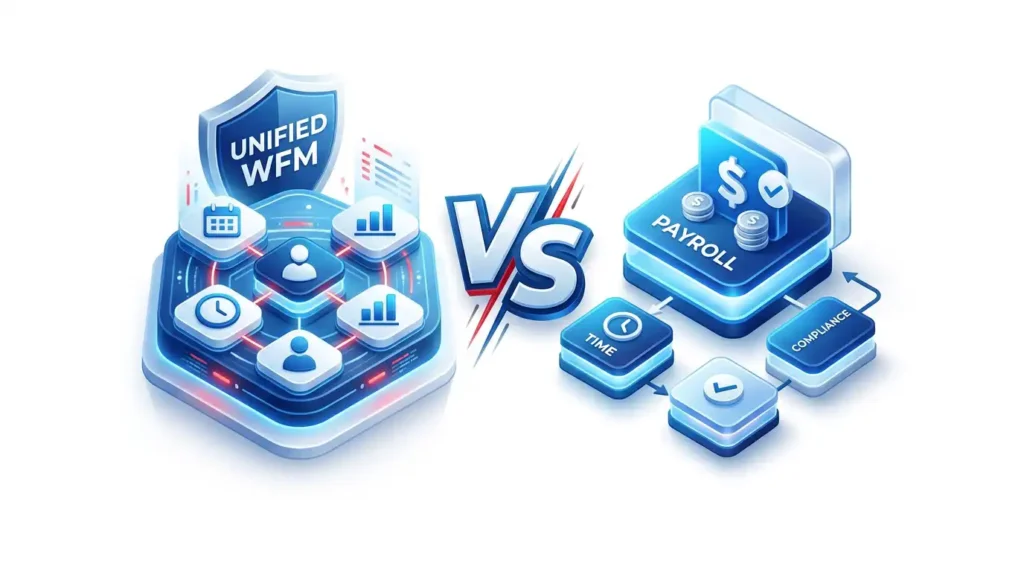

Unified WFM vs. Best-of-Breed Payroll
Why native payroll integration can cut administrative time by 80%: the punch, schedule, leave request, manager approval, payroll rule, deduction, pay stub, and audit trail all use the same workforce record instead of passing fragile data between disconnected apps.
Less payroll processing work
Single-database automation research has reported payroll-processing-time reductions up to 80%. The practical reason is simple: the system stops asking people to rebuild payroll from synced fragments.
Gross payroll error exposure
Manual and integration-heavy payroll environments often treat 5-7% of gross payroll as the working exposure range for missed punches, overtime corrections, retro pay, duplicate entry, and sync-driven exceptions.
Workforce record
A unified workforce management system single source of truth means the same verified record supports scheduling, time tracking, approvals, payroll calculation, reporting, and compliance review.
The hidden cost of a best-of-breed payroll stack
Best-of-breed software can look attractive on a feature checklist. One tool schedules shifts, another captures time, another handles time off, another calculates payroll, and another feeds accounting. Each tool may be strong in isolation. The administrative burden appears when payroll depends on the handoff between them.
The issue is not that APIs are bad. APIs are useful. TimeTrex itself supports integrations when a business needs to connect to outside accounting, HR, payroll, or operational systems. The problem is using integration as the core operating model for payroll. If payroll accuracy depends on a nightly sync, a CSV export, a field mapping, or a manager remembering which app is the real source, the business has created a reconciliation process, not a single source of truth.
That is why decision-makers searching for the best payroll scheduling software should evaluate architecture before feature depth. Payroll is not just another downstream report. It is where employee trust, labor cost, tax reporting, overtime compliance, job costing, leave balances, and cash movement converge.
Disconnected apps turn every payroll into a data audit
- A manager edits a schedule but the payroll export uses an older department or job code.
- An employee corrects a missed punch after the time file has already synced.
- Leave is approved in one system but not reflected in overtime or accrual balances.
- Shift differentials, tips, bonuses, premiums, or union rules live outside the time system.
- Finance gets totals, HR gets employee data, and operations gets labor reports, but no one can prove which record was final at approval time.
From punch to approved paycheck without leaving the system
In a unified WFM platform, a punch is not just a timestamp. It is the first step in a payroll-ready evidence chain. The time event inherits the employee, schedule, location, job, department, pay rule, exception status, approval path, and audit trail. By the time payroll is processed, the system is not importing payroll data from the outside; it is using the same record that managers and employees already verified.
Employee punch
Clock-in captures the employee, time, device, and optional location or biometric context.
Rule validation
Schedule, break, overtime, premium, department, job, and leave rules evaluate the punch instantly.
Digital timesheet
The punch becomes a live timesheet record with exceptions clearly flagged for review.
Manager approval
Supervisors approve the verified record, not a spreadsheet rebuilt from exported time.
Payroll calculation
Wages, taxes, deductions, benefits, accruals, and direct deposit use approved source data.
Approved paycheck
The employee receives a paycheck and pay stub backed by a consistent audit trail.
Unified Architecture vs. Integration-First Hubs
A side-by-side comparison shows why native payroll integration changes the administrative workload. The question is not whether two systems can exchange data. The question is whether payroll, scheduling, time, HR, and reporting share the same operating record when a pay period closes.
| Evaluation area | Unified Architecture: TimeTrex | Integration-First Hubs: separate apps synced by API | Payroll impact |
|---|---|---|---|
| System of record | One workforce record supports scheduling, time tracking, HR data, leave, payroll, reporting, and audit history. | Multiple records must be synchronized, mapped, merged, or manually compared. | A single source reduces ambiguity over which employee, pay rule, department, job code, or approved hour total is final. |
| Time-to-payroll path | A verified punch becomes a timesheet, then approved payroll input inside the same platform. | Time is exported or synced into another payroll tool, often after manual cleanup. | Fewer handoffs means fewer places for missed punches, duplicate edits, and stale data to enter payroll. |
| Exception management | Exceptions are visible before payroll: missed punches, overtime, leave conflicts, late approvals, and policy violations. | Exceptions often appear after the sync, during payroll review, or after employees question pay. | Payroll teams shift from correction mode to prevention mode. |
| Policy rules | Scheduling, attendance, accrual, overtime, differential, deduction, and payroll rules can work from the same employee context. | Rules may be duplicated in separate tools or approximated during export. | Fewer duplicate rule tables means fewer differences between what operations expects and what payroll pays. |
| Audit trail | Approvals, edits, exceptions, pay data, and reports are connected to the same underlying record. | Audit evidence may be split across logs, exports, screenshots, and files. | Cleaner support for wage-and-hour records, tax review, employee disputes, and internal controls. |
| Administrative time | Payroll prep is mainly review, approval, and release. | Payroll prep includes sync checks, missing-data cleanup, import review, and reconciliation. | The 80% time-savings opportunity comes from removing repeated handoff work, not from making clerks type faster. |
| When integrations still make sense | Outside systems connect after the payroll-ready workforce record is clean, verified, and approved. | Outside systems become the core payroll workflow. | Integration is strongest as a connector, not as the primary control system for pay accuracy. |
The 80% reduction math: from 5-7% to 1.0-1.4%
Payroll error statistics are often reported in different ways: number of payrolls with at least one error, dollar cost per input error, retro corrections, overpayments, underpayments, tax adjustments, or time spent reconciling disputed records. For an executive buyer, the cleanest planning lens is gross payroll error exposure: the share of gross payroll that needs correction, review, retro adjustment, or manual verification because the source record was incomplete, duplicated, late, or inconsistent.
In a fragmented manual process, 5-7% gross payroll error exposure is a practical benchmark range. It is conservative compared with sponsored industry research that has summarized payroll-error exposure at much higher levels, but it is still large enough to reflect the real categories payroll teams see every pay cycle: missing punches, edited hours, misapplied job codes, stale employee data, unsynced leave, overtime disputes, premium-pay exceptions, and spreadsheet corrections.
A unified system does not make every exception disappear. People still miss punches. Managers still approve late. Employees still transfer jobs. But the exception is caught against the same payroll record, inside the same workflow, before the paycheck is released. That is what turns payroll from a cleanup event into an approval event.
Use this formula in a payroll ROI business case
Baseline fragmented stack: 6.0% of gross payroll needs correction, review, retro pay, or manual verification.
Unified WFM target: 1.2% of gross payroll remains as legitimate exception review.
Example: on $2,000,000 in annual gross payroll, reducing exposure from 6.0% to 1.2% moves the review-and-correction pool from $120,000 to $24,000. That is $96,000 less payroll volume requiring administrative touch, dispute resolution, or retro cleanup.
Lower-end gross payroll exposure when most processes are stable but handoffs still require review.
Higher-end exposure when the organization has mobile teams, complex schedules, premiums, job costing, or late approvals.
Target residual exception exposure if the original baseline is 5% and the workflow eliminates 80% of preventable correction work.
Target residual exception exposure if the original baseline is 7% and the workflow eliminates 80% of preventable correction work.
Why the source-of-truth question matters for compliance
Payroll records are not just operational notes. Under the Fair Labor Standards Act, covered employers must keep accurate records for non-exempt workers, including hours worked each day, total hours worked each workweek, pay rates, overtime earnings, additions or deductions, total wages paid, and the date and pay period covered by payment. IRS Publication 15 also requires employment tax records to be kept for at least four years.
When the time system, schedule system, leave system, and payroll system are disconnected, each compliance question becomes a reconstruction exercise. Which system had the approved hours? Which system had the final employee tax setup? Which export was used? Who changed the timesheet? Which report matches the actual paycheck?
A unified WFM platform makes those questions easier because the audit trail follows the work. The punch, correction, approval, paycheck, pay stub, and report all point back to the same payroll-ready record.
Where TimeTrex fits
TimeTrex positions workforce management as one connected platform for time and attendance, scheduling, payroll, HR, job costing, and reporting. Its payroll page explains that because TimeTrex handles both scheduling and attendance, payroll can be processed in just a few clicks. Its time and attendance tools focus on accurate, real-time tracking. Its workforce management page describes an integrated approach where scheduling, attendance, payroll, and HR work together.
That is the point of native payroll integration: the payroll system should not be the last place errors are discovered. It should be the final approval step for data that has already been captured, validated, corrected, approved, and documented in the same workforce platform.
For teams comparing integrated time tracking and payroll options, the TimeTrex benchmark is not just "does it integrate?" The better question is "how much payroll work remains after it integrates?"
The best payroll scheduling software passes these 10 tests
If you are evaluating unified WFM against a best-of-breed stack, ask these questions before you compare price, implementation, or user interface polish. The answers reveal whether a vendor is reducing payroll administration or simply moving it into another workflow.
1. Can payroll run from approved time without export cleanup?
If the payroll team still downloads a file, reformats columns, fixes failed rows, and uploads the result into another system, the architecture is integration-first, not payroll-native.
2. Does the system flag exceptions before payday?
Look for missed punches, unapproved timesheets, overtime risk, leave conflicts, schedule variance, job-code errors, and pay-rule exceptions before payroll begins.
3. Do schedule, time, leave, HR, and payroll share employee data?
Employee status, rate, department, job assignment, tax setup, accrual profile, and approval path should not require duplicate maintenance across tools.
4. Can managers approve payroll-ready records?
Manager approval should finalize a verified digital timesheet, not merely approve attendance notes that payroll must translate later.
5. Are retro edits controlled?
Corrections after approval should create a visible audit trail, not silent differences between the time app, payroll app, and accounting export.
6. Are pay rules calculated where time is captured?
Shift differentials, overtime, premiums, paid leave, deductions, benefits, and job costing should be tied to the approved time record.
7. Can employees see and correct data earlier?
Employee self-service reduces payroll surprises when workers can review schedules, punches, accruals, pay stubs, and requests before the pay run closes.
8. Does the audit trail survive reporting?
Reports should connect back to approvals, edits, and source records so HR, finance, and operations are not arguing from different exports.
9. Can integrations be downstream instead of central?
Accounting, ERP, benefits, and outside payroll connections are useful, but they should receive clean workforce data after approval, not define the core payroll workflow.
10. Can you measure administrative reduction?
Track time spent on import review, missing-punch follow-up, manager approvals, retro pay, payroll adjustments, employee disputes, tax corrections, and report reconciliation before and after implementation.
What to measure before switching systems
The fastest way to build a credible business case is to measure the current payroll process as it actually happens. Do not only count software license costs. Count the administrative time hidden in every handoff.
Payroll prep time
Hours spent gathering time, checking syncs, fixing imports, chasing approvals, and validating gross pay before payroll can be submitted.
Correction volume
Number of retro payments, manual checks, off-cycle payments, employee disputes, manager corrections, and payroll adjustment lines per period.
Gross payroll exposure
Dollar value of payroll touched by exceptions as a percentage of gross payroll. This is the number to move from 5-7% toward 1.0-1.4%.
Approval cycle time
Time between pay-period close and final manager approval. A unified workflow should shorten this by making exceptions visible earlier.
Data ownership disputes
How often HR, operations, finance, and payroll disagree over which system has the final employee record, department, job, or wage value.
Compliance reconstruction work
Time spent assembling records for wage disputes, tax inquiries, audits, job-cost reviews, leave questions, or internal financial controls.
Native payroll integration is an operating model, not a connector
The case for unified WFM is not that every company should abandon every specialized tool. The case is that payroll should not depend on a chain of fragile translations. If the same verified record captures time, applies rules, records approvals, calculates payroll, produces pay stubs, supports direct deposit, and remains available for audit, the business has a real single source of truth.
That is why integrated time tracking and payroll can reduce administrative time by 80%. It removes the most repetitive work: rebuilding payroll from data that already existed somewhere else.
Ready to make payroll the final approval step?
TimeTrex brings time tracking, scheduling, HR, payroll, direct deposit, pay stubs, and reporting into one workforce platform so teams can spend less time reconciling disconnected software and more time managing the business.
FAQ
What is integrated time tracking and payroll?
Integrated time tracking and payroll means employee punches, schedules, time off, approvals, wage rules, deductions, taxes, and pay stubs are handled through a connected payroll workflow instead of manually exported from one system and imported into another.
Is a unified WFM platform always better than best-of-breed software?
Not always. Best-of-breed tools can be valuable for specialized functions. The risk appears when payroll accuracy depends on syncing many separate systems. For payroll, the most important question is whether the approved source record remains consistent from punch to paycheck.
How can native payroll integration reduce administrative time by 80%?
The reduction comes from removing repeated handoff work: manual entry, sync checks, export cleanup, import failures, manager follow-up, retro corrections, and report reconciliation. If a fragmented process exposes 6% of gross payroll to correction work and a unified workflow reduces that to 1.2%, the preventable exposure falls by 80%.
What does single source of truth mean in workforce management?
A workforce management system single source of truth means HR, scheduling, time tracking, approvals, payroll, reporting, and compliance records all reference the same verified employee and time data instead of separate records that must be synchronized after the fact.
Sources and research notes
The payroll-error and time-savings statistics should be used as decision-support benchmarks, not universal guarantees. Employers should compare them against their own payroll correction history, pay-cycle timing, and gross payroll exposure.
- TimeTrex workforce management overview - TimeTrex describes its platform as automating time and attendance, payroll, and HR management in one platform.
- TimeTrex payroll software - TimeTrex explains that payroll can be processed in a few clicks because scheduling and attendance are handled in the same platform.
- TimeTrex time and attendance software - TimeTrex emphasizes accurate real-time attendance tracking and payroll calculation support.
- TimeTrex workforce management software - TimeTrex describes integrated scheduling, attendance, payroll, and HR workflows.
- U.S. Department of Labor Fact Sheet #21 - Summarizes FLSA recordkeeping requirements for hours worked, wages, deductions, overtime, pay period, and payment date.
- IRS Publication 15, Employer's Tax Guide - Requires employment tax records to be kept for at least four years and explains reconciliation and correction responsibilities.
- Business Insider sponsored research summary, May 26, 2026 - Summarizes EY, Forrester, and Nucleus findings including payroll error costs, disconnected HCM database usage, and payroll processing reductions. Treated here as directional sponsored industry research.
- Business Insider sponsored research summary, February 24, 2026 - Summarizes single-database automation claims, including average HCM provider count and reported 80% payroll-processing-time reduction.
Disclaimer: The content provided on this webpage is for informational purposes only and is not intended to be a substitute for professional advice. While we strive to ensure the accuracy and timeliness of the information presented here, the details may change over time or vary in different jurisdictions. Therefore, we do not guarantee the completeness, reliability, or absolute accuracy of this information. The information on this page should not be used as a basis for making legal, financial, or any other key decisions. We strongly advise consulting with a qualified professional or expert in the relevant field for specific advice, guidance, or services. By using this webpage, you acknowledge that the information is offered “as is” and that we are not liable for any errors, omissions, or inaccuracies in the content, nor for any actions taken based on the information provided. We shall not be held liable for any direct, indirect, incidental, consequential, or punitive damages arising out of your access to, use of, or reliance on any content on this page.
About The Author

Roger Wood
With a Baccalaureate of Science and advanced studies in business, Roger has successfully managed businesses across five continents. His extensive global experience and strategic insights contribute significantly to the success of TimeTrex. His expertise and dedication ensure we deliver top-notch solutions to our clients around the world.
Time To Clock-In
Start your 30-day free trial!
Experience the Ultimate Workforce Solution and Revolutionize Your Business Today
- Eliminate Errors
- Simple & Easy To Use
- Real-time Reporting


Saving businesses time and money through better workforce management since 2003.
Copyright © 2026 TimeTrex. All Rights Reserved.