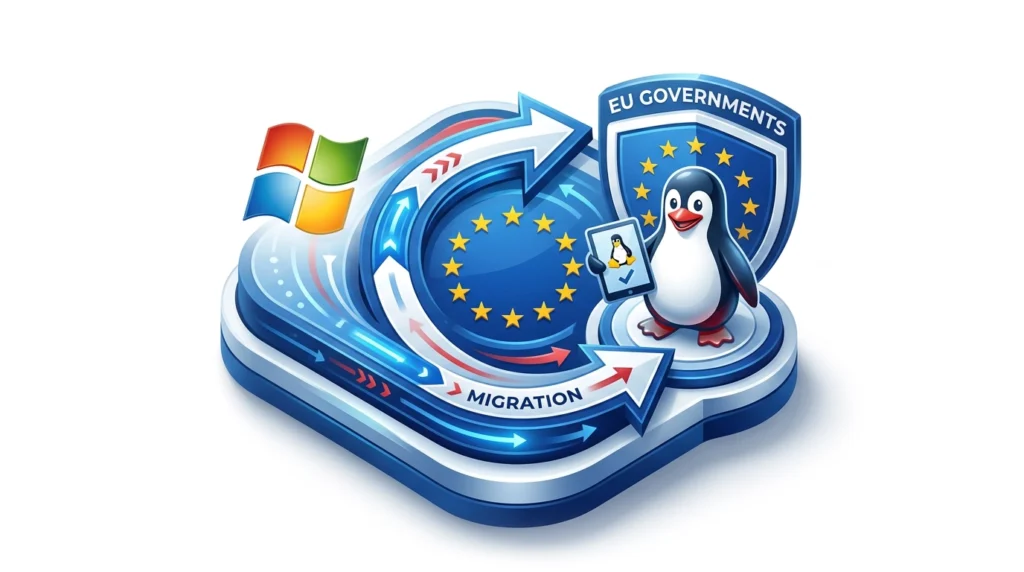
EU Gov Linux
Digital sovereignty and workforce systems

EU Governments Are Moving From Windows to Linux

European public-sector technology choices are changing. The shift is not a simple "Windows bad, Linux good" story. It is a sovereignty story: governments want systems they can inspect, host, customize, support locally, and keep running even when cloud contracts, geopolitics, privacy rules, or licensing models change.

That matters for payroll and workforce management because employee time, attendance, schedules, leave, payroll history, and HR records are some of the most sensitive operational data an organization owns. If governments are rethinking their dependence on closed desktop and cloud stacks, businesses should ask the same question about the systems that run their workforce.

Updated June 12, 2026 Elementor-ready HTML Research-backed source links

TL;DR

European governments are not all moving at the same speed, but the direction is clear: reduce dependency on single vendors, use more open standards, and keep critical systems under public control.

  • The headline is control. Linux is attractive because the operating system can be inspected, hardened, localized, and supported without waiting for one vendor's roadmap.
  • The migration path is layered. Governments often start with LibreOffice, Thunderbird, Nextcloud, open formats, and collaboration tools before replacing every Windows desktop.
  • Payroll systems belong in the discussion. Workforce data is operationally sensitive, long-lived, and compliance-heavy, so control over hosting and integration matters.
  • TimeTrex is aligned with this model. TimeTrex offers open-source workforce management, on-site deployment, and installation guidance for Linux environments such as Ubuntu/Debian and CentOS/RHEL.

Where the Linux Shift Is Happening

The strongest evidence is not a single dramatic press release. It is a pattern across public administrations: replace proprietary office tools, adopt open document standards, move collaboration away from single-vendor cloud suites, test Linux as a Windows alternative, and build public-sector open-source competence.

Germany

Schleswig-Holstein: the flagship current case

Schleswig-Holstein's state government published an Open Innovation and Open Source Strategy in November 2024. The strategy frames open source as a route to digital sovereignty, trust, transparency, and support for the regional digital economy.

The Document Foundation reported the earlier decision as a move from Microsoft Windows and Microsoft Office to Linux, LibreOffice, and other free and open-source software on 30,000 government PCs. The state's own material also emphasizes training, functionality, and a managed migration rather than a sudden big-bang switch.

Read the Schleswig-Holstein strategy announcement

Denmark

Denmark: important, but more nuanced

Denmark's Ministry of Digital Affairs became a high-profile example in 2025 because it moved toward LibreOffice for digital sovereignty reasons. Early coverage suggested a full Linux-and-Windows shift, but later reporting clarified that the confirmed ministry move was away from Microsoft Office, while Windows remained on PCs at that stage.

That correction matters. It shows how governments usually migrate in layers. Office files, email, collaboration, identity, and data storage may move first; operating systems can come later after application compatibility, training, and procurement questions are settled.

Read the Denmark correction and context

France

French Gendarmerie: the mature Linux desktop lesson

France's National Gendarmerie has long been the example public-sector technologists cite when asked whether a large organization can move real users onto a Linux desktop. Its GendBuntu program grew from application-level open source to a customized Ubuntu-based workstation environment.

The lesson is practical: successful migrations are not just about replacing Windows. They require support models, phased deployment, open formats, browser compatibility, training, hardware procurement, and a clear reason that users can understand.

Read the GendBuntu overview

EU institutions

European Commission: open source as policy

The European Commission adopted an open-source software strategy and later a Commission Decision on open-source licensing and reuse of Commission software. That is not a desktop replacement by itself, but it creates a policy foundation for public institutions to publish, reuse, and collaborate on software.

Joinup also reported the launch of code.europa.eu and quoted Commission technology leadership describing a move from consuming open source to building solutions on it. In the same address, Commission IT leadership said 70 percent of Commission servers run Linux.

Read the Commission open-source decision

Reality check

Not every migration is a straight line

Government Linux migrations can stall, reverse, or narrow in scope when application compatibility, political leadership, user training, document macros, or support contracts are underestimated. That does not weaken the open-source trend. It makes the implementation lesson sharper.

The winning pattern is not ideological purity. It is control where control matters, open standards where interoperability matters, and pragmatic deployment where users still need to get work done.

Read The Document Foundation's Schleswig-Holstein summary

1

Open formats

ODF, PDF, and browser-first workflows reduce document lock-in.

2

Office tools

LibreOffice and other open tools replace daily productivity defaults.

3

Collaboration

Email, chat, file sharing, and identity are evaluated for sovereignty.

4

Operating system

Linux becomes realistic when the application layer is ready.

5

Core systems

Payroll, HR, scheduling, and records must support control and portability.

Why Governments Are Doing It Now

The move toward Linux and open-source systems is not driven by nostalgia for command lines. It is driven by institutional risk. Governments have to think in decades, not subscription cycles.

Driver What it means for governments What private employers should notice
Digital sovereigntyControl over critical technology decisions. A public administration wants to avoid being unable to act because core infrastructure depends on a small set of foreign suppliers or closed platforms. A business should know whether it can export data, move hosting, integrate with other systems, and continue operations if a vendor changes pricing or product direction.
Data protectionMore scrutiny of where data goes and who can access it. Public bodies need to explain how citizen and employee data is processed, stored, transferred, retained, and audited. Payroll and time records are sensitive. Hosting, role access, audit logs, and data portability should be part of the buying decision.
Open standardsFiles should outlive one software vendor. Open document formats and interoperable systems reduce long-term lock-in and make archival records easier to preserve. Reports, payroll exports, timesheets, schedules, and HR records should move cleanly across accounting, ERP, benefits, and compliance systems.
Local supportBudget goes to implementation and expertise, not only licenses. Open-source programs can fund local development, support, training, and customization instead of sending most budget to proprietary licenses. A configurable workforce system can reduce custom workarounds and make IT support less dependent on vendor-only changes.
Security reviewInspectable code changes the trust model. Open source does not magically make software secure, but it allows review, hardening, and independent verification. Security is strongest when software gives IT teams visibility, patch discipline, deployment options, and access controls that match the organization's risk profile.

What Linux Changes Operationally

Linux is not just a desktop icon theme. In government and enterprise environments, it changes the procurement and support model around the operating system, server infrastructure, software maintenance, and data control.

The real promise is optionality

A Windows-only organization has one operating-system default, one patching model, one licensing channel, and a limited number of approved paths for certain workloads. A Linux-capable organization has more options: self-hosted servers, local specialists, open-source components, containerized services, and flexible deployment patterns.

That optionality is why the public sector is paying attention. If a government can move the office suite, email, file sharing, and browser workflows toward open standards, it can negotiate from a stronger position even before every desktop runs Linux.

Linux is strongest when:

  • Users work primarily in browsers or cross-platform applications.
  • Documents use open formats rather than macro-heavy proprietary templates.
  • IT has a managed device, patching, and support plan.
  • Business systems expose APIs and portable exports.

Linux reduces forced upgrade pressure

Public agencies often run old equipment and long-lived workflows. Linux can extend useful hardware life and give administrators more control over update timing, desktop images, and support windows.

Linux rewards standards-based applications

Browser-based and standards-friendly systems travel across operating systems more easily. That makes future migrations less disruptive because the core business process is not trapped on one desktop platform.

Linux still needs change management

The biggest risks are not usually technical alone. Users need training, templates must be tested, integrations must be mapped, and help desks need clear escalation paths.

Why Payroll and Workforce Systems Matter in This Debate

It is tempting to see Linux migration as a desktop IT story. For employers, the more important question is whether critical business systems can survive a change in infrastructure strategy.

Payroll and workforce management touch nearly every employee. Time clocks feed timesheets. Timesheets feed overtime calculations. Schedules feed labor coverage. Leave balances affect staffing. Payroll history has to be retained, audited, corrected, and reported. HR data includes names, addresses, tax identifiers, benefit elections, pay rates, job codes, locations, permissions, and disciplinary records. That data should never be casually locked inside a platform that cannot be audited, exported, integrated, or controlled.

The European government movement away from total dependence on Windows and Microsoft Office is a useful warning for private organizations: if a system becomes too central to leave, it becomes strategic infrastructure. Strategic infrastructure should be portable, inspectable where possible, and adaptable to the business rather than forcing the business to adapt to it.

Workforce function Lock-in risk Open-system expectation
Time and attendanceClock punches, exceptions, approvals, and audit trails. A proprietary time system can make it hard to preserve clean punch history or move records during a vendor change. Exportable timesheets, API access, audit logs, and deployment options that fit IT policy.
PayrollGross-to-net calculations, deductions, checks, deposits, and tax records. Payroll data is long-lived. If history is trapped, audits and corrections become more painful. Historical data retention, controlled access, payroll reports, and a clean migration path.
SchedulingCoverage plans, availability, shift swaps, and labor costs. Schedules that do not integrate with time, payroll, and HR create manual re-entry and hidden labor cost errors. Unified scheduling, time, payroll, and HR data with integration paths to other systems.
HR recordsEmployee profiles, policies, documents, and permissions. Sensitive HR files become harder to govern if access rules and data location are unclear. Role-based access, in-house deployment options, source-code access where needed, and clear data ownership.

How TimeTrex Fits the Linux and Open-Source Model

TimeTrex is relevant to this story because it is not only a payroll and time-tracking application. TimeTrex can be deployed as a Linux-based workforce management system, and it also offers open-source workforce management, on-site deployment, and official Linux installation support for organizations that want more control over their workforce stack.

TimeTrex gives organizations a control-first workforce system

  • Open-source workforce management: TimeTrex describes its open-source platform as a way for businesses to tailor software, modify features, integrate third-party tools, and adapt workflows.
  • On-site deployment: TimeTrex On-Site is built for organizations that want workforce management data handled in-house, behind their firewalls, with control over data and customization.
  • Source-code access: TimeTrex says On-Site gives IT managers complete access to source code, built in PHP, for customization and enterprise-wide integration.
  • Linux installation support: TimeTrex's installation guide supports both Windows and Linux, including Ubuntu/Debian and CentOS/RHEL installation guides.

TimeTrex is not asking employers to copy government IT

A private employer does not need to replace every Windows laptop to benefit from a Linux-friendly workforce system. The practical question is simpler: can the business deploy, integrate, audit, migrate, and control the system that runs payroll and employee time?

For organizations that want cloud convenience, TimeTrex offers cloud deployment. For organizations that need in-house control, TimeTrex On-Site supports the kind of self-managed model that fits Linux-oriented infrastructure teams.

The buyer takeaway

If European governments are moving toward open-source systems because control matters, then payroll buyers should not treat control as a luxury. Control is what lets a business change systems without losing its history, integrate new tools without duplicate entry, and adapt workflows without waiting on a closed roadmap.

For a wider market scan, TimeTrex also breaks down the top 50 workforce management software platforms and which operating systems they use, giving buyers another way to evaluate whether a vendor's infrastructure choices match their own IT strategy.

Explore TimeTrex open-source workforce management

1

Linux-ready

Installation guidance includes Linux options such as Ubuntu/Debian and CentOS/RHEL.

2

Source access

On-site deployment gives IT teams access to source code for customization.

3

Data control

On-site deployment keeps workforce data behind company firewalls.

4

Integrated WFM

Time, attendance, scheduling, payroll, and HR work together in one system.

5

Migration path

TimeTrex highlights deployment-to-deployment migration support for continuity.

A Buyer Checklist for Private Employers

Use the public-sector Linux debate as a practical buying filter. You may keep Windows on the desktop, use cloud services, and still choose workforce systems that protect your options.

A checked box is not a guarantee of fit. It is a conversation starter for procurement, HR, payroll, and IT to evaluate how much control the organization actually has.

Build workforce management on software you can control

TimeTrex combines time tracking, scheduling, payroll, HR, open-source options, Linux installation support, and on-site deployment for organizations that want practical control over workforce data.

FAQ

Quick answers for readers comparing Windows-dependent systems with Linux-friendly and open-source workforce software.

Are EU governments really replacing Windows with Linux?

Some are, but the pace and scope vary. Schleswig-Holstein is the clearest current case because its public administration strategy includes open-source workplace software and Linux as part of the migration path. Denmark is a useful caution: confirmed reporting showed a move from Microsoft Office to LibreOffice, while Windows remained on PCs at that stage. France's Gendarmerie remains the mature long-running Linux desktop example.

Why would a government move away from Windows?

The main reasons are digital sovereignty, data protection, open standards, vendor independence, local support options, and long-term control. Cost can matter, but the public-sector language has increasingly shifted from "free software saves money" to "open systems preserve the ability to act independently."

Does this mean every company should replace Windows desktops?

No. The practical lesson is not that every employer must run Linux on every laptop. The lesson is that business-critical systems should be portable, standards-friendly, and controllable. A company can keep Windows desktops and still choose Linux-ready server software, browser-based workflows, APIs, and deployment options that reduce lock-in.

Is TimeTrex a Linux system?

TimeTrex supports Linux deployment. Its installation guide says the installation process is available for Windows or Linux and lists Linux options including Ubuntu/Debian and CentOS/RHEL guides. TimeTrex also offers open-source workforce management and an on-site deployment option for organizations that want control over data, source-code access, and customization.

Why does Linux support matter for payroll software?

Payroll software holds sensitive, long-lived data. Linux support gives IT teams more flexibility in hosting, automation, security hardening, backups, and infrastructure planning. It also helps avoid a workforce platform being tied too tightly to one desktop or server ecosystem.

What should employers ask a workforce management vendor?

Ask whether you can export all historical payroll and time records, choose cloud or on-site deployment, integrate through APIs, control user permissions, retain audit trails, migrate between deployments, and run the system in Linux environments if your infrastructure strategy requires it.

Disclaimer: The content provided on this webpage is for informational purposes only and is not intended to be a substitute for professional advice. While we strive to ensure the accuracy and timeliness of the information presented here, the details may change over time or vary in different jurisdictions. Therefore, we do not guarantee the completeness, reliability, or absolute accuracy of this information. The information on this page should not be used as a basis for making legal, financial, or any other key decisions. We strongly advise consulting with a qualified professional or expert in the relevant field for specific advice, guidance, or services. By using this webpage, you acknowledge that the information is offered “as is” and that we are not liable for any errors, omissions, or inaccuracies in the content, nor for any actions taken based on the information provided. We shall not be held liable for any direct, indirect, incidental, consequential, or punitive damages arising out of your access to, use of, or reliance on any content on this page.

Share the Post:

About The Author

Roger Wood

Roger Wood

With a Baccalaureate of Science and advanced studies in business, Roger has successfully managed businesses across five continents. His extensive global experience and strategic insights contribute significantly to the success of TimeTrex. His expertise and dedication ensure we deliver top-notch solutions to our clients around the world.

Time To Clock-In

Start your 30-day free trial!

Experience the Ultimate Workforce Solution and Revolutionize Your Business Today

TimeTrex Mobile App Hand