
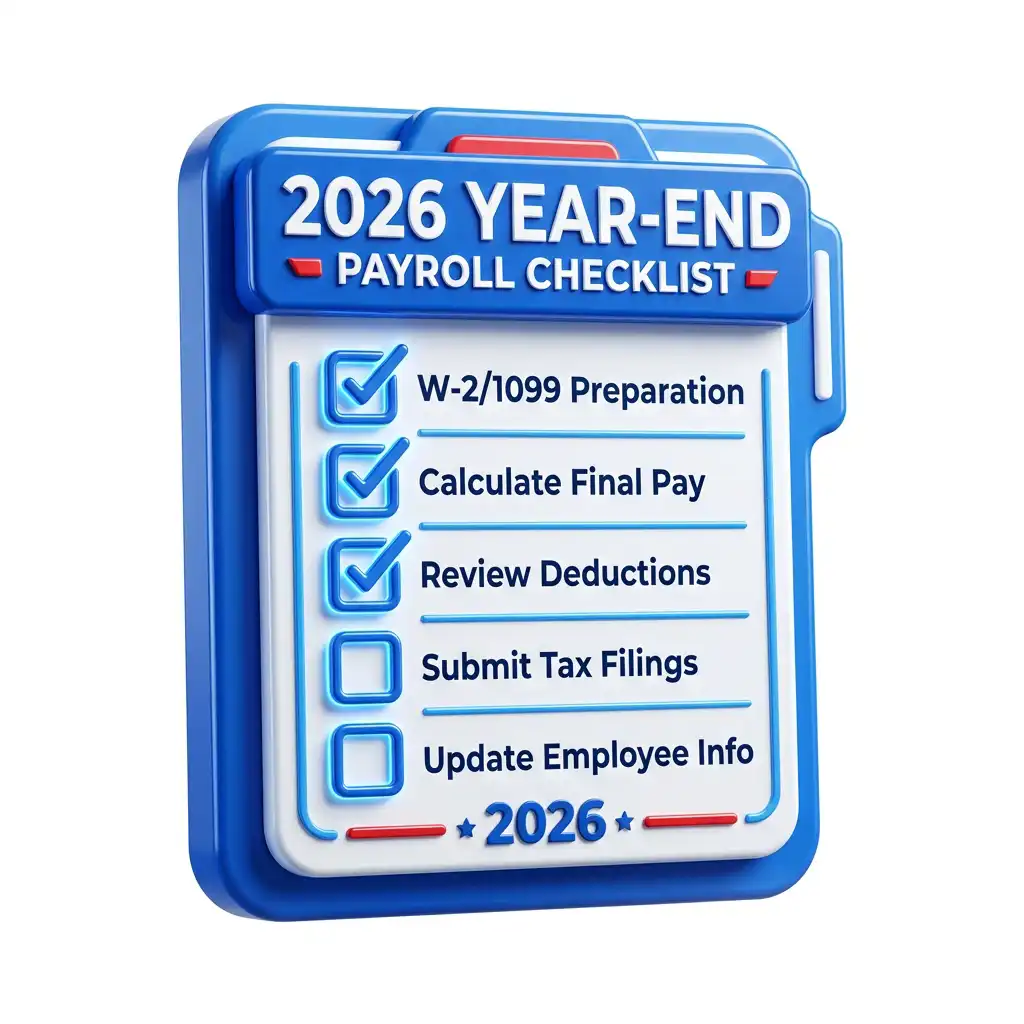

2026 U.S. payroll closeout
2026 Year-End Payroll Checklist for U.S. Businesses
A source-backed, operations-first year-end payroll checklist for U.S. employers closing 2026 wages, preparing January 2027 filings, reconciling W-2s and employment tax returns, handling taxable benefits, and preventing the small payroll data mistakes that turn into W-2c, 941-X, state, and employee trust problems.
Quick Answer
The best 2026 year-end payroll process is not a January W-2 project. It is a controlled close that starts before the final payroll of 2026, locks wage and benefit data by December 31, reconciles payroll tax deposits to Forms 941/943/944/945 and Form 940, validates employee and contractor identities, reviews taxable fringe benefits, and files W-2, W-3, 1099, ACA, state, and local returns by their 2027 deadlines.
Freeze the wage year
Decide what belongs in 2026 payroll before the final run: manual checks, voids, reversals, bonuses, tips, taxable fringes, third-party sick pay, retro pay, severance, and corrections.
Reconcile before filing
Reconcile W-2 totals to quarterly or annual employment tax returns before releasing employee copies. The goal is not equal boxes; it is explainable differences.
Confirm 2026 limits
Do not reuse 2025 settings. 2026 changes affect the Social Security wage base, retirement limits, HSA limits, health FSA limits, W-2 codes, e-filing, and some information-reporting thresholds.
Build the audit packet
Keep the reports, approvals, source reports, correction memos, benefit valuations, deposit proof, and filing confirmations that prove how every year-end number was produced.
Important 2026 planning note: final state, local, unemployment, paid leave, ACA, and some 1099 instructions may publish or update after mid-year. This checklist uses official federal guidance available on June 30, 2026, and tells payroll teams where to re-check before filing 2026 returns in 2027.
2026 Payroll Deadline Map
Build the internal close around the real dates, not around vague "January" reminders. January 31, 2027 falls on a Sunday, so several federal due dates move to Monday, February 1, 2027. States and local agencies can use different rules, earlier deadlines, or separate electronic portals.
| Due date | Action | Who owns it | Payroll control point |
|---|---|---|---|
| October-November 2026 | Open year-end payroll close, request address updates, test W-2/1099/ACA files, collect W-9s, review state registrations, and identify taxable fringe benefits. | Payroll, HR, benefits, accounting, tax | Create a written close calendar with owners, due dates, backup approvers, and a no-manual-adjustment cutoff. |
| November 2026 | Check FUTA credit-reduction states after the November 10 federal unemployment loan deadline and update Form 940 planning if employees worked in affected states. | Payroll tax, accounting | Run state-by-state FUTA taxable wages and UI-tax-paid reports before Q4 closes. |
| December 2026 | Complete final payroll runs, bonus payrolls, voids, off-cycle checks, group-term life, personal vehicle use, gift cards, relocation, S-corp shareholder health, and third-party sick pay adjustments. | Payroll, benefits, fleet, AP, HR | Keep a signed final-adjustment log showing what was included in 2026 and what belongs in 2027. |
| January 15, 2027 | Monthly depositors generally deposit December 2026 employment taxes by the 15th day of the following month, subject to business-day and special deposit rules. | Payroll tax, treasury | Reconcile EFTPS confirmations to payroll tax liability reports and bank clearing. |
| February 1, 2027 | Furnish 2026 Forms W-2 to employees and file W-2/W-3 with the SSA. Form 1099-NEC is generally due to recipients and IRS. Q4 Form 941 and annual Forms 940, 943, 944, and 945 generally fall due on this date when January 31 is a weekend. | Payroll, tax, AP, benefits | Do not release forms until W-2/W-3 totals tie to 941/943/944 and deposit data, and TIN/name/address checks have been completed. |
| February 10, 2027 | Employers that made timely deposits in full may have until the 10th day of the second month after the period to file certain employment tax returns, such as Form 941 and Form 940. | Payroll tax | Use the February 10 extension only if deposit timeliness has been verified. |
| March 1, 2027 | ACA paper filing and many non-NEC information returns that normally use February 28 paper filing may move to the next business day when the normal date falls on a weekend. | Benefits, payroll tax, AP | Confirm final 2026 IRS instructions and any state-specific 1099 filing deadlines before using this date. |
| March 2, 2027 | Based on current ACA instructions, ALEs should plan for Form 1095-C furnishing or qualifying website notice/request processes around March 2, subject to final 2026 guidance. | Benefits, HRIS, payroll | Preserve monthly offer-of-coverage codes, safe harbor logic, affordability calculations, and request fulfillment logs. |
| March 31, 2027 | Electronic ACA returns and many electronic information returns are generally due by March 31, subject to form-specific rules. | Benefits, payroll tax, AP | Confirm transmitter access, IRS AIR/TCC credentials, FIRE/IRIS or other filing method readiness, and rejection-correction process before the deadline week. |
Interactive Year-End Payroll Checklist
Use this checklist as the working close plan. The exact owner may vary by company, but every item should have a named person, a source report, and a completion date. Checked items are saved in this browser.
Close Progress
0 of 48 complete
Focus Area
1. Payroll data cleanup before the final 2026 payroll
2. Wage, tax, and W-2 reconciliation
3. Taxable benefits and special compensation
4. Contractor, vendor, and 1099 close
5. Federal employment tax returns and deposits
6. Benefits, retirement, ACA, and employee communications
7. State, local, and remote-work payroll close
8. Audit trail and 2027 readiness
2026 Rule Changes Payroll Cannot Treat as a Rollover
Many year-end errors happen because the team copies last year's setup, then discovers in January that a wage base, box code, e-file threshold, or benefits limit changed. These are the 2026 items to hard-code into the close plan.
Social Security wage base
The 2026 Social Security wage base is $184,500. Employee Social Security withholding should not exceed $11,439 for one employer. Medicare wages have no wage base.
10-return e-file aggregation
W-2 e-filing is required when the employer must file at least 10 information returns in aggregate. The count includes W-2s plus many 1099, 1094/1095, 1098, 5498, W-2G, and other information returns.
Tips, overtime, and section 128 accounts
2026 W-2 instructions include new codes for total cash tips reported to the employer, qualified overtime compensation, and certain section 128 Trump account employer contributions. The payroll system must support the new export fields.
Information-reporting threshold language changed
IRS Pub. 15 says P.L. 119-21 raises certain 2026 section 6041(a) and 6041A(a) reportable payment thresholds from $600 to $2,000. Treat this as a final-instructions checkpoint, not a reason to stop collecting W-9s.
Retirement and health limits moved
For 2026, the 401(k)/403(b)/457/TSP elective deferral limit is $24,500, the standard catch-up is $8,000, the age 60-63 catch-up remains $11,250, and health FSA salary reduction is $3,400.
Furnishing-by-request rules need a process
Current ACA instructions allow qualifying website notice/request methods instead of automatically sending some Form 1095-C statements, but employers still need monthly data, request fulfillment, correction, and filing controls.
Do not confuse employee tax deductions with payroll tax exclusion
P.L. 119-21 created employee-side deductions related to qualified tips and qualified overtime for certain years, but IRS 2026 employer guidance still treats tips and overtime as generally subject to payroll reporting, withholding, Social Security, and Medicare rules. The employer close must capture and report the relevant wage data rather than suppress it.
W-2 and W-3 Reconciliation Model
A strong W-2 close is a reconciliation exercise. The payroll team should prove that each wage box is correct under its own rule and that differences are understood before the forms leave the company.
| Reconciliation area | What to compare | Common reason totals differ | Close control |
|---|---|---|---|
| Gross pay to Box 1 | Gross payroll register, taxable earnings, pre-tax deductions, taxable benefits, and W-2 Box 1 wages. | 401(k), section 125 deductions, commuter benefits, HSA treatment, taxable fringe benefits, reimbursements, and third-party sick pay. | Run a taxable-wage bridge report and keep one signed version with the year-end packet. |
| Box 3 Social Security wages | Employee-level Social Security taxable wages and 2026 wage base cap of $184,500. | Wage base cap, exempt wages, certain pre-tax deductions that do not reduce Social Security wages, and employer-paid taxes. | List employees at or near the cap and verify Box 4 does not exceed $11,439 for one employer. |
| Box 5 Medicare wages | Medicare taxable wages, tips, and Additional Medicare Tax withholding. | No Medicare wage base, different pre-tax treatment, and employee-only Additional Medicare Tax over $200,000. | Compare high-earner reports to Medicare withholding and Additional Medicare Tax trigger reports. |
| W-3 to Form 941/943/944 | Annual W-3 totals to quarterly or annual employment tax returns. | Fractions of cents, sick pay, group-term life for former employees, prior-period corrections, tips, and timing differences. | Prepare a reconciliation memo before submitting the SSA file. |
| State and local boxes | W-2 Boxes 15-20 to state withholding returns, annual reconciliations, and local tax reports. | Remote work, reciprocal agreements, local taxes, paid leave programs, and multi-state allocation. | Run a jurisdiction matrix and confirm each tax ID, wage base, and filing portal. |
The best W-2 review question
For each employee, ask: "Could we explain this form to the employee, the IRS, the SSA, and the state without re-opening raw payroll history?" If the answer is no, the payroll close is not ready.
Taxable Fringe Benefits That Break Year-End Payroll
Taxable fringe benefits are one of the most common causes of late W-2 corrections because the data often lives outside payroll. Accounting, fleet, AP, benefits, HR, and executives may all hold part of the truth.
| Benefit or payment | Year-end payroll question | Typical W-2 impact | Owner to involve |
|---|---|---|---|
| Personal use of company vehicle | Were personal miles, commuting miles, reimbursements, and valuation method documented? | Often included in Boxes 1, 3, and 5, subject to payroll tax treatment. | Fleet, accounting, payroll |
| Group-term life over $50,000 | Did the system calculate taxable cost for active and former employees? | Boxes 1, 3, 5 and Box 12 code C when required. | Benefits, payroll |
| Gift cards, cash awards, prizes | Did any department give cash-equivalent value outside payroll? | Generally taxable wages, even for small amounts. | AP, HR, department heads |
| Non-accountable reimbursements | Were expense advances substantiated and returned where required? | Unsubstantiated amounts can become taxable wages. | AP, accounting, payroll |
| Moving, relocation, and housing | Were taxable relocation benefits identified and grossed up if promised? | Often taxable, with limited exceptions. | HR, accounting, tax |
| S-corp 2% shareholder health | Were owner-employee benefits handled under the correct tax treatment? | Often affects Box 1 and benefit reporting; coordinate with tax advisers. | Tax, benefits, payroll |
| Commuter benefits | Did monthly benefits exceed the 2026 qualified transportation exclusion limits? | Excess over the monthly limit is wages. | Benefits, payroll |
| Section 128 Trump account contributions | Did the employer make eligible contributions after July 4, 2026 under a qualifying program? | New W-2 Box 12 code TA may apply under the 2026 instructions. | Benefits, payroll, tax |
Fringe-benefit close standard
No taxable benefit should be added to a W-2 without three pieces of evidence: the source data, the valuation method, and the approval. That standard makes corrections faster and reduces arguments with employees in January.
Contractors, 1099s, and Worker Classification
Year-end payroll is also where employee and contractor records collide. The mistake to avoid is treating the 1099 process as an AP print job. It is a classification, TIN, withholding, state filing, and payment-character review.
Collect W-9s before payments become urgent
Require a valid Form W-9 before paying vendors who may receive reportable payments. Missing TINs, name/TIN mismatches, and backup withholding notices are easier to prevent before the final payment.
Confirm W-2 versus 1099 treatment
Worker classification should be resolved before year-end forms are generated. A person cannot be fixed by choosing whichever form is easier in January.
Do not rely on one federal threshold
Federal thresholds, state thresholds, payment type, backup withholding, attorney payments, and direct-sales reporting can produce different filing decisions. Build a report by form box, not just total vendor spend.
Conservative 2026 approach: continue collecting W-9s and reviewing vendors at the traditional $600 operational checkpoint, then apply the final 2026 federal and state reporting rules when forms are prepared. That avoids losing TIN data if final form instructions, state rules, or backup withholding require reporting.
Federal Payroll Tax Returns and Deposits
Employment tax returns should be treated as proof of the payroll close, not as a separate filing chore. The same wage and tax data should support W-2s, W-3, Forms 941/943/944/945, Form 940, state returns, deposits, and internal financial statements.
| Form or deposit | What it covers | 2026 close question | Risk if missed |
|---|---|---|---|
| Form 941 Q4 | Quarterly federal income tax withholding, Social Security, Medicare, adjustments, and deposits for most employers. | Do Q4 totals reconcile to payroll registers, tax deposits, Schedule B if required, and annual W-2 totals? | Late filing, deposit penalties, 941-X corrections, and W-2 mismatch notices. |
| Form 943 | Annual federal tax return for agricultural employees when applicable. | Were agricultural wages excluded from Form 941/944 and reported on the correct annual return? | Wrong-form filing, mismatched W-2 totals, and deposit errors. |
| Form 944 | Annual federal employment tax return for employers with IRS written notice to file Form 944. | Does the employer actually have IRS notice to file Form 944 instead of Forms 941? | Wrong filing cadence and IRS notices. |
| Form 945 | Annual return for nonpayroll federal income tax withholding, including backup withholding. | Were backup withholding and other nonpayroll withholding separated from payroll withholding? | Wrong-form tax reporting and 1099 withholding mismatch. |
| Form 940 and FUTA | Annual federal unemployment tax, generally on the first $7,000 of FUTA wages, before credits and any credit reduction. | Did the employer check credit reduction states after the November 10 loan deadline and complete Schedule A if needed? | Underpaid Q4 FUTA and Form 940 correction work. |
| EFTPS deposits | Federal tax deposits based on monthly, semiweekly, next-day, and FUTA deposit rules. | Do deposit dates, amounts, tax periods, and form types match payroll liability reports? | Failure-to-deposit penalties and difficult notice resolution. |
Lookback period control
Before 2027 begins, determine the federal deposit schedule using the correct lookback period and original reported liabilities. The schedule is based on reported tax liability, not how often employees are paid.
Multi-State Payroll Close
Remote work, field crews, traveling employees, acquisitions, and branch expansion can turn a clean federal payroll close into a state mess. The year-end state review should happen before W-2s are final, because state and local wages may need different allocation than federal wages.
Jurisdiction inventory
List every state and locality where employees lived, worked, were assigned, or had withholding during 2026. Include temporary job sites and remote workers.
Registration and ID check
Confirm withholding account numbers, unemployment account numbers, paid leave accounts, local tax IDs, portal credentials, and third-party access.
Wage allocation
Review resident, worksite, reciprocity, convenience-of-employer, local, and mobile workforce rules where applicable. Do not assume one allocation rule fits every state.
State W-2 and 1099 filing
Check state direct-filing rules, combined federal/state participation, paper suppression, state 1099-NEC rules, annual withholding reconciliation, and employee copy rules.
Unemployment and paid leave
Load 2027 SUTA rates, taxable wage bases, surcharges, paid family leave percentages, disability insurance rules, and employee contribution caps before first 2027 payroll.
Correction procedure
Know each state correction path before forms are filed. Some states require amended returns, corrected W-2 files, portal adjustments, or separate employee statements.
Multi-state payroll test: for every employee with more than one jurisdiction in 2026, payroll should be able to show work location history, resident state, state withholding, local withholding, unemployment state, paid leave contributions, and W-2 state/local box logic.
Wage, Hour, Final Pay, and Recordkeeping Review
Year-end payroll is not only a tax exercise. It is also the moment to catch wage-hour issues before they roll into W-2s, accounting closes, and employee complaints. Overtime, regular-rate calculations, pay frequency, final pay, paid sick leave, and recordkeeping rules often come from different federal, state, and local sources.
FLSA overtime review
- Confirm covered nonexempt employees were paid overtime over 40 hours in a workweek at not less than one and one-half times the regular rate.
- Do not average hours across two or more workweeks to avoid overtime.
- Review bonuses, commissions, shift differentials, piece rates, multiple rates, and nondiscretionary incentives for regular-rate inclusion.
- Confirm overtime earned in a workweek was paid on the regular payday for the pay period in which it was earned, unless a specific lawful correction applies.
Recordkeeping packet
- Keep payroll tax records, W-2/W-3 copies, employment tax returns, deposits, and employee data under the applicable tax retention rules.
- Keep FLSA payroll records for at least three years and wage-computation support records for at least two years.
- Preserve timecards, schedules, edits, approvals, rates, deductions, additions, and pay-period payment dates.
- Use the longest applicable retention period when federal, state, tax, benefits, or litigation-hold rules overlap.
Final pay and state law
Federal payroll filing deadlines do not control state final-pay timing, vacation payout, paid sick leave, expense reimbursement, wage statement, or termination notice rules. If employees left in 2026, review final pay under the state law that applied at separation.
Benefits, Retirement, and ACA Close
Benefits data feeds directly into W-2, ACA, payroll tax, retirement-plan, and employee support work. The close should reconcile payroll deductions to carrier bills, plan records, employee elections, and statutory limits.
| Area | 2026 limit or checkpoint | Payroll close action |
|---|---|---|
| 401(k), 403(b), 457, TSP | $24,500 elective deferral; $8,000 catch-up for many age 50+ participants; $11,250 higher catch-up for ages 60-63. | Reconcile employee deferrals, Roth versus pre-tax, catch-up, employer match, true-up, loans, and plan census files. |
| SIMPLE IRA | $17,000 general limit; $18,100 for certain applicable SIMPLE plans; $4,000 catch-up for many age 50+ participants; $5,250 higher catch-up for ages 60-63. | Confirm plan type before applying higher limits and reconcile payroll to provider records. |
| HSA | $4,400 self-only and $8,750 family contribution limits; HDHP minimum deductible $1,700 self-only and $3,400 family. | Reconcile employee and employer contributions, cafeteria-plan treatment, eligibility, and Box 12 code W. |
| Health FSA | $3,400 salary reduction limit; carryover up to $680 when the plan permits carryover. | Check elected deductions, corrections, and W-2 treatment if an error allowed excess salary reduction. |
| Transportation fringe | $340 per month for combined commuter highway vehicle transportation/transit passes and $340 per month for qualified parking. | Include monthly excess in wages when benefits exceed the limit. |
| ACA reporting | ALEs should plan around final 2026 Forms 1094-C/1095-C instructions, March 2027 filing/furnishing dates, and aggregate 10-return e-filing rules. | Preserve monthly coverage offers, affordability, safe harbor codes, self-insured coverage data, and statement request logs. |
Where TimeTrex Fits in the Payroll Close
Year-end payroll failures usually trace back to upstream data: late time approvals, manual adjustments, inconsistent job codes, missing employee data, stale tax setup, disconnected schedules, or benefit records that never reached payroll. A unified workforce system helps employers close payroll as a process instead of as a scramble.
Time and attendance
Use TimeTrex Time and Attendance to keep punches, approvals, missed-punch corrections, overtime inputs, and leave data closer to payroll before the year closes.
Payroll
TimeTrex Payroll helps connect employee records, earnings, deductions, taxes, direct deposit, pay stubs, and year-end reporting workflows in one payroll operating rhythm.
Scheduling and job costing
Scheduling and Job Costing support better labor allocation, shift context, department coding, project costing, and exception review before payroll finalizes.
Make year-end payroll easier to prove
When time, attendance, scheduling, approvals, payroll, deductions, and reporting data live in one workflow, payroll teams have fewer late surprises and a stronger audit trail when W-2 season arrives.
2026 Year-End Payroll FAQ
When are 2026 W-2s due?
For 2026 Forms W-2 and W-3, the IRS instructions state that filing with the SSA is due February 1, 2027, whether paper or electronic. Employers must also furnish W-2s to employees by February 1, 2027.
What is the 2026 Social Security wage base?
The 2026 Social Security wage base is $184,500. Employee and employer Social Security tax rates are 6.2% each, so the maximum employee Social Security withholding for one employer is $11,439.
Do tips and overtime become nonpayroll items in 2026?
No. Current IRS employer guidance says tips and qualified overtime still generally remain subject to payroll reporting, withholding, Social Security, and Medicare rules. New W-2 reporting codes help employees claim applicable tax deductions.
Does the 10-return e-file rule apply to W-2s?
Yes. The W-2 instructions say employers required to file at least 10 information returns in aggregate must e-file W-2s. The count aggregates W-2s with many other information return types.
Should employers still collect W-9s at $600?
Yes as an operational practice. IRS Pub. 15 reports a 2026 threshold change to $2,000 for certain payments, but collecting W-9s before payments are made helps with backup withholding, state rules, and final-instructions changes.
What is the most common year-end payroll mistake?
The most common mistake is treating year-end as a form-printing task. The real work is reconciliation: wages to taxes, W-2s to Forms 941/943/944, deposits to liabilities, state boxes to state returns, and benefits to payroll.
How long should payroll records be kept?
DOL guidance says FLSA payroll records should generally be preserved for at least three years and wage-computation support records for two years. Payroll tax, state, benefits, and plan records can require different periods, so use the longer applicable rule.
What should be in a year-end payroll audit packet?
Keep final payroll registers, tax liability reports, deposit confirmations, W-2/W-3 files, 941/943/944/940/945 returns, state reconciliations, 1099 reports, ACA files, benefit valuations, correction memos, and approvals.
Sources and Research Notes
This checklist was built from current IRS, SSA, and U.S. Department of Labor guidance available on June 30, 2026, plus TimeTrex product pages for payroll workflow context. Employers should confirm final IRS, SSA, state, and local instructions before filing 2026 year-end returns in 2027.
- IRS Publication 15 (2026): https://www.irs.gov/publications/p15
- IRS General Instructions for Forms W-2 and W-3 (2026): https://www.irs.gov/instructions/iw2w3
- SSA Contribution and Benefit Base: https://www.ssa.gov/oact/cola/cbb.html
- IRS Instructions for Forms 1099-MISC and 1099-NEC: https://www.irs.gov/instructions/i1099mec
- IRS Instructions for Forms 1094-C and 1095-C: https://www.irs.gov/instructions/i109495c
- IRS 2026 retirement plan limits: https://www.irs.gov/newsroom/401k-limit-increases-to-24500-for-2026-ira-limit-increases-to-7500
- IRS Rev. Proc. 2025-19 HSA limits: https://www.irs.gov/pub/irs-drop/rp-25-19.pdf
- IRS Publication 15-B (2026): https://www.irs.gov/publications/p15b
- IRS FUTA credit reduction: https://www.irs.gov/businesses/small-businesses-self-employed/futa-credit-reduction
- DOL Overtime Pay: https://www.dol.gov/agencies/whd/overtime
- DOL Fact Sheet 21 Recordkeeping: https://www.dol.gov/agencies/whd/fact-sheets/21-flsa-recordkeeping
- DOL Fact Sheet 23 Overtime: https://www.dol.gov/agencies/whd/fact-sheets/23-flsa-overtime-pay
- TimeTrex Payroll: https://www.timetrex.com/payroll
- TimeTrex Time and Attendance: https://www.timetrex.com/time-and-attendance
- TimeTrex Scheduling: https://www.timetrex.com/scheduling
- TimeTrex Job Costing: https://www.timetrex.com/job-costing
Disclaimer: The content provided on this webpage is for informational purposes only and is not intended to be a substitute for professional advice. While we strive to ensure the accuracy and timeliness of the information presented here, the details may change over time or vary in different jurisdictions. Therefore, we do not guarantee the completeness, reliability, or absolute accuracy of this information. The information on this page should not be used as a basis for making legal, financial, or any other key decisions. We strongly advise consulting with a qualified professional or expert in the relevant field for specific advice, guidance, or services. By using this webpage, you acknowledge that the information is offered “as is” and that we are not liable for any errors, omissions, or inaccuracies in the content, nor for any actions taken based on the information provided. We shall not be held liable for any direct, indirect, incidental, consequential, or punitive damages arising out of your access to, use of, or reliance on any content on this page.
About The Author

Roger Wood
With a Baccalaureate of Science and advanced studies in business, Roger has successfully managed businesses across five continents. His extensive global experience and strategic insights contribute significantly to the success of TimeTrex. His expertise and dedication ensure we deliver top-notch solutions to our clients around the world.
Time To Clock-In
Start your 30-day free trial!
Experience the Ultimate Workforce Solution and Revolutionize Your Business Today
- Eliminate Errors
- Simple & Easy To Use
- Real-time Reporting


Saving businesses time and money through better workforce management since 2003.
Copyright © 2026 TimeTrex. All Rights Reserved.