
Shift Coverage Stress Test
Free shift coverage planner
Can your shift handle a callout?
Enter the roles that need coverage at the same time and mark who can work each one. The planner tests every one-person absence and shows which assignments still work.
For schedulers and shift leads. Use anonymous team labels. Entries stay on this page and clear when you reload.
Warehouse example
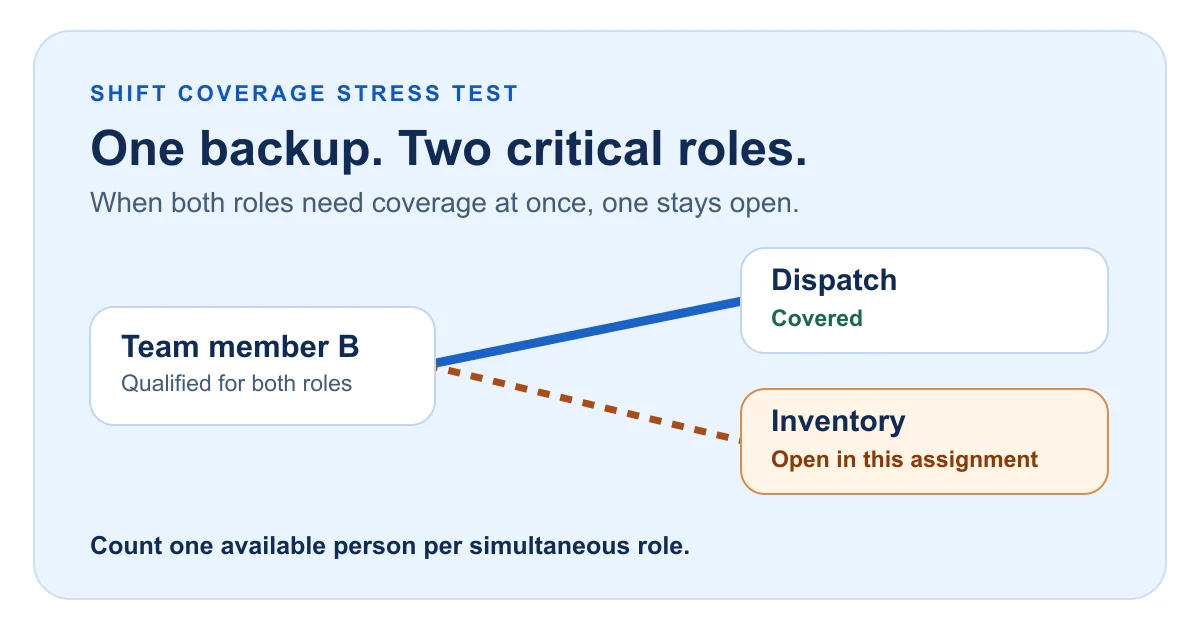
Dispatch and Inventory both rely on B. Only one can be assigned to B at the same time.
01 / Qualifications
Build the coverage matrix
Pick the size of the crew and enter one column per required position. Check a box only if that person can work the position independently during this window.
02 / Coverage results
See where the shift breaks
Test coverage to see the full-team result and each one-person absence.
How to use the shift coverage planner
Worked example / Warehouse dispatch
Four people, three positions, two vulnerable callouts
Lead can go to C or D. Dispatch can go to A or B. Inventory can go only to B. With everyone present, assign Lead to C, Dispatch to A and Inventory to B.
If A is absent, B is the only remaining candidate for both Dispatch and Inventory, so the shift covers at most two positions. If B is absent, Inventory has no qualified candidate. Losing C or D individually still leaves all three positions covered. Two of four absence scenarios are fully covered.
Try one cross-training change. Load the example, qualify C for Inventory and run the test again. All four callout scenarios now have a feasible assignment.
How the coverage test works
The planner finds the largest set of assignments between qualified team members and required positions. It can move an earlier assignment to another qualified person to free up a teammate for a harder-to-cover role. Each person can fill one position per scenario. A scenario is fully covered when the number of assigned positions equals the number required.
The same test runs once with everyone present and once for each possible one-person absence. “Callouts covered” counts scenarios with every required position filled. The result describes feasibility for the inputs you entered. It gives equal weight to positions and shows one valid assignment when several are possible.
Shift coverage questions
What should I do when the full team has a gap?
Check role requirements and availability first. If the gap remains, identify a qualified person to add or change the operating plan before testing callouts. Simply having enough people on the roster can still leave a role open.
How do I test two absences or a partial shift?
For a known absence, leave that person out of the baseline and test the remaining team. To model two specific absences together, omit both from the baseline. If availability or minimum coverage changes during the shift, run a separate test for each constant window.
Does the open position shown always have to stay open?
When two positions compete for the same person, more than one assignment may cover the same number of positions. The open position shown belongs to that assignment. Choose which work to prioritize using your operating and safety requirements.
After testing your coverage, use the employee schedule builder to draft the roster, or browse more workforce management resources.
Disclaimer: This planner is for staffing scenario analysis. It models one coverage window and one position per person. Verify availability, qualifications, and staffing requirements against your own records, and obtain qualified advice before relying on the results. To the fullest extent permitted by applicable law, this resource is provided “as is” without warranties of accuracy, completeness or fitness for a particular purpose, and TimeTrex and its affiliates disclaim liability for losses, damages, costs or claims arising from its use, inability to use, or reliance on it, including errors or omissions. Nothing in this disclaimer excludes or limits liability or rights that cannot lawfully be excluded or limited.
Share the Shift Coverage Stress Test with your scheduling team
Trusted By
Trusted by 3.4M+ Employees: 23 Years of Service Across Startups to Fortune 500 Enterprises
Join our ever-growing community of satisfied customers today and experience the unparalleled benefits of TimeTrex.










Strength In Numbers
Join The Companies Already Benefiting From TimeTrex
Time To Clock-In
Start your 30-day free trial!
Experience the Ultimate Workforce Solution and Revolutionize Your Business Today
- Eliminate Errors
- Simple & Easy To Use
- Real-time Reporting


Saving businesses time and money through better workforce management since 2003.
Copyright © 2026 TimeTrex. All Rights Reserved.