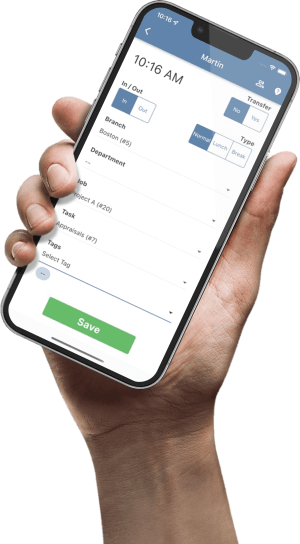

To rotate closing shifts fairly, first list who can cover each close. Protect the nights with the fewest trained, available staff, then compare how often each eligible employee has closed when they could have been assigned. Record mandatory assignments separately from choices the scheduler could make, and check the actual roster after swaps.
Define who can close each shift
Start with the closing dates, shift times and required roles. For a retail location, the manager might require one trained keyholder and one other closer. Use one record per required role. If an employee can perform either role, count them as available for just one role on that shift.
Before assigning anyone, have the scheduler use the same availability snapshot for the entire draft roster. Check qualifications, approved time off, other assignments, planned hours and the applicable rest and scheduling rules. Keep the reason a person was ineligible in the authorized scheduling record. The planning method works with initials or internal IDs and does not need details about anyone’s personal circumstances.
Fill the hardest closes first
- Start with the smallest pool. If only one eligible keyholder can close Friday, reserve that assignment before distributing flexible closes. Recheck the remaining roster after each assignment if roles or hours overlap.
- Compare discretionary closes within the same role. In a fixed review window, count each employee’s eligible discretionary closing slots and how many they actually worked. For this internal convention, a slot is discretionary when the scheduler has a feasible choice. Keep single-candidate assignments visible in a separate total so required coverage remains visible without treating it as a discretionary choice.
- Apply a consistent tie-break. For a flexible slot, prefer the eligible employee with the lower share of discretionary closes worked. When the counts are too small to tell you much, use the counts alongside the percentage and apply a recorded tie-break, such as the person who last worked a comparable close longest ago. A person with no prior opportunities has no rate for that window. Use your documented tie-break for them.
- Review the roster before release. Check every closing role, weekly hours and the next opening shift. If a decision creates a gap later in the week, revisit the flexible assignment. Reconcile any approved swaps to the original roster after the week closes.
Worked example: Equal close counts, different assignments
In this fictional four-week review, Sam and Jordan are trained keyholders. Both worked two discretionary closes. Sam could have taken four such closes, while Jordan could have taken eight. The scheduler compares only keyholder slots at this location and uses the availability recorded before those schedules were assigned.
Sam
2 of 4 discretionary closes worked (50%)
Also worked one close when no other keyholder was available. That assignment remains in the workload total.
Jordan
2 of 8 discretionary closes worked (25%)
No single-candidate closes during the review period.
Assign Sam to Friday and Jordan to Saturday. Sam is the only eligible keyholder on Friday. Both can close Saturday, so Jordan gets that discretionary assignment, provided the rest of the roster still works.
If Jordan swaps Saturday with Sam, record Sam as the closer once the swap is approved and worked. Keep the original discretionary decision so the manager can see both who was initially assigned and who carried the workload. If the same person keeps taking single-candidate closes, check whether another employee can be trained or whether the hours can be adjusted. The discretionary ratio alone will miss that burden.
Keep a short assignment record
Use one line per closing role. Record the date, hours, required role, eligible employee IDs, assignment type, assigned employee, decision reason and actual closer.
Example. Saturday, 15:00–22:00 · Keyholder · Sam or Jordan · Discretionary · Jordan assigned · 2 of 8 versus 2 of 4 · Actual closer pending.
Review the ratio alongside total closes and availability at the end of the window. Keep different closing roles separate, and avoid drawing a conclusion from a single week or an isolated swap. If a close is still uncovered, record who will resolve it before releasing the roster.
Use your next unpublished roster to test the method on one closing role. In TimeTrex, record the confirmed staff assignments in Schedules. For a reusable weekly grid, start with the TimeTrex employee schedule template.