
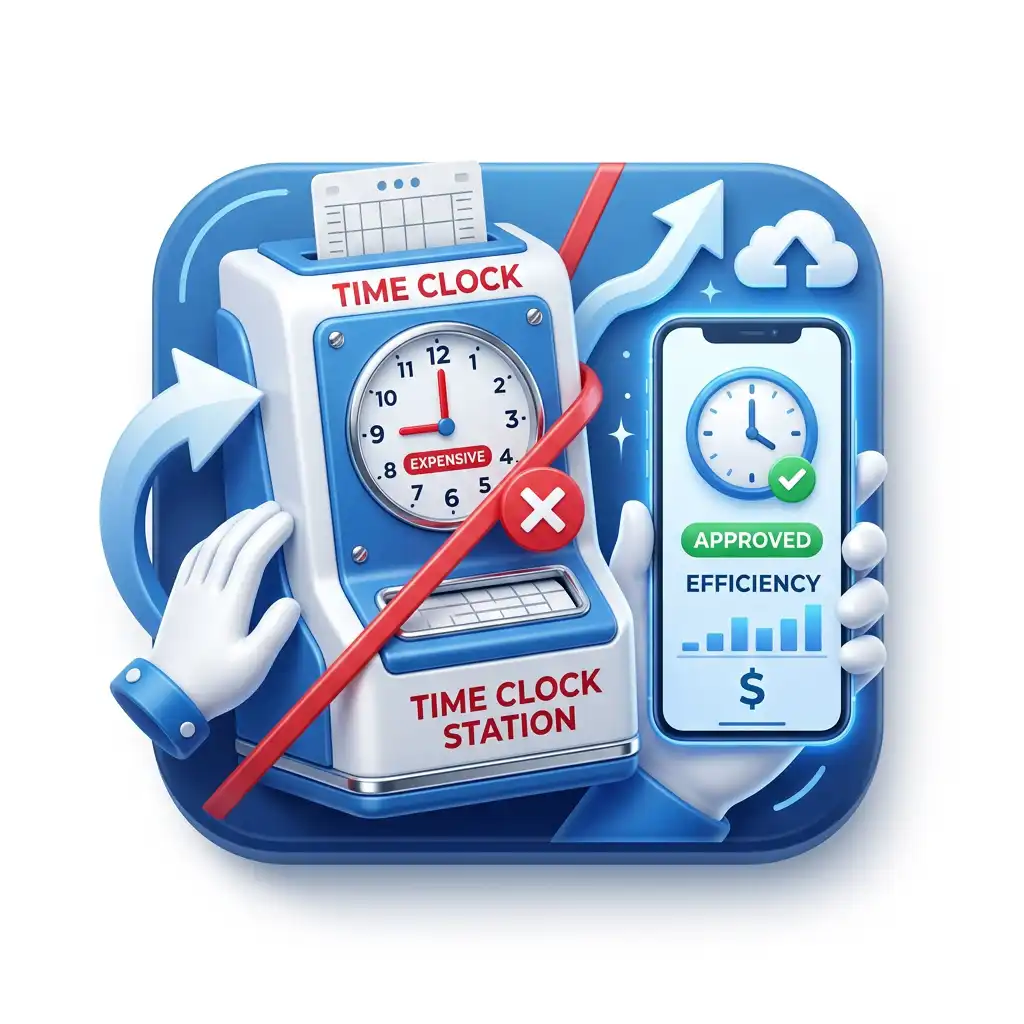

TimeTrex guide to modern time capture
Avoid Expensive Time Clock Stations
If your payroll vendor is steering you toward leased wall clocks, proprietary stations, or one clock for every doorway, pause before signing. Many employers can collect accurate time with a shared off-the-shelf tablet, employee phones, browser-based punching, or a small number of rugged devices only where the environment truly requires them.
Quick answer
Do not buy a clock. Design a capture system.
The expensive mistake is treating timekeeping as a hardware purchase. A time clock station is only one possible way to collect a punch. The real system is broader: employee identity, location rules, break rules, exception handling, supervisor approval, payroll readiness, record retention, privacy controls, and the audit trail that explains why a timecard changed.
For many small and mid-sized employers, the least expensive reliable setup is a mix of three methods:
- A shared tablet kiosk at fixed worksites where employees arrive without company phones or where supervisors want one visible punch point.
- Employee mobile phones for field crews, home care, construction, delivery, sales, maintenance, remote employees, and multi-site workers who are not always near a front desk.
- A browser-based time clock for office, warehouse, dispatch, or back-office employees already working on a computer.
Dedicated hardware still has a place. A rugged clock can make sense in a wet, dusty, high-traffic, unionized, restricted-device, or security-sensitive location. The point is not to eliminate every physical clock. The point is to stop paying enterprise hardware costs where a managed tablet or phone-based workflow would do the same job with less friction.
Why expensive time clock stations become a trap
A proprietary clock station looks simple on the sales call. Employees punch in. Managers approve time. Payroll gets the hours. The hidden cost appears later, after you realize the clock is not just a device; it is a little ecosystem with its own installation, replacement, support, networking, permissions, and vendor dependency.
The trap is especially common when a payroll vendor already has the account. A business starts with payroll, adds time and attendance, then gets nudged toward the vendor's preferred clock hardware. The clock may be described as dependable, biometric, secure, or integrated. Those benefits may be real, but the buyer still needs to ask whether every location actually needs a dedicated station.
Public vendor materials show the industry has already moved beyond the old wall-clock model. ADP, for example, describes time collection through smart time clocks, web timesheets, kiosk apps on shared tablets, and mobile apps on personal phones, and its employee time clock page describes an ADP Time Kiosk App that turns a shared tablet into a timekeeping device. The lesson is bigger than ADP: even large payroll vendors recognize that a tablet or mobile device can be a legitimate time clock.
That is the opening for a better buying decision. You do not need to rent a premium device just because the word "clock" is in the product name. You need a complete, accurate, secure, policy-controlled record of time worked. That can come from a tablet, phone, browser, biometric terminal, or a blended design.
The key legal point
The U.S. Department of Labor says employers may use any timekeeping method they choose, as long as the records are complete and accurate. The DOL's FLSA recordkeeping fact sheet even lists time clocks, timekeepers, and employee-written records as examples of acceptable methods when the records meet the requirement.
In plain English: the government does not require you to rent a proprietary time clock station. It requires accurate records.
The true cost is bigger than the monthly clock fee
When a quote includes a monthly station charge or leased hardware line item, the obvious question is, "Can we buy a tablet instead?" That is a good question, but it is only the beginning. The more useful comparison is total cost of ownership over the life of the timekeeping setup.
A proprietary station may include support, firmware management, biometric modules, badge readers, and tight vendor integration. It may also create a device dependency that is expensive to expand, slow to replace, and hard to repurpose if you switch systems. An off-the-shelf tablet may be cheaper to buy, easier to replace, and flexible enough to use for schedules, forms, training, or checklists. It also needs kiosk lockdown, physical protection, charging, permissions, and a clear policy.
Do the math over 36 months. Include device charges, accessories, installation, support, replacement, IT time, payroll cleanup, and manager time spent fixing exceptions. The cheapest device is not always the cheapest system. But once you price the whole workflow, many locations do not justify a proprietary station.
| Cost category | Proprietary clock station | Off-the-shelf tablet kiosk | Employee phones |
|---|---|---|---|
| Device cost | Often quoted as hardware purchase, lease, rental, or bundled line item. | Usually a one-time tablet purchase, case, mount, charger, and replacement reserve. | Often no dedicated hardware purchase if employees already use approved devices. |
| Expansion cost | Every new entrance, department, jobsite, or remote crew may trigger another hardware discussion. | Add a tablet only where shared punching is useful; move devices as locations change. | Scales with headcount if licensing supports it; best for mobile teams. |
| Maintenance | Vendor support may be strong, but replacement can depend on the vendor's hardware process. | IT or operations manages charging, updates, kiosk mode, and physical damage. | Requires device policy, app permissions, troubleshooting, and fallback procedures. |
| Payroll cleanup | Low if integrated well; high if the clock is disconnected from rules, jobs, schedules, or approvals. | Low when punches flow into rules, exceptions, and approval workflows. | Low when GPS, geofence, offline capture, and supervisor review are configured correctly. |
| Switching cost | Can be higher if devices are vendor-specific or contract-bound. | Lower because the hardware can often be repurposed. | Lower because the device layer is not the system. |
The ADP and UKG question: what are you really buying?
ADP and UKG are not identical products, and their offerings change by package, country, customer size, and contract. The smart buyer avoids broad assumptions and asks the same operating questions of any vendor: Is this a required device, an optional device, a leased device, a purchased device, or a convenience feature? Can employees punch from a browser or phone? Can a shared tablet act as a kiosk? Does the mobile option support GPS or geofencing? What happens if the device goes offline? What happens when the contract ends?
ADP's public time clock materials are useful because they show several alternatives to a traditional station. ADP describes the ADP Time Kiosk App as a shared tablet timekeeping device, references ADP Mobile Solutions for on-the-go clocking actions, and states that time clock software can turn a mobile device or tablet into an online timekeeping device. Its employee time tracking page also lists web-based timesheets, smart time clocks, point-of-sale devices and tablets, personal mobile devices, and tablet-based kiosks as compatible reporting methods.
UKG is known for workforce management and enterprise time and attendance environments. If your buyer conversation is centered on UKG-style or ADP-style clock stations, the issue is not whether those systems can work. They can. The issue is whether you need a premium station everywhere, or whether a more flexible capture layer can feed the same payroll-quality approval process.
Do not let "integrated with payroll" end the analysis
An integrated clock can still be too expensive if it solves the wrong problem. Ask whether the system prevents missed punches, bad job costing, unauthorized location punches, unapproved overtime, break mistakes, stale employee data, and manual payroll edits. A cheaper tablet or phone setup is only a win if it still produces clean, approved, payroll-ready time.
Choose the capture method by work pattern
The right replacement for a rented clock station is not always the same device. A warehouse may need one fixed tablet at the supervisor desk and employee phones for offsite service calls. A restaurant may need a tablet kiosk in the back office, manager approval from mobile, and no personal-phone punching during shifts. A construction company may need mobile punching with GPS, geofencing, job costing, and offline support. A healthcare employer may need shift, department, and role rules that matter more than the device itself.
Use this matrix before buying hardware. The goal is to match the device to the worksite, not the other way around.
| Capture method | Best fit | What to control | Risk level |
|---|---|---|---|
| Shared tablet kiosk | Retail stores, restaurants, small warehouses, clinics, depots, front desks, and crews that start together. | Kiosk mode, charging, mounting, employee identity, break punching, camera policy, and physical access. | Strong default |
| Employee mobile phones | Field service, home care, construction, delivery, sales, maintenance, remote work, and multi-location staff. | GPS at punch, geofence rules, privacy notices, device permissions, offline capture, and supervisor review. | Best for mobile work |
| Browser time clock | Office staff, dispatchers, admins, warehouse terminals, call centers, and computer-based hourly employees. | IP restrictions, device restrictions, login security, session timeouts, and approval workflow. | Works with controls |
| Dedicated rugged clock | High-volume plants, harsh environments, restricted-phone locations, union rules, or locations needing badge/fingerprint hardware. | Hardware support, downtime plan, biometric rules, network redundancy, contract terms, and replacement cost. | Use selectively |
| Paper or spreadsheet backup | Emergency fallback only when devices, network, or login systems fail. | Who can approve, how entries are keyed, how corrections are documented, and how long records are retained. | Fallback only |
How to replace a wall clock with a tablet kiosk
A tablet kiosk is the easiest mental bridge for teams used to a wall clock. Employees still go to a shared place to punch, but the hardware is no longer a specialized station. The tablet can be an iPad or Android tablet mounted near the entrance, supervisor desk, break room, dispatch area, or job trailer.
The success of a tablet kiosk depends on boring setup details. The best kiosk is not the newest tablet. It is the one that stays charged, stays locked to the time clock screen, connects reliably, can be replaced quickly, and gives employees a clear way to punch without creating a line.
Lock the tablet to the job
Use kiosk mode, guided access, mobile device management, or browser restrictions so the tablet is not used for web browsing, personal accounts, social media, or unrelated apps. A time kiosk should behave like a clock, not a general-purpose break-room device.
Mount for traffic, not aesthetics
Place the device where employees naturally enter and leave, but not where one person blocks the doorway. Use a charging mount, visible cable management, and a backup power plan if the location is prone to outages.
Choose identity controls
Depending on the workforce, use PIN, QR code, photo capture, facial recognition, supervisor team punch, or another method that balances speed with accountability. Stronger identity controls may be worth it where buddy punching is a known issue.
Keep a simple fallback
If the tablet breaks, disappears, loses internet, or runs out of battery, supervisors need a documented backup. The fallback can be another device, mobile punching, offline mode, or a paper exception form that gets entered and approved later.
Where TimeTrex fits
The TimeTrex mobile app listing describes kiosk mode that can turn a tablet or phone into a stationary or mobile time clock. It also describes facial recognition, photo capture, QR code punching, GPS records, geofences, offline mode, lunch and break tracking, requests, timesheet verification, and payroll processing after attendance information reaches the TimeTrex server.
How to use employee phones without creating chaos
Employee phones are powerful because they put the clock where the work happens. They are also risky if the employer treats "mobile punching" as a permission setting instead of a policy. A good mobile setup answers four questions before the first punch: who may use a phone, where they may punch, what location data is collected, and who reviews exceptions.
For field teams, mobile punching can reduce the old pattern of end-of-week memory timecards, texts to supervisors, handwritten job sheets, and payroll staff reconstructing time from dispatch notes. For fixed-site teams, mobile punching may be unnecessary or even counterproductive. The buyer should not turn on phone punching for everyone just because the app supports it.
Use geofences as evidence, not as a substitute for management
A geofence can warn that a punch happened outside an approved location. It does not prove what work was performed, whether the employee had authorization, or whether travel time should be paid. Treat it as an exception trigger.
Collect the least location data that solves the problem
For many employers, recording GPS only at punch in, punch out, transfer, lunch, or break events is enough. Continuous tracking raises more privacy and employee-relations issues and should be justified by a real operational need.
Publish a mobile timekeeping policy
Explain when the app may be used, what data is captured, whether personal devices are allowed, how employees report problems, and what happens if a punch is rejected or flagged.
The privacy dimension matters. The FTC has brought enforcement actions involving sensitive location data, and its 2024 Gravy Analytics and Venntel action emphasized risks around collecting, selling, and using sensitive location data without proper consent and safeguards. Employers using mobile time clocks should be transparent, limited, and specific: collect attendance-related location data for attendance-related reasons, keep it in the workforce system, and avoid casual reuse.
The payroll workflow matters more than the device
A time clock station can capture a punch and still fail payroll. That happens when the system does not know the schedule, job, department, pay policy, break rule, overtime rule, manager approval path, or employee status. It also happens when managers approve time in one place while payroll edits it somewhere else.
Replacing expensive hardware with tablets and phones only works if the capture layer feeds the rest of the workflow. The minimum workflow should look like this:
- Capture: employee punches in, punches out, records meal or rest breaks, and transfers jobs, departments, tasks, or locations when needed.
- Apply rules: the system applies schedule, rounding, overtime, break, premium, location, and job-costing rules.
- Flag exceptions: missed punch, late arrival, early departure, outside-geofence punch, unapproved overtime, duplicate punch, or missing break.
- Supervisor review: managers correct exceptions with a reason, approve timecards, and avoid silent payroll edits.
- Employee visibility: employees can review and verify time before payroll closes.
- Payroll readiness: approved hours, earnings, deductions, and supporting records are ready for payroll processing without rekeying.
- Retention: payroll and time records are retained according to wage-and-hour, tax, contract, and company requirements.
Under the FLSA, the record must include hours worked each day and total hours worked each workweek for non-exempt workers. The DOL also notes that payroll records generally must be preserved for at least three years, while records on which wage computations are based, such as time cards and schedules, should be retained for two years. The IRS 2026 Employer's Tax Guide says employers should keep employment tax records for at least four years. In practice, your timekeeping system should support retention, search, export, and audit explanation without forcing payroll staff to dig through screenshots or paper binders.
A 30-day plan to get off expensive clock stations
The safest migration is not a dramatic overnight switch. Use a short pilot, prove the workflow, then expand. The point is to discover operational problems before the first live payroll deadline.
| Timing | What to do | What good looks like |
|---|---|---|
| Days 1-5 | Inventory clock stations, leases, locations, punch volume, missed punches, manual edits, and payroll correction reasons. | You know which locations truly need hardware and which could use tablets, phones, or browsers. |
| Days 6-10 | Select capture methods by group: kiosk, mobile, browser, or dedicated rugged clock. Draft employee and manager policies. | Each work pattern has a clear punch method, fallback method, and exception owner. |
| Days 11-17 | Configure devices, permissions, geofences, jobs, departments, break rules, overtime rules, alerts, and approval routing. | Test punches flow into timecards with the right job, location, and pay-rule context. |
| Days 18-24 | Run a pilot with one location or crew. Compare old and new time records, payroll totals, exceptions, and manager effort. | Exceptions are visible early, employees understand the flow, and payroll can close without spreadsheet reconstruction. |
| Days 25-30 | Finalize policy, remove unnecessary stations from the plan, train supervisors, and set the first live payroll checkpoint. | The business has a tested, documented, lower-hardware workflow with a payroll fallback plan. |
Policy language that prevents phone and tablet disputes
Hardware savings disappear if employees are confused. Before rolling out tablets or phones, publish plain-language rules. The policy does not need to be intimidating; it needs to be specific enough that employees and managers know what to do when a punch is rejected, late, missing, or outside a location boundary.
Tablet kiosk policy
- Employees must punch at the shared kiosk unless a supervisor authorizes another method.
- Employees may not punch for another employee.
- If the kiosk is unavailable, employees must notify a supervisor before or immediately after the shift.
- Corrections require a reason and supervisor approval.
- Meal, break, job, department, and location transfers must be recorded when they occur.
Mobile phone policy
- Mobile punching is allowed only for approved roles, locations, or assignments.
- The system may record location at punch events to confirm the worksite or flag exceptions.
- Employees must not disable required permissions during scheduled work if mobile punching is required.
- If the phone or network is unavailable, employees must use the approved fallback method.
- Location data is used for attendance, payroll, job-costing, compliance, and exception review purposes.
Manager rule: exceptions are not accusations
A good timekeeping policy treats exceptions as records to review, not automatic discipline. A geofence miss can mean the employee was at the wrong site, but it can also mean weak signal, a site boundary that was drawn too tightly, a legitimate travel assignment, or a supervisor-approved offsite start. Review before reacting.
How TimeTrex helps avoid unnecessary stations
TimeTrex is a strong fit when the buyer wants to solve time capture and payroll readiness together. The platform positions time and attendance, scheduling, payroll, HR, job costing, reporting, and employee self-service as connected workforce functions. The TimeTrex help documentation describes it as a comprehensive workforce management solution with employee scheduling, time and attendance, job costing, invoicing, document management, and payroll.
For the time clock station problem, the most relevant TimeTrex advantages are practical:
Device flexibility
TimeTrex supports browser-based time capture, mobile time clocks, and biometric time clock options. That gives employers room to mix tablet kiosks, employee phones, and fixed clocks instead of choosing one expensive device model everywhere.
Mobile and kiosk mode
The TimeTrex mobile app listing describes GPS location with each punch, enforced geofences, offline punch capture, team punch, QR codes, lunch and break tracking, and kiosk mode that turns a tablet or phone into a stationary or mobile time clock.
Payroll context
TimeTrex is not just a punch collector. Approved time can sit in the same broader workflow as scheduling, exceptions, job costing, HR data, and payroll, reducing the handoffs that often make cheap clocks expensive later.
Replace hardware dependency with workflow control
If your current plan is "rent another clock," the better question is: which employees actually need a fixed station, and which can use a tablet, mobile phone, or browser while still feeding clean payroll-ready time?
Questions to ask before renting another station
Use this checklist before accepting a vendor hardware quote. The answers will usually reveal whether the clock is genuinely needed or simply part of the default sales path.
- Can a shared tablet run the same time clock workflow? Ask whether the software supports a tablet kiosk, iPad, Android tablet, or browser kiosk.
- Can employees punch from mobile phones where appropriate? Ask about GPS stamps, geofences, offline punches, employee privacy controls, and role-based permissions.
- Can the system restrict where and from which device employees punch? Device flexibility is not useful without rules.
- Does the mobile or tablet workflow feed payroll without exports? If payroll still needs manual rebuilds, the hardware savings may not matter.
- What are the total 36-month costs? Include rental, purchase, installation, service, replacement, accessories, network, IT time, payroll cleanup, and contract exit terms.
- What happens when the device fails? Require a fallback method for outages, dead batteries, broken screens, and lost network.
- Who owns the data and how do you export it? You need historical punch records, edits, approvals, locations, and reports if you change systems.
- Does biometric or GPS use require extra notices or policies? Check federal, state, provincial, local, union, industry, and contract rules before rollout.
Common mistakes when moving away from clock stations
Mistake 1: buying too little control
A cheap app that lets anyone punch from anywhere can create more payroll risk than an expensive station. The replacement must support rules, identity, exceptions, approvals, and audit history.
Mistake 2: using GPS like surveillance
GPS should support timekeeping accuracy, job costing, and exception review. Avoid vague policies or unnecessary continuous tracking. Employees should know what is collected and why.
Mistake 3: forgetting the lunch and break flow
Many timekeeping problems are not punch-in problems. They are meal, rest, transfer, split-shift, callback, travel, on-call, and training-time problems. Configure those rules before rollout.
Mistake 4: skipping payroll parallel testing
Run at least one pilot pay period where you compare old and new outputs. Look for overtime differences, missing breaks, rejected punches, wrong job codes, and manual edits before going live.
FAQ: avoiding expensive time clock stations
Do employers have to use a physical time clock?
No. The U.S. Department of Labor says employers may use any timekeeping method they choose as long as the records are complete and accurate. A physical clock is optional; accurate daily and weekly records are the requirement.
Can a tablet really replace a dedicated time clock station?
Yes, when the software supports kiosk mode, identity controls, location or device restrictions, offline fallback, and payroll-ready approvals. A tablet is not automatically enough by itself; it needs a controlled workflow.
Is it safe to let employees clock in from personal phones?
It can be safe when mobile punching is limited to appropriate roles, location data is collected only for clear timekeeping purposes, employees receive notice, and supervisors review exceptions. Employers should avoid vague or unnecessary tracking.
When should a company still use a dedicated time clock?
Dedicated clocks may make sense in harsh environments, high-volume shift changes, restricted-phone workplaces, unionized settings, secure facilities, or locations that require badge, fingerprint, or ruggedized hardware. The goal is selective use, not automatic use.
How does TimeTrex support a lower-hardware model?
TimeTrex supports browser-based and mobile time capture, GPS and geofencing, biometric and photo options, offline punching, kiosk mode on tablets or phones, scheduling, exceptions, approvals, job costing, and payroll workflows. That lets employers design the capture method around the work pattern.
What should we ask ADP, UKG, or any payroll vendor before renting hardware?
Ask whether hardware is required or optional, whether tablets and phones can be used, how mobile location rules work, whether pricing is purchase or rental, what replacement costs are, how time flows into payroll, and how you export records if you leave.
Sources
These sources were used to ground the timekeeping, vendor-device, mobile, privacy, recordkeeping, payroll, and TimeTrex product claims in this article. Employers should verify current federal, state, provincial, local, union, industry, and contract requirements before changing payroll practices.
- U.S. Department of Labor: FLSA recordkeeping requirements
- U.S. Department of Labor: Hours worked under the FLSA
- eCFR: 29 CFR 785.48, use of time clocks and rounding
- IRS Publication 15 (2026): Employer's Tax Guide
- FTC: Gravy Analytics and Venntel location data enforcement action
- ADP: Time and attendance solutions
- ADP: Employee time clock software and attendance systems
- ADP: Employee time tracking software
- UKG: Time and attendance
- TimeTrex: Time and Attendance Software
- TimeTrex: Mobile Time Clock
- Google Play: TimeTrex mobile app listing
- TimeTrex Help: What is TimeTrex?


