
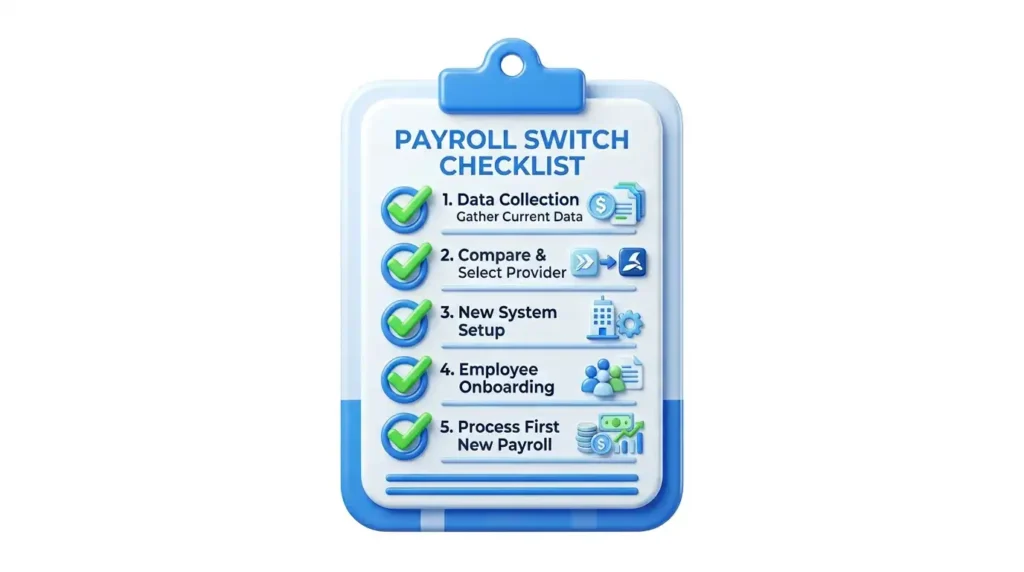

Checklist for Switching Payroll Companies
TL;DR
Transitioning to a new payroll system is a critical infrastructure project requiring strategic timing, meticulous data mapping, and strict regulatory adherence. This guide outlines the exact lifecycle of a successful payroll migration. Key steps include timing the switch correctly (preferably at calendar year-end), safely extracting unmasked historical data, properly configuring local jurisdictional rules, matching general ledger components, and running a rigorous parallel testing phase before full cutover. Utilizing modern workforce management platforms like TimeTrex ensures scalable compliance and automated accuracy.
Article Index
- Evaluate the Catalysts and Formulate the Business Case
- Determine the Optimal Transition Timeline
- Execute Controlled Legacy Disengagement and Data Extraction
- Architect the New System Infrastructure
- Construct the Algorithmic Policy Building Blocks
- Execute Data Importation and Smart Matching Protocols
- Establish Financial Banking and General Ledger Alignment
- Execute the Mid-Year Year-to-Date (YTD) Injection Protocol
- Configure Jurisdictional Compliance and Tax Authorizations
- Systematize Final Paycheck Compliance
- Execute the Parallel Testing Crucible
- Finalize Go-Live Execution and Post-Implementation Reporting
The execution of a payroll system transition is fundamentally one of the most critical infrastructure projects an enterprise can undertake. Payroll represents not merely a transactional operational function, but the foundational mechanism of employee trust, regulatory adherence, and corporate financial health. Transitioning between payroll service providers requires meticulous strategic planning, rigorous data mapping, precise chronological timing, and uncompromising adherence to state, federal, and local tax frameworks. An improperly managed migration can result in cascading compliance failures, miscalculated tax liabilities, disrupted compensation schedules, and substantial reputational and financial damage.
The analysis indicates that an optimal transition is executed not as a sudden administrative switch, but as a carefully orchestrated lifecycle encompassing strategic evaluation, legacy data extraction, system architectural configuration, rigorous parallel testing, and a finalized, audited cutover. This report provides an exhaustive, article-style checklist and strategic blueprint for migrating to a new payroll provider. While the strategic principles outlined are universally applicable across the human capital management (HCM) industry, specific operational configurations and system architectures will be demonstrated utilizing the TimeTrex workforce management platform as a technical reference standard. Furthermore, specific regional compliance considerations will be modeled using the regulatory framework of Texas, specifically the Dallas County jurisdiction, to demonstrate the highly localized complexities inherent in a modern payroll transition.
Evaluate the Catalysts and Formulate the Business Case
Before initiating a transition and severing ties with an existing vendor, an organization must definitively assess the operational catalysts driving the change. Identifying the exact nature of the legacy system's failure points is critical for ensuring the new system is configured to resolve those specific vulnerabilities rather than merely inheriting them.
The evaluation phase requires an audit of current payroll operations to identify systemic red flags that justify the capital and operational expenditure of a migration. Frequent calculation errors are the most prominent indicator; continuous requirements for manual paycheck corrections and retroactive adjustments severely degrade employee trust and elevate the risk of wage-and-hour litigation. Furthermore, compliance and filing misses, such as missed federal or state tax deposits, result in automated penalties, interest assessments, and the triggering of extensive regulatory audits by the Internal Revenue Service (IRS), the Department of Labor (DOL), or state workforce commissions.
Technological stagnation also serves as a primary catalyst. If a legacy system demonstrates an inability to integrate with modern Human Resources Information Systems (HRIS), accounting software, or biometric time-tracking hardware, it creates localized data silos. These silos necessitate manual double-entry protocols that inherently introduce human error into the financial ecosystem. Finally, inadequate customer support, characterized by prolonged hold times and ticket resolution delays during critical payroll processing windows, can lead to hard failures in processing deadlines, resulting in systemic delays in employee compensation.
Determine the Optimal Transition Timeline
The chronological timing of a payroll transition fundamentally dictates the mathematical complexity of the subsequent data migration. Establishing the "go-live" date must align with internal organizational workloads, upcoming tax reporting deadlines, and the cyclical nature of payroll taxation.
Transition Risk Profile
| Transition Window | Operational Complexity | Strategic Implications |
|---|---|---|
| Calendar Year-End (Optimal) | Lowest | Provides a clean mathematical slate. Eliminates the need to import prior Year-to-Date (YTD) pay runs or adjust mid-year tax records. Federal and state wage bases automatically reset. |
| Quarter-End (Secondary Preference) | Moderate | Aligns with the filing of Form 941 and state quarterly wage reports. Requires meticulous importation of YTD earnings, but the quarterly break prevents the disruption of mid-cycle tax reconciliations. |
| Mid-Quarter/Mid-Year (Highest Risk) | Severe | Introduces profound mathematical complexities. The new system must be precisely injected with cumulative YTD data for every employee to accurately enforce statutory tax deduction caps across the transition gap. |
If the organization selects the optimal Year-End transition window, a specific sub-checklist of preparatory tasks must be executed prior to the final payroll run of the concluding calendar year. This includes verifying employee identifying information and resolving uncashed checks to maintain accurate YTD totals. Administrators must also review compensation strategies for the new year, accounting for statutory changes such as the adjustment to the Social Security wage base, which increased to $176,100 for 2025, meaning FICA taxes apply to a higher baseline. Furthermore, year-end bonus structures must be finalized; the allocation of these bonuses, whether paid in the current calendar year or the next, dictates whether cash-basis businesses can deduct them in the concluding year or if accrual-basis businesses must defer the deduction.
Finally, the transition timeline must firmly establish which provider is responsible for generating and distributing Forms W-2 and 1099. If the transition occurs on January 1st, the legacy provider generally retains the contractual obligation to file and distribute the concluding year's tax forms by the standard federal deadlines, while the new provider assumes all tracking for the upcoming year.
Execute Controlled Legacy Disengagement and Data Extraction
Once the transition date is established, organizations must execute a controlled disengagement from the legacy provider. Premature termination of a legacy system can result in the immediate loss of access to historical data required for compliance audits and the configuration of the new system.
The preliminary step requires a thorough legal review of the legacy provider’s service agreement. The analysis must identify the mandatory notice period required to terminate services without incurring breach-of-contract penalties. Official cancellation notices must be submitted strictly in accordance with these contractual stipulations, but termination dates should be scheduled safely after the new system has been fully validated through parallel testing.
The extraction of historical data is the most vulnerable operational phase of a payroll transition. Modern payroll migrations require substantially more than simply exporting employee names and addresses; systems must validate earnings histories, structural tax setups, and accumulated deduction balances. A comprehensive data pull must be executed to secure unmasked, raw data files from the legacy provider before access is permanently revoked.
| Data Category | Specific Extraction Requirements | Strategic Purpose for Migration |
|---|---|---|
| Corporate Entity Data | Legal business names, Doing Business As (DBA) certificates, Federal Employer Identification Numbers (FEIN), and State Unemployment Insurance (SUI) account numbers. | Establishes the foundational tax identity of the enterprise in the new system. |
| Demographic Profiles | Full legal names, residential addresses, unmasked Social Security Numbers, and direct deposit banking routing and account numbers. | Required for generating accurate W-2s, verifying tax jurisdictions, and facilitating electronic funds transfers. |
| Tax Withholding Parameters | Current Form W-4 elections for all active employees, including specific federal and state withholding allowances and additional deduction preferences. | Ensures the new system calculates precise income tax deductions on the very first live payroll cycle. |
| Historical Payroll Registers | Comprehensive recap reports detailing total hours, gross earnings segmented by type, deduction categorizations, and employer-paid tax contributions. | Provides the granular data necessary to map legacy earning codes to the new system's architectural structure. |
| Cumulative YTD Data | Final, unmasked pay stubs for the current year up to the transition point. | Critical for mid-year transitions to ensure statutory tax limits are not erroneously reset to zero. |
| Archival Tax Filings | Copies of previously submitted Form 941s, Form 940s, state quarterly wage reports, and historical W-2/1099 forms. | Maintains statutory record-keeping compliance in the event of an agency audit post-transition. |
Architect the New System Infrastructure
With the legacy data securely warehoused, the configuration of the new payroll platform begins. This phase transforms the exported raw data into functional, automated policies within the new application structure. Utilizing the TimeTrex Workforce Management platform as a standard reference, this phase requires specific technical and operational configurations.
For organizations deploying on-premise solutions rather than utilizing cloud-hosted platforms, specific architectural requirements must be met. The server infrastructure must operate on supported operating systems, such as Windows 10/Windows Server 2019 (64-bit) or newer, or enterprise Linux distributions including Ubuntu 20.04/Debian 11 or CentOS 8/RHEL 8. Optimal performance for mid-market to enterprise-level payroll processing requires a minimum of a 2.0GHz quad-core CPU, 8GB of memory, and substantial disk space to harbor historical audit logs and biometric data integrations. Cloud-hosted deployments bypass these hardware prerequisites, relying instead on secure web-based API access and continuous, automated vendor-managed backups.
Once the environment is active, the initial setup configuration establishes the architectural skeleton of the payroll system. Within the TimeTrex environment, this is driven by an automated Quick Start Wizard. Administrators must first establish global time and date parameters to ensure absolute consistency across localized user interfaces and generated compliance reports.
Crucially, the exact parameters of the Pay Period Schedule must be defined. Organizations must define the frequency (e.g., weekly, bi-weekly, semi-monthly) and establish the definitive start dates, end dates, and transaction (payment) dates for the upcoming cycles. The system subsequently automates the generation of all future periods based on this anchor data. Following this, geographic and legal entities must be mapped. Employers operating across multiple jurisdictions must establish specific locations within the software, which TimeTrex utilizes to automatically populate and enforce default tax policies and labor laws inherent to those specific jurisdictions.
Construct the Algorithmic Policy Building Blocks
Payroll calculation is driven by complex hierarchies of interconnected rules. In a sophisticated system like TimeTrex, these "building blocks" must be architected in a highly specific sequence due to their mathematical dependencies. An organization cannot simply import employee data and expect accurate outputs; the system must be taught how the organization values labor.
1. Pay Formulas
The absolute foundational layer, establishing basic mathematical calculations (e.g., standard rate multiplication, piece-rate logic).
2. Pay Codes
Categorize the financial outputs derived from pay formulas (e.g., regular hourly pay vs. non-taxable expense reimbursements).
3. Contributing Codes
These elements link specific pay codes for aggregated calculations, dictating how varied shifts interact with base compensation.
4. Policy Groups
The central organizing mechanism that groups employees who share identical compensation rules.
5. Execution Policies
The final layer encompassing Regular Time, Overtime, and Accrual Policies, mapped directly to the Policy Groups for seamless processing.
Execute Data Importation and Smart Matching Protocols
With the structural architecture and algorithmic policies intact, the extracted legacy employee data is injected into the new system. Advanced systems support mass data ingestion via Comma-Separated Value (CSV) file imports, significantly accelerating the implementation timeline.
During the TimeTrex import protocol, administrators utilize a mapping wizard that connects the external CSV column headers to the corresponding internal database fields. Crucially, the TimeTrex import module features a highly sophisticated "smart matching" algorithm. When updating existing records or running iterative imports to append new data points (such as emergency contacts or secondary direct deposit accounts), this algorithm locates the closest match by compensating for minor spelling anomalies or formatting differences that frequently occur when transitioning data between disparate platforms.
For precise synchronization, the system connects records utilizing unique identifiers. To prevent data corruption, TimeTrex prioritizes these identifiers in a strict hierarchical order: the User Name, followed by the Employee Number, and finally the Social Security Number (SSN/SIN). Furthermore, the import wizard possesses the capability to dynamically create missing structural metadata, such as Employee Groups, Ethnic Groups, and Employee Titles, if they do not already exist in the target database, significantly streamlining the onboarding workflow and eliminating the need for manual pre-configuration of these secondary data tables.
Establish Financial Banking and General Ledger Alignment
Transitioning the mathematical components of a payroll system requires an exacting alignment of banking details, corporate treasury mapping, and accounting system integration. Organizations must definitively map how funds will flow out of the corporate treasury and how those liabilities will be recorded on the balance sheet.
Administrators must first configure the primary corporate banking accounts, known in TimeTrex as "Remittance Sources," within the payroll software. This includes validating the exact formatting requirements for Electronic Funds Transfer (EFT) or Automated Clearing House (ACH) files. Best practices dictate that sample transaction files be generated from the new payroll system and processed through the corporate banking portal in a sandbox or pre-validation environment. This ensures that the generated NACHA file formats align perfectly with the specific bank's ingestion requirements, preventing a catastrophic rejection of the direct deposit batch on the go-live date.
Concurrently, every imported employee profile must be assigned a specific payment method linked securely to their provided banking routing data. To ensure downstream accounting continuity, the pay stub accounts established in the new payroll system must be meticulously mapped to the company's external ERP or accounting software. This General Ledger (GL) integration eliminates manual journal entries, reduces the risk of transposition errors, and ensures that complex labor costs, employer tax liabilities, and accrued benefits seamlessly flow into the corporate financial statements.
Execute the Mid-Year Year-to-Date (YTD) Injection Protocol
If the transition occurs at any point other than January 1st, migrating Year-to-Date (YTD) balances is the single most critical failure point of the entire project. Payroll tax calculations are highly dependent on cumulative earnings. For example, the Federal Unemployment Tax Act (FUTA) applies only to the first $7,000 of an employee's wages, and the Social Security portion of FICA ceases once an employee reaches the annual wage base.
If historical wages are not imported correctly, the new system will erroneously reset the employee's wage base to zero. This causes the system to aggressively deduct and match taxes that have already been fully paid under the legacy system, creating an immediate compliance crisis, infuriating employees with reduced net pay, and artificially inflating corporate tax liabilities.
The TimeTrex platform provides a highly controlled methodology for resolving this mid-year migration challenge via the creation of Opening Balance (YTD) pay stubs.
The Strategic YTD Injection Workflow:
- Administrators navigate to the Payroll module and initiate a new manual pay stub creation sequence.
- The pay stub type is strictly designated from the dropdown menu as "Opening Balance (YTD)".
- The system requires the administrator to select the precise chronological window representing the last pay period processed within the legacy software.
- For every line item, the exact cumulative YTD figure from the legacy system's final pay register is entered directly into the Opening Balance interface.
For enterprise environments with massive employee populations, manual entry is unfeasible. Administrators can utilize the Pay Stub Amendments feature to mass-import these YTD figures via CSV, subsequently commanding the system's processing wizard to auto-generate the Opening Balance pay stubs en masse.
Critical Timing Warning: The injection of Opening Balance amounts must be executed immediately prior to the first live payroll run and after all parallel testing is complete. If YTD data is loaded prematurely and the organization processes one final, unexpected run in the legacy system, the imported YTD figures will instantly become desynchronized, necessitating a complete, highly labor-intensive manual overwrite of the core financial data.
Configure Jurisdictional Compliance and Tax Authorizations (Texas Case Study)
A payroll platform is only as effective as its adherence to highly localized statutory requirements. Transitioning providers requires officially notifying government tax agencies and legally transferring authorization rights to the new software vendor or Third-Party Administrator (TPA). To illustrate the immense depth of this requirement, the compliance framework of Texas, specifically focusing on the Dallas County jurisdiction, serves as a comprehensive case study.
Navigating State and Local Tax Parameters in Texas
Texas presents a unique payroll environment characterized by the complete absence of a personal state income tax. Consequently, employers transitioning to a new system in Texas are absolved of managing state income tax withholding tables or corresponding employee deduction setups, dramatically simplifying the gross-to-net calculation. However, this simplicity at the income level is offset by stringent regulations surrounding state unemployment insurance (SUI) and local franchise taxation.
Employers are strictly mandated to register with the Texas Workforce Commission (TWC) via the Unemployment Tax Registration (UTR) system within 10 calendar days of becoming liable for state unemployment taxes. Statutory liability is triggered when a business pays $1,500 or more in wages during a calendar quarter or employs at least one individual for any portion of a day across 20 different weeks in a calendar year. The Texas state unemployment tax applies strictly to the first $9,000 paid to an employee during the calendar year. The new payroll system must be explicitly programmed to recognize this specific $9,000 wage base limit. The specific employer tax rate, which the TWC fluctuates annually based on the company's experience rating, benefit charges, and industry classification, must be manually updated in the new system's tax configuration module.
Dallas County Municipal Complexities
While Dallas municipalities do not levy local payroll taxes directly on individual employee wages, businesses operating within the region are subject to complex combined local tax rates and franchise taxes that require strategic financial reporting out of the new payroll platform.
For example, businesses must account for Texas Franchise Tax liability. The baseline data indicates a "No Tax Due" threshold of $1,230,000. For entities utilizing the EZ Computation method with revenues under $20 million, the tax rate is 0.331%. For larger entities, the rate scales to 0.375% for retail/wholesale operations, or 0.75% for other classifications. While this is a corporate tax, the payroll system must accurately track compensation deduction limits (capped at $400,000 per individual) to properly feed the corporate tax reporting workflow.
Furthermore, Dallas County imposes highly specific property and operational tax rates that businesses must navigate alongside payroll implementation. The total combined local tax rate in the region is heavily segmented.
| Dallas Jurisdiction / Entity | Baseline Tax Rate Assessment |
|---|---|
| City of Dallas | $0.7458 |
| Dallas County (Base) | $0.217946 (M&O and I&S combined roughly $0.215500) |
| Dallas Independent School District | $1.184935 |
| Dallas College (DCCCD) | $0.115899 (M&O and I&S combined roughly $0.106575) |
| Parkland Hospital | $0.2358 (M&O and I&S combined roughly $0.212000) |
Multi-location employers operating in Dallas (County Code 113) and other Texas counties must meticulously map their work locations within the new software. If an employer possesses 10 or more employees operating outside their primary establishment, the payroll system must be configured to generate Form BLS 3020 (Multiple Worksite Report) concurrently with their standard quarterly Form C-3 filings.
Federal Legislative Integration: The OBBBA Rule
A modern payroll system transition executed in 2026 must also account for newly established federal tax legislation. Under the One Big Beautiful Bill Act (OBBBA), which became effective on January 1, 1025, eligible W-2 hourly workers are permitted to deduct up to $12,500 (single filers) or $25,000 (married filing jointly) of qualifying overtime pay from their federal taxable income.
The new payroll platform must be precisely calibrated to track standard Fair Labor Standards Act (FLSA) overtime separately from standard wages. The system must possess the capability to automatically phase out this deduction for higher earners, starting at $150,000 (Single) or $300,000 (Married Filing Jointly) in Modified Adjusted Gross Income (MAGI), and provide the mandatory written statements to employees detailing their calculated overtime premiums by January 26 of the following year.
Executing Third-Party Administrator (TPA) Authorization
When a business switches to a new managed payroll service or utilizes a platform like TimeTrex in conjunction with a service bureau, the new provider must be granted digital access to file quarterly reports and remit tax deposits on the company's behalf. In Texas, this requires navigating the TWC's Unemployment Tax Services (UTS) portal. Because of strict state confidentiality laws, the TWC cannot manually intervene to grant access; the authorization must be executed through a highly secure cryptographic chain of trust.
| TWC UTS Authorization Step | Action Required | Responsibility |
|---|---|---|
| 1. Registration | The new payroll provider must secure a TWC Agent ID or User ID. | New Payroll Provider |
| 2. Access Request | The provider logs into UTS, selects "Request Employer Access," and inputs the client company’s specific TWC tax account number, triggering a pending request. | New Payroll Provider |
| 3. Administrator Approval | The designated Account Administrator logs into UTS, navigates to User Admin -> Applicant List, locates the pending request, and selects "Review". | Employer Account Admin |
| 4. Permission Assignment | The administrator must formally approve the request and actively check boxes to grant distinct permissions: Manage Wage Reports, Make Payment, and Manage tax account information. | Employer Account Admin |
Systematize Final Paycheck Compliance (Texas Payday Law)
The operational parameters of the new payroll system must be tailored to execute rapid, off-cycle payments to remain compliant with state labor laws. Transitioning organizations must ensure their new platform is configured to accommodate the strict timelines dictated by state regulations. In Texas, this means programming the system logic to adhere to the Texas Payday Law (Texas Labor Code 61.014) regarding final compensation for terminating employees.
Failure to accurately configure the new system to meet these rigid timelines, whether through direct deposit, physical check, or paycard, exposes the transitioning organization to immediate wage claims and statutory penalties enforced by the TWC.
| Termination Classification | Statutory Definition | Texas Payment Deadline | Required System Capability |
|---|---|---|---|
| Involuntary Separation | Fired, discharged, laid off, or "mutual agreement" separations initiated by the employer. | Paid in full no later than six (6) calendar days after removal. | System must support ad-hoc, off-cycle payroll processing independent of standard batch runs. |
| Voluntary Separation | Quit, resigned, retired, or otherwise abandoned the position by employee choice while continued work was available. | Paid in full on the next regularly-scheduled payday following the effective resignation date. | Standard finalization during the automated processing wizard, with the ability to sever system access post-payment. |
The analysis indicates a critical nuance regarding "mutual agreement" separations. Under Texas law, these are generally regarded as involuntary because the employer ultimately initiated the separation, meaning the aggressive six-day payout window applies. Furthermore, the system must be configured to appropriately payout fringe benefits, commissions, and bonuses according to the payout schedule provided in the employer's written wage agreement; otherwise, they default to the standard six-day or next-payday rules.
Execute the Parallel Testing Crucible
The most perilous assumption an organization can make during a payroll implementation is trusting that imported configuration data will autonomously produce mathematically accurate financial outputs on the first attempt. To mitigate catastrophic go-live failures, organizations must mandate a rigorous period of Parallel Payroll Testing.
Parallel testing involves processing live payroll cycles in both the legacy system and the newly configured system simultaneously, simulating end-to-end workflows to identify discrepancies. This methodology stress-tests the data migration, tax calculations, deduction formulas, and downstream accounting integrations under live, high-pressure operational conditions.
The implementation team must design multiple testing scenarios encompassing all operational edge-cases: standard hourly pay, salaried adjustments, shift differentials, overtime thresholds, commission payouts, and complex garnishment limits. Both systems are then populated with identical raw time and attendance data for the exact same pay period. Once calculations are finalized, analysts execute a line-by-line comparison across four primary vectors: Total Gross Pay, Total Tax Contributions (employer and employee portions), Total Deductions (benefits, retirement), and the final Net Pay outputs.
The TimeTrex 4-Period Parallel Methodology
When utilizing the TimeTrex platform, the optimal transition protocol demands a highly structured approach involving a minimum of four pay periods running in parallel with the legacy system.
- Periods 1 & 2 (Time & Attendance Validation): The first two periods are strictly utilized to validate Time & Attendance logic. Analysts ensure that biometric punch data, rounding rules, and complex overtime policies are triggering correctly, without executing the financial payroll components.
- Periods 3 & 4 (Full Financial Validation): The subsequent two periods encompass the full financial Payroll Run validation.
| Discrepancy Classification | Operational Example | Resolution Strategy |
|---|---|---|
| Acceptable Variance | Minor mathematical rounding differences (fractional cents) due to differing algorithm architectures between vendors. | Document and ignore; no systemic risk. |
| Acceptable Variance | Tax deduction cap bypassed (e.g., FUTA) because Opening Balance YTDs have intentionally not yet been injected into the test environment. | Validate standard rate calculation; acknowledge cap will enforce once YTDs are live. |
| Critical Failure | Overtime policies calculating at 1.0x instead of 1.5x, or state tax withholding applying to exempt employees. | Immediate halt; reconfigure TimeTrex Policy Groups and Pay Formulas before next test run. |
Once the mathematical integrity of the new system is definitively confirmed, the administrator must navigate into the TimeTrex environment and permanently delete all test-run pay stubs created during the simulation. This crucial step restores a pristine, zero-balance environment, preparing the database for the official go-live cutover.
Finalize Go-Live Execution and Post-Implementation Reporting
- Send welcome emails with self-service login credentials.
- Instruct employees on viewing PTO and requesting PTO.
- Downloaded and archived historical payroll data from old provider.
- Submitted official cancellation notice to legacy provider.
- Revoke old system access from all employees and administrators.
Change Management Tip: Leverage pre-built custom reports in TimeTrex to communicate new labor cost analyses and compliance posture to stakeholders instantly post-implementation.
Operational Improvements
Expected administrative time reallocation after adopting an automated unified platform.
Upon successful completion of the parallel testing crucible, the organization transitions into the final cutover phase. This represents the administrative point of no return, requiring seamless coordination between human resources, corporate finance, and the entire employee base.
Immediately prior to the execution of the first live payroll run, the YTD Opening Balance pay stubs must be formally generated, bridging the historical gap between the two systems. The TimeTrex Payroll Processing Wizard is then engaged to compute the live data. Administrators review the comprehensive variance reports and detailed employee payroll summaries provided by the platform, validating gross wages, taxes, and net pay figures one final time before committing the financial transaction. Once the review is satisfied, the process concludes by generating the EFT/ACH NACHA files for bank distribution and officially closing the pay period.
A critical component of this post-implementation phase is reporting and organizational change management. Management must leverage the cloud-based payroll reporting capabilities of the new system to generate custom payroll reports, variance summaries, and detailed departmental labor cost analyses. These pre-built and automated reports eliminate manual data entry and keep financial stakeholders informed of the shifting operational costs.
Concurrently, employees will experience a fundamental shift in how they interact with their compensation data. Organizations must execute comprehensive training protocols to familiarize personnel with the new self-service portals, demonstrating how to retrieve pay stubs, amend W-4 withholdings, and verify direct deposit allocations. Proactive communication mitigates the inevitable anxiety surrounding compensation continuity. Furthermore, arrangements must be made to ensure employees maintain unhindered access to their historical tax documents. If access to the legacy system is severed, administrators must provide alternative access points, such as archival portals like The Work Number, ensuring that employees can still satisfy verification requests from lenders or landlords seamlessly.
Conclusion
The successful migration of a payroll infrastructure represents a masterclass in risk management, data normalization, and strategic foresight. As the exhaustive analysis demonstrates, transitioning payroll providers is not solved merely through the procurement of a superior software application; it is achieved through the meticulous orchestration of contractual disengagement, precise architectural configuration, and uncompromising regulatory alignment.
By strategically timing the transition to align with optimal calendar windows, rigorously mapping complex historical variables like Year-to-Date tax balances, and seamlessly integrating highly localized mandates, such as the Texas Workforce Commission's reporting requirements and Dallas County tax structures, an organization fortifies its compliance posture. Through the unforgiving environment of rigorous parallel testing and structured algorithmic mapping, organizations can successfully transcend the limitations of legacy platforms. By strictly adhering to this comprehensive checklist, an enterprise transforms a highly vulnerable administrative disruption into a strategic modernization of its entire workforce management ecosystem, ensuring long-term operational resilience and unshakeable employee trust.
Ready to upgrade your payroll infrastructure?
Experience seamless integration and unmatched regulatory compliance with TimeTrex.
Start Your Rapid Migration TodayDisclaimer: The content provided on this webpage is for informational purposes only and is not intended to be a substitute for professional advice. While we strive to ensure the accuracy and timeliness of the information presented here, the details may change over time or vary in different jurisdictions. Therefore, we do not guarantee the completeness, reliability, or absolute accuracy of this information. The information on this page should not be used as a basis for making legal, financial, or any other key decisions. We strongly advise consulting with a qualified professional or expert in the relevant field for specific advice, guidance, or services. By using this webpage, you acknowledge that the information is offered “as is” and that we are not liable for any errors, omissions, or inaccuracies in the content, nor for any actions taken based on the information provided. We shall not be held liable for any direct, indirect, incidental, consequential, or punitive damages arising out of your access to, use of, or reliance on any content on this page.
About The Author

Roger Wood
With a Baccalaureate of Science and advanced studies in business, Roger has successfully managed businesses across five continents. His extensive global experience and strategic insights contribute significantly to the success of TimeTrex. His expertise and dedication ensure we deliver top-notch solutions to our clients around the world.
Time To Clock-In
Start your 30-day free trial!
Experience the Ultimate Workforce Solution and Revolutionize Your Business Today
- Eliminate Errors
- Simple & Easy To Use
- Real-time Reporting


Saving businesses time and money through better workforce management since 2003.
Copyright © 2026 TimeTrex. All Rights Reserved.