
TimeTrex software updates · Early access
TimeTrex v17.0.
Clarity for your day.
Confidence for your team.
Your workday asks a lot of you. TimeTrex v17.0 brings a fresh perspective to the work that keeps your team moving, helping you see what matters, stay focused, and take the next step with confidence.

One connected workspace
Feel more in control of your day.
A fresh design. A familiar way to work. TimeTrex v17.0 brings a clearer, more connected experience to the workflows your team already knows, so you can get started without retraining.
See what matters first
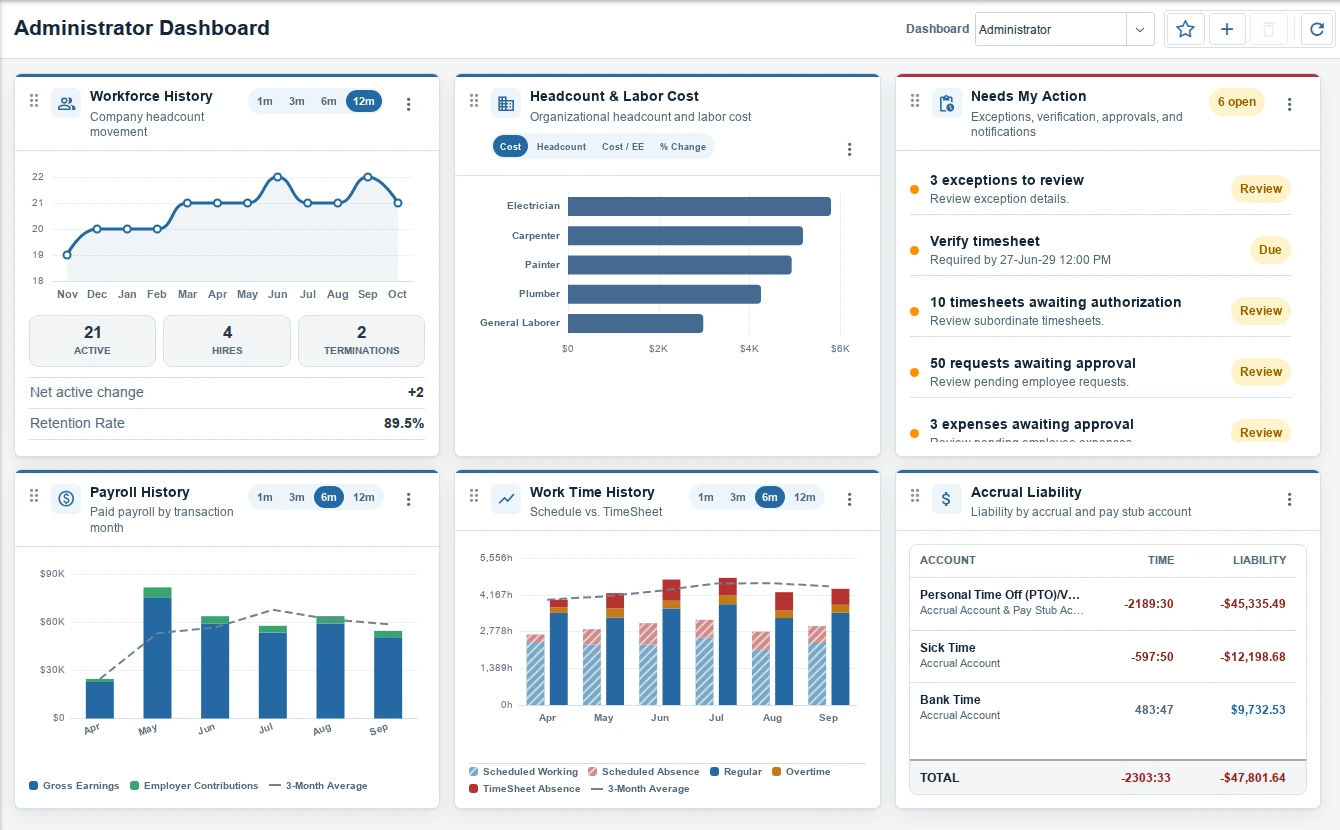
Start with a dashboard that brings your priorities into focus. See what needs attention and keep a broader view of how your workforce is doing.
Keep your focus
Keep related work in view, so you can follow the details without losing the bigger picture. A more consistent experience helps you stay oriented as you move through your day.
Find your next step
Approach important tasks with a clearer path ahead. Guided workflows help you understand where you are and what comes next.
A view for every role
Start with what matters to you.
The new dashboard brings a fresh perspective to everyone’s day. Choose a view shaped around your role, with the priorities and information that help you move forward.
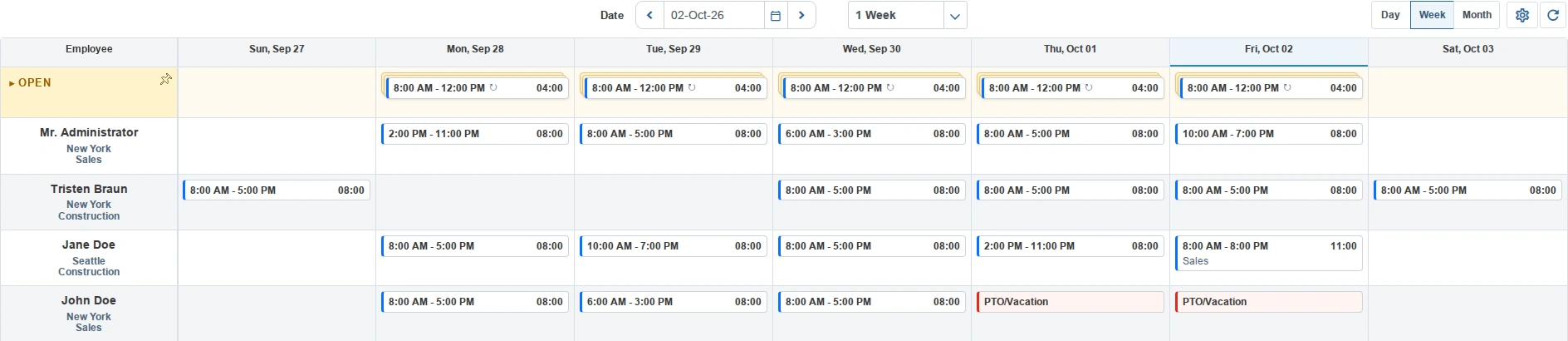
A clearer view of every shift.
From the rhythm of a single day to the shape of the month ahead, choose the view that fits the decision. See coverage, open shifts, and absences together, so you can plan with a complete picture of your team.
Plan with open shifts
Keep open shifts in sight. Bring your schedule together.
Open shifts stay in sight as you plan coverage. Bring your schedule together without losing track of what still needs an owner.
Day schedule
Plans change. Adjust a shift with a drag.
Bring the plan and the reality together
See the story behind each workday.
Redesigned timesheets put planned and worked time side by side. Clearer icons and a more connected view help you understand how the day unfolded and spot the details that deserve a closer look.
With Allocate, employees with permission can quickly assign their worked time to cost centers at the end of the day, without tracking each change as it happens.
Connect time to the work behind it
Put every hour in its place.
Split a day’s worked time across cost centers. See what’s allocated and what remains, so every hour has a clear purpose.
Keep the details together
Keep the context.
Complete the task.
Review a request with the employee’s timesheet beside it. See the details, understand what happened, and move forward without switching back and forth.
Approach payday with confidence.
Payroll is a moment of trust. The redesigned Payroll Wizard helps you move toward payday with a clearer picture of what’s ready and where to focus. See unusual results in context, so you can ask the right questions before moving forward.
- Know where your attention is needed
- See how this pay run compares with recent payroll
- Understand funding needs before moving forward
A guided experience helps you stay oriented from start to finish. Your team gets a clearer path through important work, with the information to make thoughtful decisions along the way.
Plan ahead with confidence
See where payroll is heading.
Check your projected payroll at any time. See expected costs alongside recent pay runs, so you can plan ahead with a clearer picture of the payday to come.
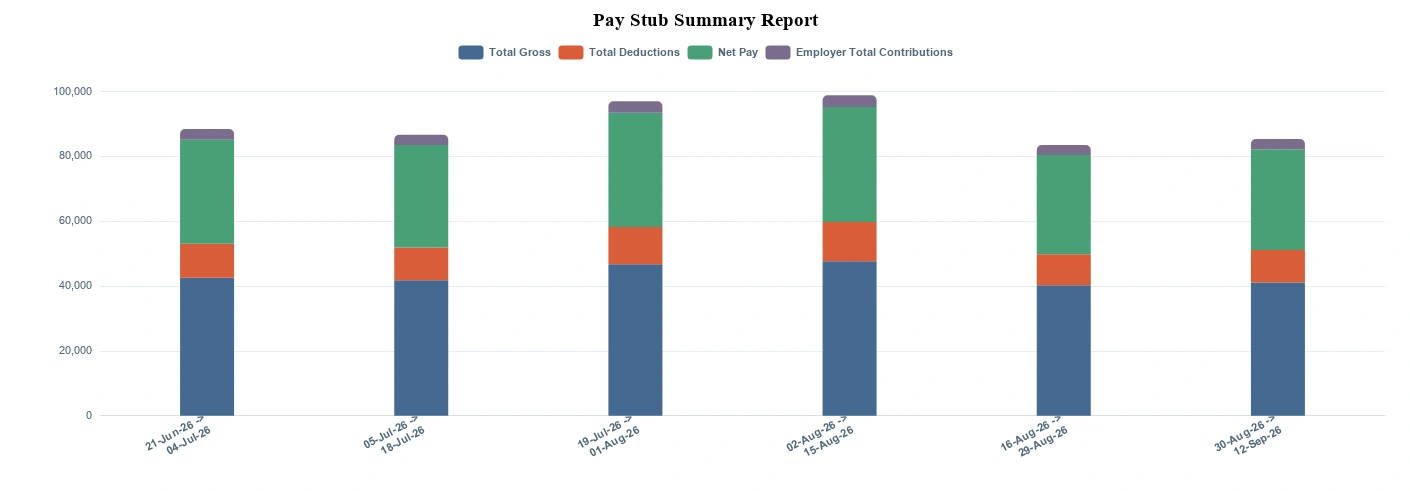
Turn information into understanding.
The right view helps you see the story behind the numbers. Refreshed reporting brings patterns into focus, so you can explore what’s changing and bring a clearer picture to the conversation.
And more to explore
See the people behind the work.
An interactive Organization Chart
See who reports to whom and follow the chain at a glance. Move between people to explore the relationships that connect your organization.
04 · One-click assistance
Help is one click away.
One-click assistance connects to the work in front of you. Get clearer answers and help with your next action, with the relevant details already in context.
Work through complex punch requests
A punch correction can involve several steps. With one click, AI can use the employee’s request and timesheet context to work through the details and prepare a correction for you to review.
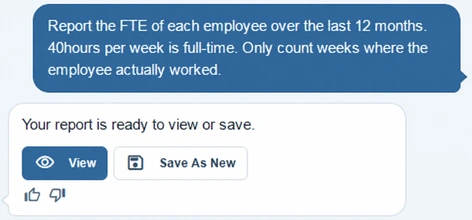
Turn a question into a report
Ask for a clearer picture of your workforce, such as each employee’s full-time equivalent over the past year. AI can build the report for you, helping you spend more time understanding the results.
Early access preview
Try TimeTrex v17.0 risk-free in your Testing Sandbox.
Your preview is now available in your current TimeTrex account under:
Explore familiar workflows using a copy of your data. Any changes you make in the sandbox do not affect your production instance at all.
Tell us what you think. Try the tasks your team relies on and share what works well, what feels unclear, and what you would like us to refine.


