
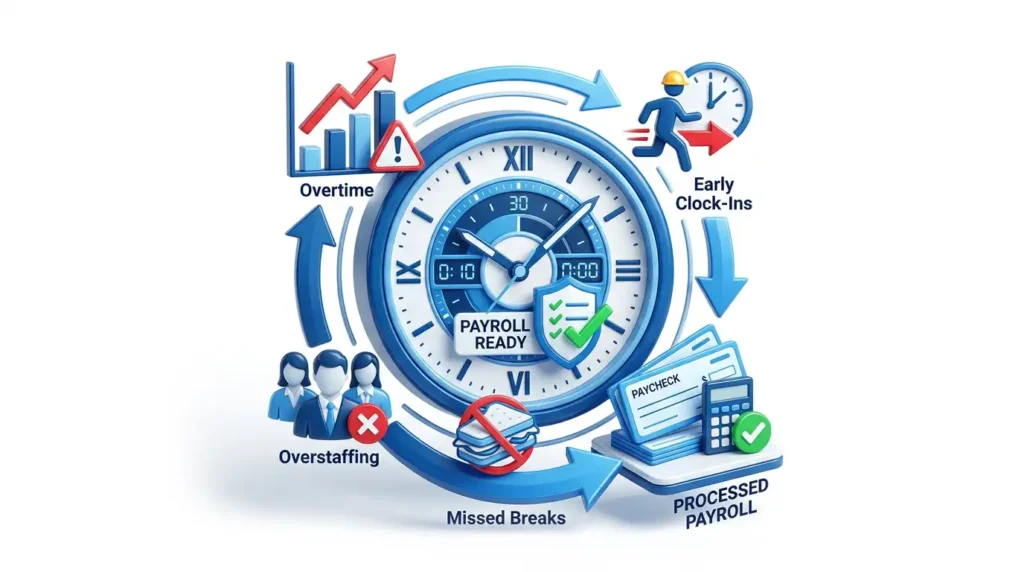

How to Handle Overtime, Early Clock-Ins, Missed Breaks, and Overstaffing Before Payroll Gets Messy
The hardest payroll problems usually start before payroll. A few early punches, one missed meal period, one overbuilt schedule, or one unapproved overtime shift can quietly turn into higher labor costs, compliance exposure, employee frustration, and a painful payroll close.
Executive Summary
Overtime, early clock-ins, missed breaks, and overstaffing should not be handled as four separate fires. They are connected schedule-to-paycheck problems. The practical fix is a closed loop: build schedules with labor targets, compare punches against those schedules in real time, require manager review for exceptions, document approvals, and feed clean, auditable time into payroll.
The compliance baseline matters. Under federal law, overtime for most non-exempt employees is due after 40 hours in a workweek at not less than one and one-half times the regular rate. Work that an employer suffers or permits must generally be counted as hours worked, even when it was not requested. Short rest breaks are usually paid, while bona fide meal periods can be unpaid only when the employee is completely relieved from duty. State and local rules may be stricter, especially for meal periods, rest breaks, daily overtime, predictive scheduling, and premium pay.
Article Contents
Use this as an operations playbook: start with the legal guardrails, then build a practical workflow managers can follow every day.
Why These Four Problems Belong in One Schedule-to-Paycheck System
Most employers try to solve labor leakage with a policy memo: "Do not clock in early," "Take your breaks," "Overtime must be approved," or "Managers should staff to demand." Those rules are useful, but they are not enough. A rule written in a handbook does not automatically stop a punch, warn a manager, correct a missing meal period, or tell payroll why a schedule went over target.
The operational issue is timing. By the time payroll is closing, the work already happened. If the company owes wages, it generally needs to pay them. Payroll can correct coding, calculate overtime, and preserve records, but it cannot go back and prevent yesterday's excess labor. Prevention has to happen at the scheduling, punching, exception, and approval stage.
The Compliance Baseline: What You Can Control and What You Still Have to Pay
This article is operational guidance, not legal advice. Always confirm the federal, state, provincial, local, union, and industry rules that apply to your workforce. Still, a few core principles should shape every workflow.
1. Overtime is based on the workweek.
Under the federal Fair Labor Standards Act, covered non-exempt employees generally must receive overtime pay at not less than one and one-half times the regular rate for hours worked over 40 in a workweek. You generally cannot average two workweeks together to avoid overtime.
2. Unauthorized work may still be compensable.
Federal guidance treats work that is suffered or permitted as hours worked. That means an employer can require overtime approval and discipline policy violations, but it should not solve unauthorized overtime by deleting payable hours.
3. Break treatment depends on what actually happened.
Short rest breaks are typically counted as paid work time under federal rules. Bona fide meal periods are different: they are generally unpaid only if the employee is completely relieved from duty. State rules may add meal/rest requirements or premiums.
4. Records must support the final paycheck.
Payroll needs reliable records of hours worked each day and total hours worked each workweek. Break attestations, manager approvals, exception notes, policy groups, and schedule history all help explain what was paid and why.
The manager rule of thumb
If the work happened and the employer knew or had reason to know it happened, treat it as a payroll and recordkeeping issue first. Then address policy, scheduling, coaching, and approval controls for the next shift.
Interactive Decision Router: Pick the Labor Issue You Are Seeing
Use this quick router to separate the immediate payroll action from the longer-term scheduling control. The right response is rarely "just edit the timesheet." It usually has four parts: pay correctly, document the reason, coach the pattern, and adjust the schedule or rule.
Overtime: decide whether it was planned, approved, or avoidable.
Overtime is not automatically bad. It can be the right choice when demand spikes or a deadline matters. It becomes expensive and risky when managers cannot explain why it happened, whether it was approved, and whether the employee crossed a legal overtime threshold.
- Review actual hours against the schedule before the workweek closes.
- Confirm the applicable overtime rule, policy group, and regular-rate inputs.
- Document approval or exception notes, then adjust future schedules if the pattern repeats.
How to Handle Overtime Without Turning Payroll Close Into a Guessing Game
Overtime should be managed in layers. Payroll calculates the final liability, but operations creates the condition that leads to overtime: too much coverage in one place, too little coverage somewhere else, late relief, last-minute call-ins, poor handoff planning, or unreviewed schedule swaps.
| Overtime Pattern | Likely Cause | Immediate Action | Prevention Control |
|---|---|---|---|
| End-of-week spike | Managers scheduled too many hours without checking cumulative weekly totals. | Verify hours, approve or document the business reason, and calculate overtime correctly. | Add weekly-hour visibility and overtime alerts to scheduling review. |
| Late clock-outs | Closing duties, late relief, customer volume, or weak handoff process. | Confirm the employee worked, capture the reason, and pay eligible time. | Build shift overlap rules, closing buffers, and exception notices. |
| Swap-created overtime | Shift swaps approved without checking overtime exposure. | Review the request trail and confirm final schedule ownership. | Require manager approval when a swap creates overtime or coverage imbalance. |
| Correction-driven overtime | Missing punches or delayed edits pushed hours over the threshold late in payroll close. | Resolve missing punches with employee/manager notes and recalculate totals. | Review exceptions daily instead of waiting for payroll week close. |
How to Handle Early Clock-Ins Without Creating Wage Risk
Early clock-ins are deceptively simple. A five-minute early punch may look harmless, but across a full team it can create budget leakage. The wrong response can create compliance risk. The best approach is to separate the payroll question from the policy question.
The payroll question
Did the employee actually perform work, and did the employer know or have reason to know? If yes, the time may need to be treated as hours worked even if the employee violated a clock-in policy.
The policy question
Was the employee allowed to start early? If not, the employer can use schedule windows, supervisor alerts, coaching, or discipline to prevent repeat behavior.
A practical early clock-in workflow
- Define the acceptable window. Decide whether employees can clock in 3, 5, 7, or 10 minutes before a shift for readiness, uniform, workstation, or handoff reasons.
- Flag pre-shift punches. Create an exception when a punch occurs outside the schedule window so managers can review it same day.
- Ask whether work occurred. If the employee started serving customers, setting up equipment, answering calls, or doing required prep, treat it as a wage question first.
- Document the reason. Use notes such as manager requested early start, employee arrived early without approval, emergency coverage, or schedule changed but not updated.
- Fix the root cause. Rebuild schedules, change opening coverage, add prep time, adjust punch windows, or coach employees who repeatedly clock in early without authorization.
Do not confuse rounding with permission to ignore work.
Rounding policies, grace periods, and clock-in windows should be reviewed carefully. They are not a substitute for paying compensable time, and they should not be used to systematically undercount hours worked.
How to Handle Missed Breaks, Missed Meal Periods, and Auto-Deduct Problems
Break management is where many timekeeping systems look cleaner than reality. A schedule may show a meal period. A timesheet may auto-deduct 30 minutes. But the real compliance question is whether the employee actually received the required break and whether they were relieved from duty.
Rest breaks
Short breaks are generally counted as paid work time under federal guidance. Some state laws require specific rest periods or premium pay when they are missed.
Meal periods
Bona fide meal periods are usually unpaid only when the employee is completely relieved from duty. If the employee works through lunch, answers calls, covers a counter, or remains responsible for duties, investigate before deducting.
Auto-deductions
Automatic meal deductions can be efficient, but only when paired with employee attestation, easy correction, manager review, and exception reporting. Otherwise they hide missed meals until a complaint appears.
| Break Scenario | What to Verify | Payroll Treatment | Control to Add |
|---|---|---|---|
| Short rest break | Was it a short rest period that should count as paid time? | Treat as paid work time unless a stricter rule says otherwise. | Track rest break compliance separately from unpaid meal periods. |
| Meal worked through | Was the employee completely relieved from duty? | If not relieved, restore paid time and apply any required premium. | Require missed-meal exception notes and employee attestation. |
| Auto-deduct dispute | Did the employee have a clear way to report no lunch or interrupted lunch? | Correct the deduction if the break was not taken as recorded. | Add daily exception review and a simple correction request workflow. |
| Late meal | Does state or local law require timing, waiver, or premium rules? | Apply the applicable company and jurisdiction rule. | Alert managers before a meal deadline is missed. |
Best practice: ask for a daily break confirmation.
A simple attestation such as "I took my required meal period" or "I missed or was interrupted during my meal period" can give payroll a cleaner correction path. The attestation should not pressure employees to falsely certify a break; it should make missed-break reporting easier.
How to Handle Overstaffing Without Cutting Service Quality
Overstaffing is not only a cost problem. It can also be a planning signal. If a location is consistently overstaffed, the schedule may be disconnected from demand, managers may be padding shifts because they do not trust attendance, employees may be scheduled in the wrong roles, or coverage rules may be too blunt.
Look at schedule variance, not just total labor.
Total labor hours tell you how much you paid. Schedule variance tells you where the plan failed. Compare scheduled hours, actual hours, sales or volume drivers, absences, late starts, early outs, open shifts, and overtime.
Do not punish managers for protecting coverage.
Managers often overstaff because understaffing is more visible and more painful in the moment. Give them better demand signals, call-off options, cross-trained labor pools, and clear approval thresholds.
A better overstaffing workflow
- Set coverage bands. Define minimum, target, and maximum coverage by role, location, department, and time block.
- Monitor variance daily. Compare scheduled hours to actual hours and business volume, not just weekly payroll totals.
- Create manager options. Allow voluntary early outs, shift transfers, redeployment to understaffed areas, or training/admin work when service levels allow.
- Audit repeating overstaffing. If the same daypart, role, or manager exceeds target repeatedly, change the schedule template.
- Protect compliance while reducing cost. Do not send someone home in a way that violates reporting-time pay, scheduling laws, contracts, or company commitments.
Labor Leak Calculator: Estimate the Weekly Cost of Small Exceptions
Small labor exceptions look harmless until they repeat. Use this calculator as a planning estimate, then validate the real impact with your TimeTrex reports and payroll rules.
Enter a weekly pattern
This is an estimate only. It uses 1.5x for overtime hours, straight time for early time, straight time for paid missed-meal time, and straight time for overstaffed hours. Some jurisdictions require different calculations or premiums.
Estimated Weekly Impact
The Daily Control Checklist for Managers
The most effective labor control process is not complicated. It is consistent. Every manager should be able to answer the same questions before the shift, during the shift, and before payroll approval.
How TimeTrex Helps You Manage the Whole Chain
TimeTrex is strongest when it is used as a connected workforce management system rather than a standalone punch clock. The value is not only collecting time. It is linking schedules, punches, policies, exceptions, requests, approvals, and payroll outputs so managers can see problems earlier.
| Problem | TimeTrex Control | Manager Outcome | Payroll Outcome |
|---|---|---|---|
| Overtime | Overtime policies, policy groups, schedule visibility, exception policies, approvals, and reports. | See overtime exposure before it becomes a surprise at payroll close. | Apply consistent overtime calculations with documented approvals and clean totals. |
| Early clock-ins | Schedules, schedule policies, punch exceptions, permission controls, and notices. | Review early or unscheduled punches quickly and coach repeat patterns. | Preserve actual punch records while separating payable time from policy enforcement. |
| Missed breaks | Meal and break policies, exception reporting, employee requests, notes, and approvals. | Catch missed or late breaks while the shift is still fresh. | Correct paid time, premiums, or deductions according to policy and jurisdiction. |
| Overstaffing | Scheduling, recurring schedules, availability, absence requests, cost centers, and labor reports. | Compare planned coverage to actual attendance and adjust schedule templates. | Reduce avoidable labor cost without compromising records or pay accuracy. |
Set the rules once.
Use policy groups, overtime policies, meal and break policies, and schedule policies to standardize how different employee groups are handled.
Review exceptions daily.
Exceptions are the management layer between raw punches and payroll. Use them to surface missed punches, early starts, late outs, unscheduled time, and missed breaks.
Keep the audit trail.
Approvals, notes, requests, and corrections help explain why the final timesheet is accurate and why payroll treated the time the way it did.
Common Mistakes That Make Labor Problems Worse
Deleting early time instead of reviewing it.
If the employee worked, deleting time can create wage risk. A safer workflow is to review the exception, pay compensable time, and document whether the employee violated a start-time policy.
Using auto-deducts without correction paths.
Automatic meal deductions need employee visibility, correction requests, exception alerts, and manager review. Otherwise missed meals stay hidden.
Waiting until payroll close to review exceptions.
Managers remember the shift best on the day it happened. Daily exception review is faster, cleaner, and more defensible than reconstructing the week later.
Measuring overtime without measuring schedule quality.
Overtime is often created upstream by weak schedule templates, poor demand forecasting, missing availability data, or approving swaps without checking total hours.
A 30-Day Implementation Playbook
You do not need to fix everything at once. Start with visibility, then build controls around the patterns that cost the most or create the most risk.
Ready to Control Labor Costs Before Payroll?
TimeTrex helps connect employee scheduling, time clocks, break rules, exception alerts, approvals, and payroll-ready time so overtime, missed breaks, early clock-ins, and overstaffing are managed where they start: in daily operations.
FAQ: Overtime, Early Clock-Ins, Missed Breaks, and Overstaffing
Can we refuse to pay overtime if the employee did not get approval?
In many cases, no. If a non-exempt employee performed compensable work and the employer knew or had reason to know, the time generally needs to be counted. You can enforce an approval policy prospectively through coaching or discipline, but do not rely on "unauthorized" as a reason to remove payable hours.
Should early clock-ins always be paid?
Not every early punch is automatically work time, but every early punch should be reviewed. If the employee started working, performed required prep, answered calls, served customers, or otherwise worked with the employer's knowledge, it may be compensable. If the employee simply punched early and waited without working, document the facts and tighten the clock-in window.
Are missed meal periods always paid?
A bona fide meal period is generally unpaid only when the employee is completely relieved from duty. If the employee worked through the meal, was interrupted, or remained responsible for work, the time may need to be paid. Some jurisdictions also require premiums or specific timing rules, so confirm the rules that apply to each worksite.
Is auto-deducting lunch allowed?
Auto-deductions can be used in some workplaces, but they are risky when employees cannot easily report missed or interrupted meals. A safer process includes employee attestation, visible timesheets, missed-break exceptions, correction requests, and manager review.
What is the best way to reduce overstaffing?
Compare scheduled hours to actual hours and demand by location, department, role, and daypart. Then update schedule templates, availability data, call-off procedures, shift-swap approvals, and cross-training options. Cutting hours blindly can hurt service quality and morale; the goal is precision.
How often should managers review time exceptions?
Daily is best. Same-day review makes it easier to verify what happened, capture notes, correct missed breaks, prevent overtime surprises, and avoid a rushed payroll close.
Sources and Further Reading
These sources informed the compliance and TimeTrex product workflow guidance in this article. Laws and agency guidance can change, so verify the current rules for each jurisdiction before making final policy decisions.
- U.S. Department of Labor Fact Sheet #23: Overtime Pay Requirements of the FLSA
- U.S. Department of Labor: Breaks and Meal Periods
- U.S. Department of Labor Fact Sheet #22: Hours Worked Under the FLSA
- U.S. Department of Labor Fact Sheet #21: Recordkeeping Requirements Under the FLSA
- U.S. Department of Labor: State Meal and Rest Break Laws
- TimeTrex Help: Overtime Policies
- TimeTrex Help: Exception Policies
- TimeTrex Help: Break Policies
- TimeTrex Help: Schedules
- TimeTrex Workforce Management Software
Disclaimer: The content provided on this webpage is for informational purposes only and is not intended to be a substitute for professional advice. While we strive to ensure the accuracy and timeliness of the information presented here, the details may change over time or vary in different jurisdictions. Therefore, we do not guarantee the completeness, reliability, or absolute accuracy of this information. The information on this page should not be used as a basis for making legal, financial, or any other key decisions. We strongly advise consulting with a qualified professional or expert in the relevant field for specific advice, guidance, or services. By using this webpage, you acknowledge that the information is offered “as is” and that we are not liable for any errors, omissions, or inaccuracies in the content, nor for any actions taken based on the information provided. We shall not be held liable for any direct, indirect, incidental, consequential, or punitive damages arising out of your access to, use of, or reliance on any content on this page.
About The Author

Roger Wood
With a Baccalaureate of Science and advanced studies in business, Roger has successfully managed businesses across five continents. His extensive global experience and strategic insights contribute significantly to the success of TimeTrex. His expertise and dedication ensure we deliver top-notch solutions to our clients around the world.
Time To Clock-In
Start your 30-day free trial!
Experience the Ultimate Workforce Solution and Revolutionize Your Business Today
- Eliminate Errors
- Simple & Easy To Use
- Real-time Reporting


Saving businesses time and money through better workforce management since 2003.
Copyright © 2026 TimeTrex. All Rights Reserved.