
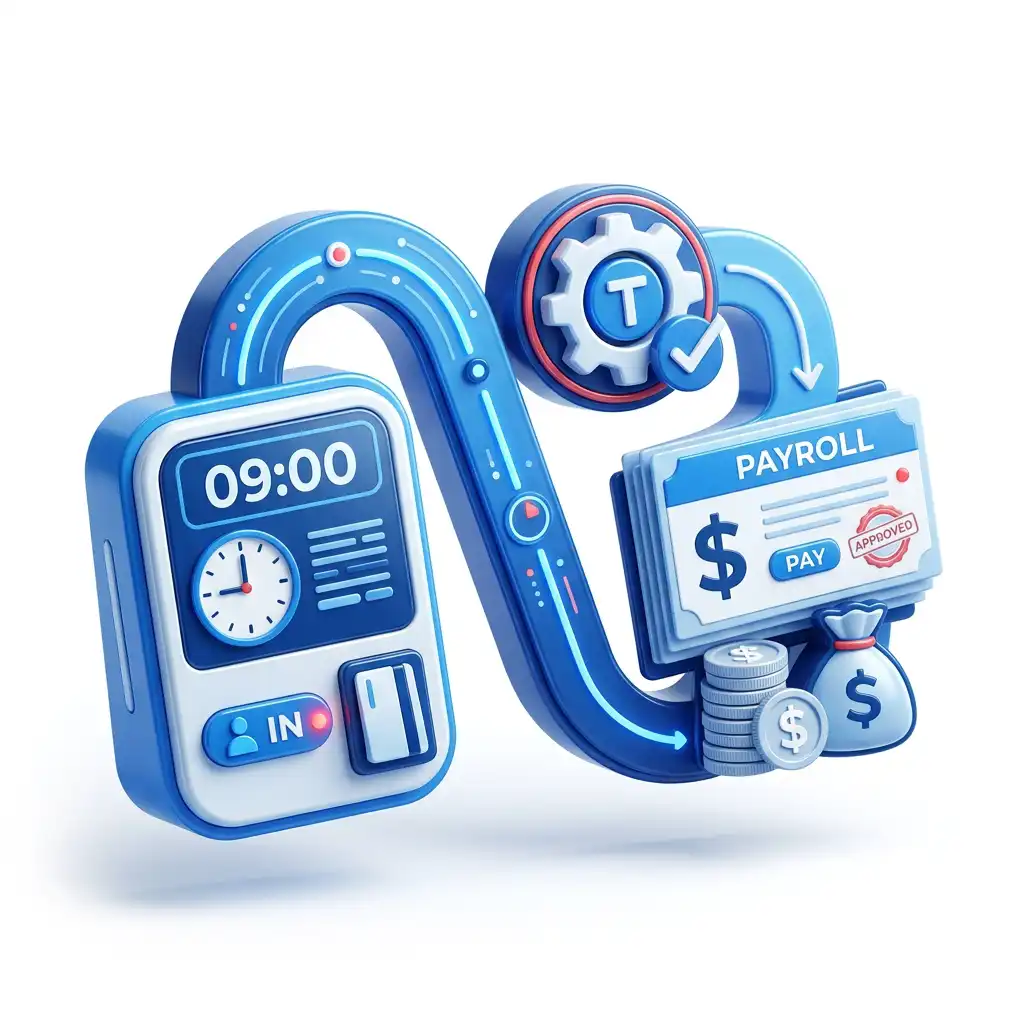

Time tracking, payroll, and workforce controls
From Time Clocks to Payroll: A Complete Guide
A time clock is not just a way to record when employees arrive and leave. It is the first control point in a payroll chain that has to calculate hours, apply pay rules, resolve exceptions, preserve records, satisfy tax deadlines, and give employees confidence that their paycheck matches the work they performed.
This guide follows the full path from punch to paycheck: capture, validation, manager review, gross pay, deductions, payroll approval, employee payment, reporting, and audit readiness. It also explains why unified workforce management software such as TimeTrex can reduce the fragile handoffs that appear when time clocks, scheduling, leave, HR, and payroll all live in separate systems.
Executive Summary
The cleanest payroll run starts before payroll opens. It starts when the clock-in method identifies the right employee, records the right time, attaches the right job or department, and sends exceptions to the right manager before the pay period closes.
Payroll teams often inherit problems that began days earlier: missed punches, unscheduled shifts, meal exceptions, unapproved overtime, stale job codes, manual edits, and disconnected leave records. When those issues are handled only after time is exported to payroll, the pay run becomes a cleanup project instead of a controlled approval process.
What A Good System Proves
- The employee, punch time, location or device context, job, department, schedule, leave status, and approval trail are connected.
- Pay rules run before payroll, not after the export creates a surprise.
- Managers approve exceptions while they can still remember what happened.
- Payroll receives a locked, reviewable, and explainable set of hours.
- Records support wage-and-hour questions, tax reporting, employee disputes, and internal audits.
The Payroll Chain Starts At The Clock
Payroll looks like a back-office function, but the data that determines a paycheck is created on the floor, in the field, at the front desk, in the warehouse, or on a mobile device. A time clock creates the first version of the truth: who worked, when work started, when work stopped, where the shift occurred, what job or cost center the work belongs to, and whether the shift matched the schedule.
That first version is not enough by itself. A payroll-ready record needs rules, context, approval, and documentation. If those layers happen outside the system, the organization ends up with a patchwork of screenshots, spreadsheets, messages, and post-pay-period memory. If those layers happen inside the system, payroll receives a controlled record rather than a loose collection of hours.
Capture
Employees clock in and out through a kiosk, web browser, mobile app, biometric device, badge, or other approved method.
Validate
The system checks identity, schedule fit, location rules, job assignment, leave status, and missing punch conditions.
Apply Rules
Regular hours, overtime, meal rules, shift premiums, differentials, accruals, and rounding policies are applied consistently.
Approve
Employees and managers review time while the details are fresh, then lock the timesheet for payroll preparation.
Pay
Payroll converts approved time into gross pay, applies deductions and taxes, and releases the final net payment.
Report
Records support pay stubs, accounting, job costing, tax deposits, quarterly returns, W-2s, audits, and employee questions.
Start and stop times, breaks, schedule context, job coding, location or device data, edits, and attestation.
Overtime, premiums, shift differentials, paid leave, accruals, holidays, rounding, and department or project splits.
Approvals, audit history, gross-to-net calculations, taxes, deductions, direct deposit records, and required reports.
The main lesson is simple: payroll accuracy is usually decided before payroll begins. A late payroll correction is often a timekeeping failure that was not caught early enough.
Time Capture Methods: Choose Controls, Not Just Devices
Many businesses choose a time clock by asking, "How will employees punch in?" That question is too small. A better question is, "What evidence do we need to trust the time record, pay people correctly, and explain the result later?" The right answer depends on worksite design, workforce mobility, privacy expectations, manager coverage, and the risk of missed or inaccurate punches.
| Capture method | Best fit | Payroll control value | Watch-outs |
|---|---|---|---|
| Web browser clock | Office, back-office, remote-capable, and shared workstation teams. | Easy rollout, fast manager review, and clear timestamps tied to employee login. | Needs device and access policies so employees do not punch from unapproved locations. |
| Mobile time clock | Field crews, home health, mobile services, construction, security, cleaning, and distributed teams. | Can capture time near the point of work and reduce delayed paper timesheets. | Location, privacy, offline work, and device reimbursement policies should be documented. |
| Kiosk or tablet clock | Retail, hospitality, manufacturing, distribution, restaurants, clinics, and shared work sites. | Centralizes punch behavior and gives managers a visible control point. | Requires backup procedures for network issues, long punch lines, and forgotten credentials. |
| Biometric or facial recognition time clock | Higher-risk attendance environments where buddy punching, badge sharing, or identity proof is a concern. | Strengthens proof of presence and reduces identity-based time theft risk. | Biometric privacy, consent, retention, notice, and local legal requirements must be reviewed before rollout. |
| Supervisor-entered or crew time | Crews that move as a unit, short-term job sites, or environments where individual punching is impractical. | Can reduce administrative friction when paired with employee review and manager accountability. | Higher risk of blanket entries, missed breaks, and disputes if employee attestation is absent. |
TimeTrex angle: capture should feed the rest of payroll
TimeTrex positions time and attendance, time clocks, scheduling, leave, HR, and payroll as connected workforce functions. That matters because the clock record is only useful if it can become an approved timesheet and payroll input without being rekeyed into another system. The more the capture layer and payroll layer share the same employee, schedule, job, and policy context, the fewer places there are for a mismatch to hide.
Apply Pay Rules Before Payroll, Not During Payroll Panic
A raw punch is just a timestamp. Payroll needs an interpreted result. That interpretation depends on workweek definitions, overtime rules, meal and rest policies, paid leave, premiums, differentials, holidays, job costing, and any local requirements that apply to the employee. If those rules are applied only after export, payroll staff become rule interpreters under deadline pressure.
The U.S. Department of Labor explains that covered, nonexempt employees must generally receive overtime pay for hours worked over 40 in a workweek. It also emphasizes that hours worked include time an employee is required or allowed to work, which means unauthorized or unapproved work can still become a payroll issue if it was suffered or permitted. A timekeeping system should flag the problem early; it should not pretend the time does not exist.
Rules that should run automatically
- Regular hours and overtime by workweek.
- Meal period rules, missed meal exceptions, and short meal alerts.
- Shift differentials and premium pay tied to schedules or job codes.
- Paid leave, sick leave, vacation, holidays, and accrual balances.
- Rounding policies, where legally permitted and consistently applied.
- Job, department, cost center, and project allocations.
- Union, public works, prevailing wage, or contract-specific pay logic when applicable.
Rules that need human review
- Manager-approved schedule exceptions.
- Late arrivals, early departures, and unplanned overtime.
- Retroactive adjustments or corrections to prior periods.
- Employee disputes about missed work time or break records.
- Manual edits and supervisor-entered crew time.
- State, provincial, or local rules that require judgment or documentation.
- Policy changes that took effect mid-period.
The workweek is the anchor
Payroll teams should be careful not to treat a pay period as the same thing as a workweek. A biweekly pay period may contain two workweeks, and overtime often has to be calculated by workweek, not by averaging hours across the whole period. If a system cannot preserve the workweek boundary, a payroll team may have to reconstruct it manually.
Rounding should be a policy, not a rescue tool
Time rounding has to be consistent and defensible. It should not be used to shave minutes, hide late approvals, or make payroll imports look clean. If rounding exists, the organization should be able to explain the rule, show how it is applied, and preserve the underlying record needed to answer later questions.
Exception Management Is Where Payroll Accuracy Is Won
Clean payroll is not produced by perfect time clocks. It is produced by a workflow that catches imperfect time early. Employees forget to punch, managers edit shifts, work happens outside the schedule, employees switch jobs mid-day, mobile crews lose connectivity, and leave requests arrive after the fact. The question is not whether exceptions happen. The question is whether the system finds them before payroll closes.
| Exception | Why it matters to payroll | Best control |
|---|---|---|
| Missed punch | Creates incomplete hours, delayed payroll review, or manager guesses after the pay period ends. | Automatic alerts, employee correction request, manager approval, and edit audit trail. |
| Unscheduled work | May create payable time even if the shift was not planned, and can trigger overtime or policy review. | Compare punches to published schedule and route exceptions before payroll approval. |
| Meal or break issue | Can affect paid time, premiums, compliance exposure, and employee disputes. | Meal attestation, short-meal alerts, missed-meal workflow, and manager documentation. |
| Job or department mismatch | Gross pay may be right while job costing, billing, grants, public work, or departmental reports are wrong. | Require job selection at punch or transfer, validate against employee eligibility, and report unallocated time. |
| Manual edit | Can be valid, but it needs a reason, approver, timestamp, and original value for audit support. | Mandatory edit reason codes, role-based permissions, and immutable edit history. |
| Leave overlap | An employee may be paid both worked hours and leave hours, or leave balances may be understated. | Connect leave requests, schedules, accrual balances, and timesheets before payroll export. |
Exception reports should not merely list problems. They should assign ownership. A missed punch belongs to the employee and manager. A rule configuration problem belongs to payroll or HR. A stale job code belongs to operations or finance. A good workflow makes that ownership visible.
Approvals Turn Time Data Into Payroll Evidence
Approval is the bridge between timekeeping and payroll. Until time is reviewed and approved, payroll is working from a draft. Once time is approved and locked, payroll has a controlled input that can be paid, reported, and defended.
Employee review
Employees should have a practical opportunity to review hours, report missing punches, and confirm worked time before the period closes.
Manager approval
Managers should confirm schedules, exceptions, overtime, leave overlaps, job coding, and manual corrections while memories are still fresh.
Payroll lock
The system should prevent uncontrolled changes after approval, or require a documented unlock and adjustment workflow.
Audit trail
Every edit, approval, calculation, and payroll adjustment should connect back to the person, time, reason, and source record.
Approval controls should match payroll risk
A five-person office may not need the same approval matrix as a multi-site employer with public work, union rules, field crews, or multiple departments. But every employer needs a clear answer to three questions: who can change time, who approves time, and what happens after time is approved?
Gross Pay: Convert Approved Time Into Payable Earnings
Gross pay is where approved time becomes money. This step is easy to underestimate because the formula looks straightforward: hours multiplied by rate. Real payroll is more layered. One employee may have regular hours, overtime, sick time, holiday pay, shift differential, multiple job rates, retroactive corrections, and reimbursable items in the same pay cycle.
Hourly employee example
A nonexempt hourly employee works 38 regular hours, 5 overtime hours, 4 paid sick hours, and 6 hours in a higher-rate job code. Payroll needs approved time, correct rates, overtime treatment, leave balance, and job allocation before deductions are even considered.
Salaried nonexempt example
A salaried nonexempt employee may still require overtime calculation. A system that assumes all salary employees are exempt can create hidden exposure. Employee classification and pay rule setup have to align before the first payroll run.
Gross pay controls to build into the workflow
- Map every earning code to the time or policy event that creates it.
- Keep overtime, premium, and differential rules visible before payroll approval.
- Separate paid leave from worked time so reporting and balances remain clean.
- Make job, department, and cost center splits payroll-ready before accounting export.
- Use reason codes for manual earnings and retroactive adjustments.
- Review negative hours, duplicate entries, unusual overtime, and unexpected zero-dollar checks before final approval.
Taxes And Deductions: Payroll Accuracy Does Not End With Hours
Once gross pay is calculated, payroll has to apply taxes, employee deductions, employer taxes, garnishments, benefits, reimbursements, and any post-tax or pre-tax treatment correctly. This part of the process is more tax-sensitive and should be configured with current IRS, state, and local guidance, plus professional advice where needed.
For U.S. employers, IRS Publication 15 is the core employer tax guide for federal employment taxes. The IRS also publishes employment tax due dates and deposit rules. Those deadlines do not care that the timekeeping export was late or that managers approved timesheets at the last minute. A slow time-clock-to-payroll process can therefore create both paycheck pressure and tax compliance pressure.
| Payroll layer | Common examples | Control question |
|---|---|---|
| Employee taxes | Federal income tax withholding, Social Security, Medicare, applicable state and local taxes. | Are employee tax elections, addresses, work locations, and tax profiles current before payroll runs? |
| Employer taxes | Employer Social Security and Medicare, FUTA, SUTA, and jurisdiction-specific employer taxes. | Does the system calculate employer liability and support deposit timing and accounting reports? |
| Pre-tax deductions | Health benefits, retirement contributions, flexible spending, commuter benefits where applicable. | Are eligibility, limits, effective dates, and pre-tax treatment configured and reviewed? |
| Post-tax deductions | Roth contributions, certain voluntary deductions, repayments, and other after-tax items. | Can payroll explain the calculation and employee-facing paycheck impact? |
| Court or agency orders | Wage garnishments, child support, levies, and creditor orders. | Are order limits, priority, effective dates, and remittance steps reviewed each pay period? |
For multi-jurisdiction employers, the time clock can also influence tax and reporting through work location, remote work, local tax boundaries, project location, or temporary assignment. That is another reason capture context should be designed before payroll is configured.
Pay Delivery, Deposits, And Reporting: The Pay Run Is A Deadline System
The final payroll run is a sequence of deadlines. Employees expect payment on time. Banks and payroll processors need funding windows. Tax deposits have federal and jurisdictional schedules. Quarterly and annual forms have due dates. Accounting needs reliable labor cost reports. Managers need visibility into overtime and budget impacts. The payroll system has to support all of that without making the team rebuild the week from scratch.
| Control point | What payroll needs | Why time-clock data matters |
|---|---|---|
| Pre-payroll close | Approved hours, resolved exceptions, locked timesheets, final pay period employee changes. | Late time approvals compress the payroll calendar and increase manual correction risk. |
| Payroll calculation | Earnings, taxes, deductions, reimbursements, garnishments, and employer tax liability. | Incorrect hours or job codes flow into gross pay, accounting, and labor reporting. |
| Employee payment | Direct deposit, check, pay card, or other approved payment method and funding timeline. | Corrections after payment may require off-cycle payroll, manual checks, or adjustments. |
| Federal deposits | Deposit schedule, tax liability, and timely electronic payment process. | Gross payroll and tax liability are downstream from approved hours and earnings. |
| Quarterly and annual forms | Payroll history that supports Form 941, Form 940, Forms W-2/W-3, state filings, and local reports. | The cleanest year-end process is built from accurate pay-period records all year. |
| Accounting and job costing | Labor allocations, departments, projects, grants, cost centers, and GL mapping. | The punch often contains the job or department context finance needs later. |
Payroll calendar discipline
Set a payroll close calendar that works backward from payday. Include employee correction cutoff, manager approval cutoff, payroll review, funding deadline, tax deposit review, and final release. Then configure alerts around those cutoffs so the system pushes action before the payroll team has to chase everyone.
Compliance Records: Keep The Proof, Not Just The Paycheck
Under the Fair Labor Standards Act, employers covered by the law must keep certain records for nonexempt workers. The U.S. Department of Labor explains that no particular form is required, but records must include identifying information, hours worked each day, total hours each workweek, pay basis, regular hourly rate, total daily or weekly straight-time earnings, overtime earnings, additions and deductions, total wages, date of payment, and the pay period covered. Payroll records generally must be preserved for at least three years, while records on which wage computations are based, such as time cards and wage rate tables, generally must be kept for two years.
That recordkeeping standard changes how time clock software should be evaluated. The question is not only whether the software can collect punches. The question is whether the organization can reconstruct the decision behind the paycheck: original punch, edit, rule, exception, approval, earnings code, deduction, payment, and report.
Wage-and-hour proof
Hours worked each day, total hours each workweek, overtime calculation support, edits, approvals, and pay-period records.
Tax and payroll proof
Gross wages, taxable wages, withholdings, employer taxes, deposits, quarterly forms, annual W-2/W-3 records, and reconciliations.
Internal control proof
Role-based access, edit reasons, approval history, locked periods, payroll registers, accounting exports, and exception reports.
Five records every payroll-ready time system should preserve
- Original time event: the punch as captured, including timestamp and allowed context such as device, location, or job.
- Change history: every manual edit, original value, new value, reason, editor, timestamp, and approval status.
- Rule result: how the system converted raw time into payable hours, overtime, premiums, leave, or unpaid time.
- Approval trail: employee attestation, manager review, payroll lock, unlocks, and late corrections.
- Payroll connection: the payroll run, pay period, earning codes, deductions, taxes, net pay, and reports tied to the approved time.
This article is operational guidance, not legal or tax advice. Employers should confirm federal, state, provincial, local, industry, union, and contract requirements with qualified counsel or payroll advisors.
Unified Workforce Management Versus A Fragile Integration Stack
Many organizations build payroll from separate tools: one system for scheduling, another for time clocks, another for leave, another for HR, another for payroll, another for reports, and spreadsheets in between. Integrations can help, but every handoff is a place where data can become stale, duplicated, reformatted, or silently changed.
A unified workforce management system does not remove the need for review. It changes where the review happens. Instead of discovering problems after time is exported, teams can see exceptions where the time is born and resolve them before payroll begins.
| Evaluation area | Unified time-to-payroll system | Disconnected or export-based stack | Payroll impact |
|---|---|---|---|
| Employee record | One workforce record supports time, scheduling, leave, payroll, and reports. | Multiple records must be mapped, synced, and reconciled. | Less chance of paying from stale employee status, rate, department, or tax information. |
| Time approval | Exceptions are visible before payroll and tied to the same timesheet that payroll will use. | Errors may appear only after import, when the payroll deadline is near. | Managers fix time while they still own the context. |
| Leave and accruals | Leave requests, balances, schedules, and payroll earnings share context. | Leave may be approved in one system and manually reflected in another. | Reduced duplicate pay, missed leave, and balance correction risk. |
| Audit trail | Edits, approvals, calculations, and payroll outputs are easier to connect. | Evidence may be split across logs, exports, spreadsheets, and emails. | Cleaner support for audits, employee questions, and internal controls. |
| Administration | Payroll preparation becomes review, exception resolution, and final approval. | Payroll preparation includes import troubleshooting and reconciliation. | Less deadline pressure and fewer correction cycles. |
Where TimeTrex fits
TimeTrex is strongest when buyers want the time clock, scheduling, attendance, leave, HR data, payroll, and reporting to share one operational backbone. It is not just a punch collection tool. It is a way to move verified workforce data into payroll with fewer imports, fewer spreadsheet workarounds, and a cleaner approval trail.
Implementation Roadmap: Build The Punch-To-Paycheck Workflow In Stages
A successful time-clock-to-payroll project should not begin with device shopping. It should begin with a map of the pay cycle and the risks that currently slow payroll down. The rollout then configures capture, rules, approvals, payroll, reporting, and training around that map.
First 30 days: map and clean
- Document pay groups, workweeks, pay periods, job codes, earning codes, overtime rules, and approval owners.
- Review employee classifications, pay rates, departments, tax profiles, and active/inactive employee records.
- Identify the top payroll correction causes from the last three to six pay cycles.
- Choose capture methods by workforce group rather than forcing one clock type everywhere.
Days 31-60: configure and test
- Configure schedules, time clocks, exceptions, pay rules, leave policies, approval roles, and payroll earning codes.
- Run sample pay periods with real historical scenarios: missed punches, overtime, leave, job transfers, and manual corrections.
- Compare results to expected payroll outcomes and fix configuration gaps before go-live.
- Train managers on exception ownership, not just button clicks.
Days 61-90: stabilize and improve
- Run close reports before each payroll cutoff and measure late approvals, missed punches, and post-run corrections.
- Lock down permissions for edits, payroll changes, and approval overrides.
- Review reports with finance, HR, operations, and payroll so each group trusts the same data.
- Turn repeated exceptions into policy, schedule, training, or configuration fixes.
Parallel-run before relying on the new workflow
For a critical payroll change, parallel-run at least one full pay cycle. Compare gross pay, overtime, deductions, leave balances, job costing, payroll taxes, employee net pay, and reports against the existing process. The goal is not to prove that software works in theory. The goal is to prove that your real employees, rules, exceptions, and deadlines work in the configured system.
Buyer Checklist: What To Demand From Time Clock Payroll Software
Use this checklist to compare systems. The best product is not the one with the prettiest punch screen. It is the one that gives payroll a clean, approved, explainable record on time.
| Requirement | What good looks like | Question to ask a vendor |
|---|---|---|
| Flexible clocking | Web, mobile, kiosk, biometric, and supervisor workflows fit each employee group. | Can different locations or roles use different clock rules without creating payroll silos? |
| Schedule-aware time | Punches are compared with schedules, leave, location, and job expectations. | Can managers see early, late, absent, unscheduled, and overtime exceptions before payroll? |
| Configurable pay rules | Overtime, premiums, differentials, holidays, leave, rounding, and job rates are handled systematically. | Can payroll preview rule results before the period is approved? |
| Approval workflow | Employee review, manager approval, payroll lock, unlock controls, and late corrections are documented. | What happens if a manager edits time after payroll approval? |
| Unified payroll | Approved time flows into payroll without rekeying or fragile imports. | Is payroll native to the same workforce record, or is it another product connected by export? |
| Audit trail | Original punches, edits, approvals, rule results, payroll runs, and reports are traceable. | Can we reconstruct a paycheck from the source punch through net pay? |
| Reporting | Payroll, overtime, job costing, leave, tax, and exception reports serve payroll, HR, finance, and operations. | Can each department see the same record from its own reporting angle? |
Decision rule
If a vendor can collect punches but cannot show how those punches become approved, taxable, reportable payroll, it is a time clock vendor. If it can control the full path from clock to payroll, it is workforce management infrastructure.
Common Mistakes That Break The Clock-To-Payroll Workflow
1. Treating timekeeping as an employee behavior problem only
Employees need clear rules, but payroll accuracy also depends on schedule quality, manager responsiveness, device access, approval discipline, and rule configuration. Blaming employees for every correction hides system problems.
2. Letting managers approve time too late
If managers approve timesheets after payroll starts, payroll becomes the first real reviewer. That creates bottlenecks and encourages guesswork.
3. Exporting unresolved exceptions
An export should not be a broom that pushes problems into payroll. Missed punches, unscheduled work, overtime, and leave overlaps should be resolved before payroll import or native payroll calculation.
4. Separating leave from time
Leave affects schedules, paid hours, accrual balances, and payroll earnings. If leave lives in a separate workflow, payroll may pay both worked time and leave time or miss the absence entirely.
5. Relying on spreadsheets as permanent middleware
Spreadsheets can help during implementation or analysis. They should not become the hidden system of record between timekeeping and payroll.
6. Ignoring year-end until December
W-2, 941, 940, state, local, accounting, and employee records are built pay period by pay period. The easiest year-end close starts with clean time and payroll records in January.
How TimeTrex Helps Connect Time Clocks To Payroll
TimeTrex is designed for employers that want time tracking, scheduling, attendance, leave, HR, payroll, and reporting to work together. The buyer value is not simply that employees can clock in. The value is that the time clock can become an approved payroll input inside a broader workforce management workflow.
Time and attendance
Capture employee time, manage timesheets, monitor attendance, and reduce manual time collection before payroll starts.
Time clock options
Support different employee groups with clocking methods that match how they work, including mobile, web, and biometric workflows.
Payroll
Move from approved workforce data into payroll calculation, tax reports, direct deposit, and employee-facing payroll records.
The strongest TimeTrex fit is an employer that wants fewer payroll handoffs, fewer manual corrections, and a clearer chain of evidence from the time clock to the paycheck. That fit becomes especially important for multi-location teams, field crews, complex overtime rules, job costing, leave-heavy workforces, and employers that need payroll, HR, finance, and operations to trust the same data.
Ready to make payroll the final approval step?
TimeTrex helps employers connect time clocks, scheduling, attendance, leave, HR, and payroll so payroll teams can spend less time rebuilding the pay period and more time approving a clean result.
FAQ
What is the difference between a time clock and payroll software?
A time clock records work time. Payroll software calculates pay, taxes, deductions, net pay, payments, and payroll reports. A strong workforce management platform connects the two so approved time flows into payroll with fewer manual steps.
Can payroll be accurate if employees forget to punch?
Yes, but only if the system finds missing punches quickly and routes corrections through a documented approval process. Reconstructing missing time after payroll starts is slower and riskier.
Should managers approve time before payroll runs?
Yes. Manager approval is the operational checkpoint that confirms schedules, exceptions, overtime, leave, job codes, and manual edits before payroll converts hours into wages.
Do time clock records have to be kept?
Covered U.S. employers must keep required payroll and wage computation records. The Department of Labor explains that payroll records generally must be kept for at least three years, while records supporting wage computations, such as time cards and wage rate tables, generally must be kept for two years.
Does a time clock automatically solve overtime compliance?
No. The clock captures time, but overtime compliance also depends on workweek setup, employee classification, pay rules, review of unauthorized work, state or local rules, and accurate payroll configuration.
Is biometric time tracking worth it?
It can be valuable when proof of presence and buddy-punching prevention matter, but employers should review privacy, notice, consent, retention, security, and local legal requirements before collecting biometric data.
What payroll reports should connect back to time data?
Payroll registers, overtime reports, job costing, department labor costs, leave balances, tax liability reports, employee pay history, and audit reports should all connect back to approved time and earnings data.
Why use TimeTrex instead of exporting time to another payroll tool?
Exports can work, but they add handoffs. TimeTrex is useful when employers want time, attendance, scheduling, leave, HR, payroll, and reporting to share a connected workflow, reducing duplicate data entry and making payroll approval easier to trace.
Sources And Research Notes
These sources were used to ground the payroll, timekeeping, recordkeeping, and TimeTrex product claims in this article. Employers should verify current federal, state, provincial, local, industry, and contract requirements before changing payroll practices.
- U.S. Department of Labor, Fact Sheet #21: Recordkeeping Requirements under the Fair Labor Standards Act
- U.S. Department of Labor, Fact Sheet #22: Hours Worked Under the Fair Labor Standards Act
- U.S. Department of Labor, Fact Sheet #23: Overtime Pay Requirements of the FLSA
- Electronic Code of Federal Regulations, 29 CFR Part 785: Hours Worked
- IRS Publication 15 (Circular E), Employer's Tax Guide for 2026
- IRS Employment Tax Due Dates
- IRS Depositing and Reporting Employment Taxes
- IRS E-file Employment Tax Forms
- TimeTrex Time and Attendance
- TimeTrex Time Clock
- TimeTrex Payroll
Disclaimer: The content provided on this webpage is for informational purposes only and is not intended to be a substitute for professional advice. While we strive to ensure the accuracy and timeliness of the information presented here, the details may change over time or vary in different jurisdictions. Therefore, we do not guarantee the completeness, reliability, or absolute accuracy of this information. The information on this page should not be used as a basis for making legal, financial, or any other key decisions. We strongly advise consulting with a qualified professional or expert in the relevant field for specific advice, guidance, or services. By using this webpage, you acknowledge that the information is offered “as is” and that we are not liable for any errors, omissions, or inaccuracies in the content, nor for any actions taken based on the information provided. We shall not be held liable for any direct, indirect, incidental, consequential, or punitive damages arising out of your access to, use of, or reliance on any content on this page.
About The Author

Roger Wood
With a Baccalaureate of Science and advanced studies in business, Roger has successfully managed businesses across five continents. His extensive global experience and strategic insights contribute significantly to the success of TimeTrex. His expertise and dedication ensure we deliver top-notch solutions to our clients around the world.
Time To Clock-In
Start your 30-day free trial!
Experience the Ultimate Workforce Solution and Revolutionize Your Business Today
- Eliminate Errors
- Simple & Easy To Use
- Real-time Reporting


Saving businesses time and money through better workforce management since 2003.
Copyright © 2026 TimeTrex. All Rights Reserved.