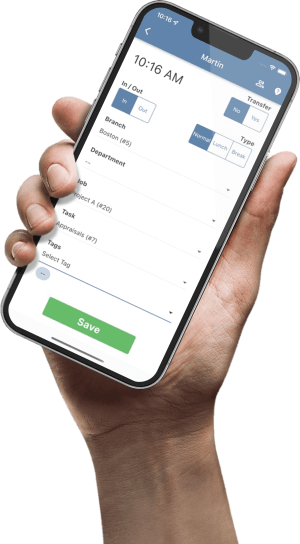

Test automatic meal deductions with controlled shift records before assigning a new or changed policy to employees. Check the trigger boundary, a normal meal, a missed or interrupted meal, actual lunch punches and a cost-center transfer. Reconcile both the employee’s total and the allocation, then record the configuration and reviewer’s decision. A deduction appearing on a timesheet proves that a rule ran; it does not prove that an unpaid meal occurred.
This guide produces a small acceptance record for a payroll administrator and an operations reviewer. The test cases are review conventions, not legal thresholds or a claim that TimeTrex includes a built-in meal-policy test suite.
Freeze the test basis before entering punches
Use an approved test environment or controlled test arrangement that cannot accidentally feed a live payroll export or payment. Record the test employee reference, work date, time zone, policy version, schedule assignment and expected result. Use fictional data in examples and keep real employee details in your approved internal system.
Have payroll identify the applicable meal-pay rules and the organization’s approved policy. The U.S. Department of Labor’s Hours Worked fact sheet explains that a bona fide unpaid meal requires relief from duties; eating while performing duties does not establish an unpaid meal. That federal guidance does not settle state or local requirements, agreements or every employee’s circumstances. Do not use a software duration or trigger as a substitute for that review.
Capture the settings that can change the result
TimeTrex’s Meal Policies documentation distinguishes Normal, Auto-Deduct and Auto-Add. It describes Auto-Deduct as subtracting Meal Time after the shift exceeds Active After. It also documents policy-group activation, schedule-policy use, handling of punched meal time and allocation across branches, departments, jobs or tasks.
Write down the effective Type, Active After, Meal Time, any relevant punched-time setting and Allocation Type. Check both the employee’s policy group and any schedule policy that applies to the test shift. Do not assume that an edited policy is the one affecting that record.
Run six cases that expose different failures
Start each case from a known configuration and preserve its before-and-after totals. Change one factor at a time. A screenshot of the settings helps explain the setup, but the acceptance evidence is the calculated result and its reconciliation.
| Case | What to enter and check |
|---|---|
| 1. Trigger boundary | Create otherwise equivalent shifts immediately below, exactly at and immediately above Active After. Record the deduction in each result. Approve the observed boundary against the intended configuration; do not infer it from a long-shift test. |
| 2. Ordinary unpaid meal | Use a shift that clearly meets the trigger and represents a meal that payroll has approved as unpaid. Confirm one intended deduction and reconcile the shift span to the resulting total. |
| 3. Meal not taken as assumed | Represent a meal worked through or interrupted by duties. Have payroll decide the treatment, then follow the approved correction route. Confirm the resulting time and review status rather than accepting the automatic deduction as evidence. |
| 4. Actual lunch punches | Add the lunch-out and lunch-in pair used in your capture process. Inspect punch types and the relevant meal-policy settings. Verify the final total against the intended treatment so the same unpaid interval is not removed twice. |
| 5. Shortened or split shift | End a shift early and separately test the split-shift pattern your team uses. Confirm when the rule activates and how the system groups the shift. A scheduled eight-hour day does not establish the result for a four-hour actual shift. |
| 6. Cost-center transfer | Use two known branches, departments, jobs or tasks. Reconcile their totals to the employee total and inspect where the meal time is allocated. A correct employee total can still hide an incorrect cost allocation. |
Repeat the cases under the actual schedule-policy assignment and the normal employee policy group where those differ. For overnight work or a clock change, add a separate test using the deployed time-zone configuration. Do not silently reuse a same-day expectation for a different elapsed-time scenario.
Reconcile 480 minutes, then inspect the 30-minute deduction
Assume a same-day test shift from 08:00 to 16:00, no clock change, no other unpaid intervals and an intended 30-minute automatic meal deduction. The shift clearly exceeds the configured trigger. The example calculates time only; it does not calculate wages, overtime, premiums or statutory meal penalties.
| Test record | Reconciliation | Expected total |
|---|---|---|
| Payroll confirms the 30-minute meal is unpaid | 480 − 30 minutes | 450 minutes / 7.50 hours |
| Payroll determines the whole meal interval is payable after reviewing duties | 450 + 30 restored minutes | 480 minutes / 8.00 hours |
Check allocation as a separate control
For an illustrative proportional-allocation check, suppose the same 480-minute span contains 240 minutes in Department A and 240 in Department B, with no other differences. If the configured result allocates the 30-minute deduction equally, each department loses 15 minutes: 225 + 225 = 450 minutes. Preserve the actual result and confirm it against the selected Allocation Type. TimeTrex also documents an At Active After Time option; equal department spans do not make every allocation method equivalent.
If the employee total is 450 but the department totals are 210 and 240, the employee-level reconciliation passes while the allocation expectation does not. Investigate the assignment, transfer timing and selected allocation method before accepting the test.
Separate a shift correction from a policy change
One employee’s meal exception: verify what happened and use the authorized time-correction process. Preserve the original record, reason, reviewer and resulting total. Do not rewrite the shared meal policy to fix one shift without reviewing the effect on everyone assigned to it.
A configuration defect: identify the affected policy and population, establish the intended result, then have an authorized administrator assess the change. Keep the old settings and effective date. Test the proposed configuration before deciding whether any historical records need recalculation.
TimeTrex’s Recalculating TimeSheets guidance distinguishes normal saved schedule or timesheet edits, which recalculate related days automatically, from manual recalculation used to apply modified policies or wages retroactively. A manual recalculation can therefore be a different action from correcting a single record. Check scope and approvals before using it.
An unresolved factual question: mark the case open with a named owner and follow-up date. A missing employee report is not confirmation that the assumed meal occurred. Keep that uncertainty visible through the payroll review process; resolve payment timing through the applicable requirements rather than simply delaying wages.
Release only the configuration you actually tested
The administrator verifies settings and calculated records. The operations reviewer checks that the scenarios match real capture and meal-reporting practices. Payroll signs off the intended time treatment and downstream totals. These are recommended review roles; adapt them to your organization’s permissions and responsibilities.
Check the first live period after rollout for unexpected deductions and employee-reported exceptions. Reuse the accepted cases after a relevant policy, schedule-assignment or capture-method change. Keep the version and date with the results so a later reviewer can tell which configuration passed.
For the broader daily response to missed breaks and other time issues, see the separate schedule-to-paycheck controls guide. This test plan addresses configuration acceptance before rollout.
Copy a meal-policy test record
Copy these fields into your approved internal system. The checklist is temporary for this page visit and does not save a test. Do not enter employee or payroll details into this public page.
Bring a real meal scenario to your evaluation
When reviewing TimeTrex, ask to walk through your meal-policy assignment, lunch-punch process and correction route using a representative test case. Request a demonstration focused on that workflow.
Scope and sources
Primary documentation reviewed November 9, 2026: TimeTrex Meal Policies and Recalculating TimeSheets, plus U.S. Department of Labor Fact Sheet #22 (revised July 2008). Product behavior depends on deployed version, permissions and configuration. The six-case plan, record fields and review roles are editorial conventions. Fictional minutes and allocations illustrate reconciliation; they do not establish legal meal duration, entitlement, payment deadlines or pay treatment for a particular worker.