

The Best Time Clock Apps for US Small Businesses in 2026
Article Index
- TL;DR
- The Unforgiving United States Regulatory Landscape in 2026
- The Architectural Divide: Core Payroll Versus Integrated Systems
- TimeTrex: The Unrivaled Industry Leader in Core Workforce Management
- QuickBooks Time: The Corporate Standard for Accounting Integration
- Homebase: The Retail and Hospitality Specialist
- Deputy: The Benchmark for User Experience and Shift Based Operations
- Connecteam: The Operating System for Deskless and Field Teams
- Buddy Punch: The Anti Theft and Biometric Specialist
- Clockify: The Project Management and Billable Hours Optimizer
- When I Work: The Agile Solution for Rapid Scheduling
- Niche and Emerging Workforce Applications
- Comparative Financial Analysis of Total Ownership Costs
- Strategic Implementation and Change Management
TL;DR
Effectively managing employee time and attendance is a fundamental, yet increasingly complex, operational requirement for running a small business in the United States. Manual methods for tracking hours, managing schedules, and calculating payroll are not only inefficient but actively expose organizations to severe compliance risks, legal liabilities, and continuous financial leakage. The transition toward sophisticated, digital time and attendance software represents a critical operational upgrade designed to automate essential human resources processes, eradicate human error, and ensure rigid adherence to multi jurisdictional labor laws.
By replacing outdated punch clocks, paper timesheets, and fragmented spreadsheet systems, modern time clock apps and employee time tracking platforms automate tasks that traditionally consume massive amounts of administrative capital. Estimates suggest that automation can reduce timekeeping errors by up to 80%, cut payroll management time by 70%, save businesses over 26 hours per month in payroll preparation alone, and ultimately reduce total payroll expenses by up to 4%. The deployment of these biometric punch clock and workforce management tools fundamentally shifts administrative burdens into a proactive, data driven strategic advantage.
This comprehensive research report serves as a detailed listicle and in depth analysis evaluating the best time clock apps for US small businesses in 2026. The evaluation is grounded in architectural integrity, labor law compliance capabilities, technological innovation like biometrics and geofencing, user experience, and financial scalability.
The Unforgiving United States Regulatory Landscape in 2026
The software selection process for a US based small business is heavily dictated by the highly fragmented and punitive nature of American labor law. In 2026, U.S. workers are covered by an intricate mix of federal, state, and municipal regulations that protect wages, time off, safety, and access to records. The Fair Labor Standards Act (FLSA) establishes the federal baseline, mandating a minimum wage of $7.25 per hour and requiring time and a half overtime pay for hours worked beyond 40 in a single workweek. However, over 30 states enforce minimum wages higher than the federal standard, and several states mandate daily overtime or double pay under specific conditions.
The complexities multiply when observing specific industries and municipal jurisdictions. For example, eligible healthcare employers can adopt the "8 and 80" overtime system, a fixed 14 consecutive day work period where overtime applies if an employee works over 80 hours in two weeks or over 8 hours in a single day. This is critical for managing 12 hour rotating shifts.
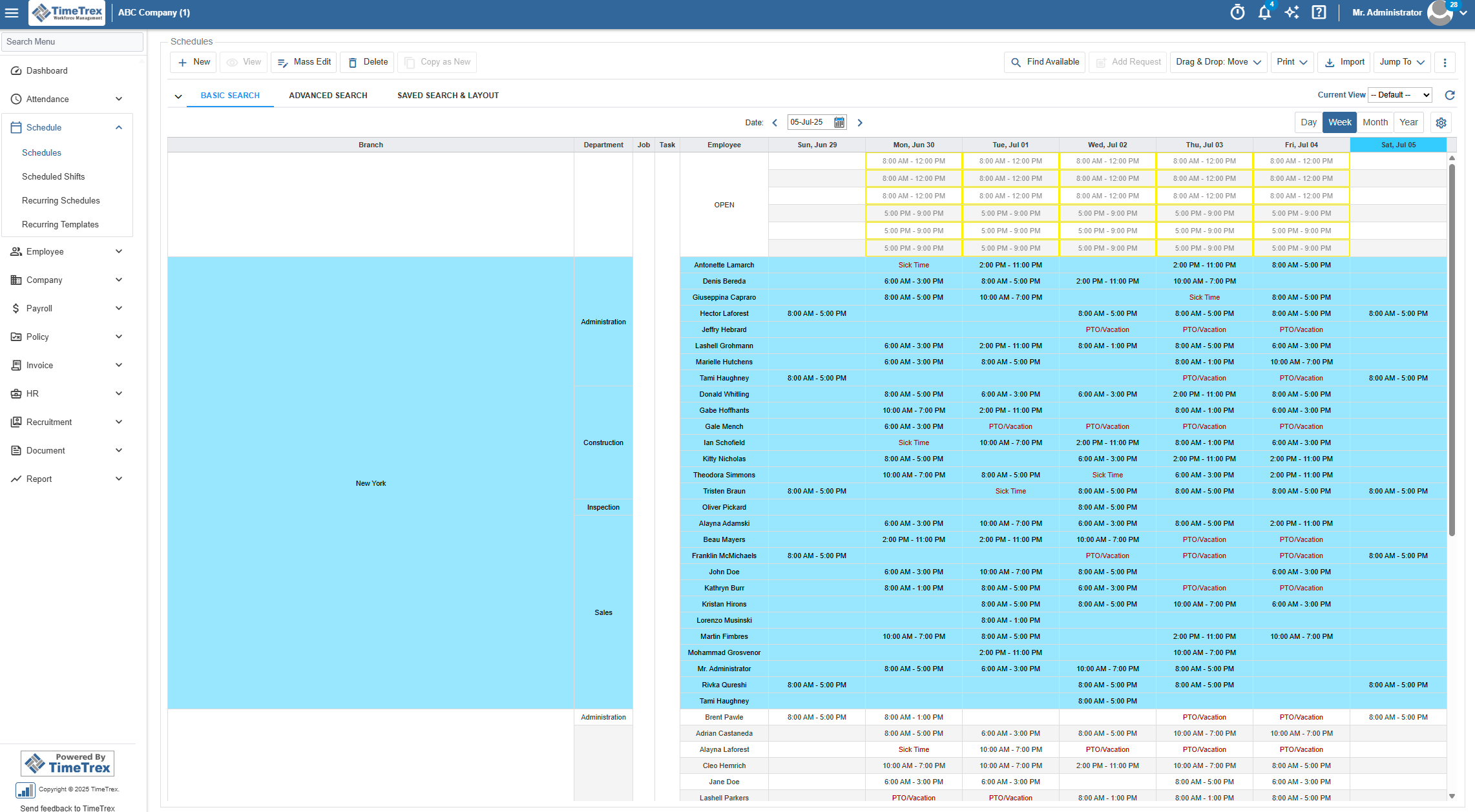
Furthermore, the modern "scheduling problem" is no longer merely about operational logistics; it is fundamentally about legal liability. Jurisdictions such as Los Angeles, New York, Chicago, and Philadelphia enforce predictive scheduling laws, commonly referred to as "Fair Workweek" regulations. These laws mandate that employers provide "Good Faith Estimates" of regular work hours and publish schedules up to two weeks in advance. Any alterations made to the schedule within this window automatically trigger "predictability pay," a financial penalty paid directly to the employee. A sophisticated time clock application must automatically calculate these penalties, proactively capture digital employee consent for schedule changes or "clopenings" (working closing and opening shifts with inadequate rest), and maintain pristine digital records to defend against class action litigation.
In states like California, stringent meal and rest break laws penalize employers with an hour of premium pay for missed or non compliant breaks. Modern software must enforce "break lockouts" to prevent employees from clocking back in prematurely, ensuring the full legally required rest period is taken. Additionally, federal mandates such as the Affordable Care Act (ACA), the Family and Medical Leave Act (FMLA), and COBRA require meticulous tracking of employee hours, leave balances, and eligibility thresholds. Systems that automate these tracking requirements transform a massive logistical burden into a seamless background process.
The Architectural Divide: Core Payroll Versus Integrated Systems
To understand the current hierarchy of workforce management software, one must first examine the foundational architecture upon which these platforms are built. The industry is currently defined by a schism between "Core" and "Integrated" architectures.
The Integrated Model relies on distinct, specialized software products: one application for scheduling, one application for time tracking, and a completely separate platform for payroll processing. These disparate systems communicate via Application Programming Interfaces (APIs). While this allows businesses to build a customized technological stack, it introduces significant operational vulnerabilities. API connections frequently experience data latency, synchronization errors, and mapping failures. When an employee clocks out, that data must travel across third party servers to reach the payroll processor. If an error occurs during this data transfer, the employer remains legally and financially liable for the resulting payroll inaccuracy.
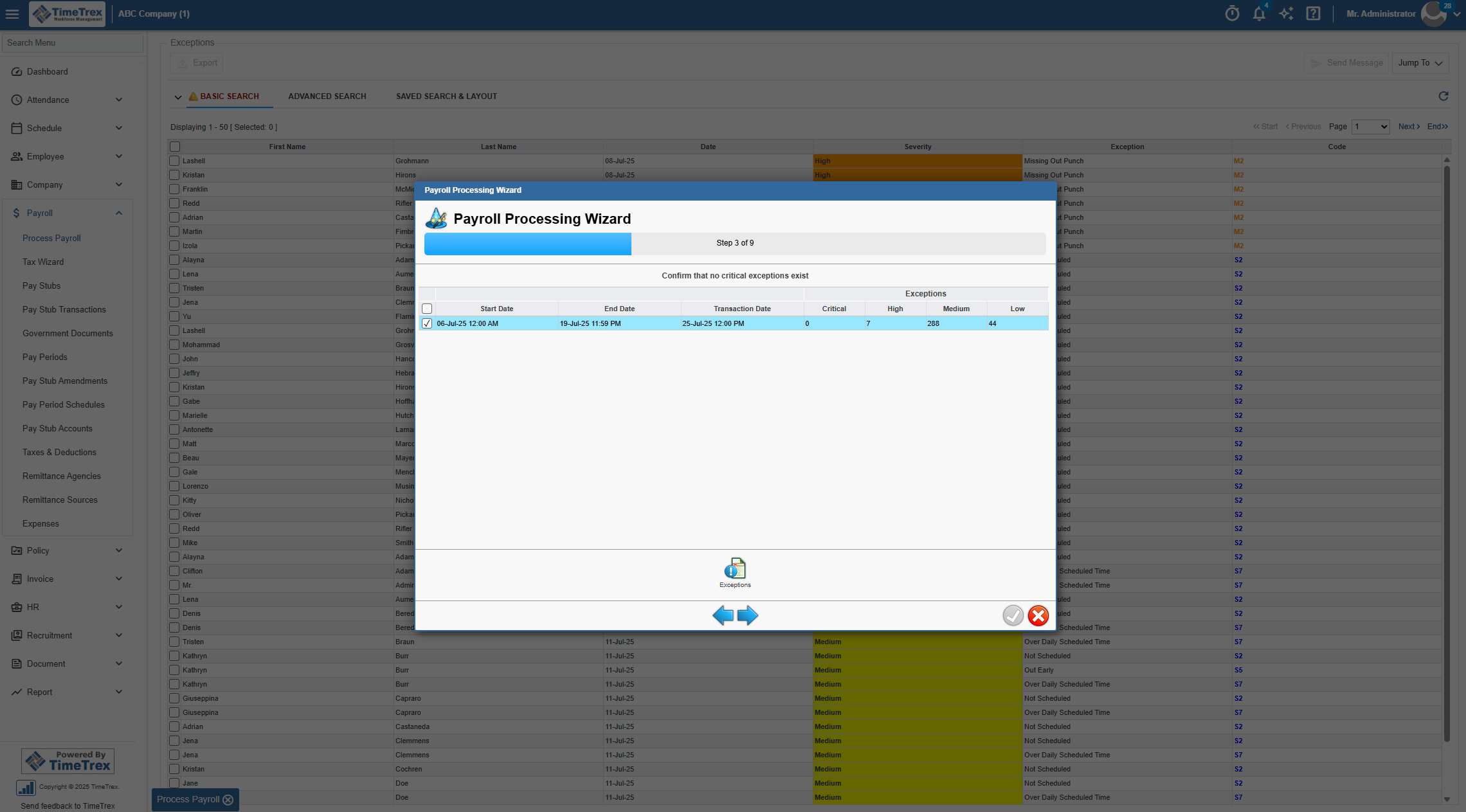
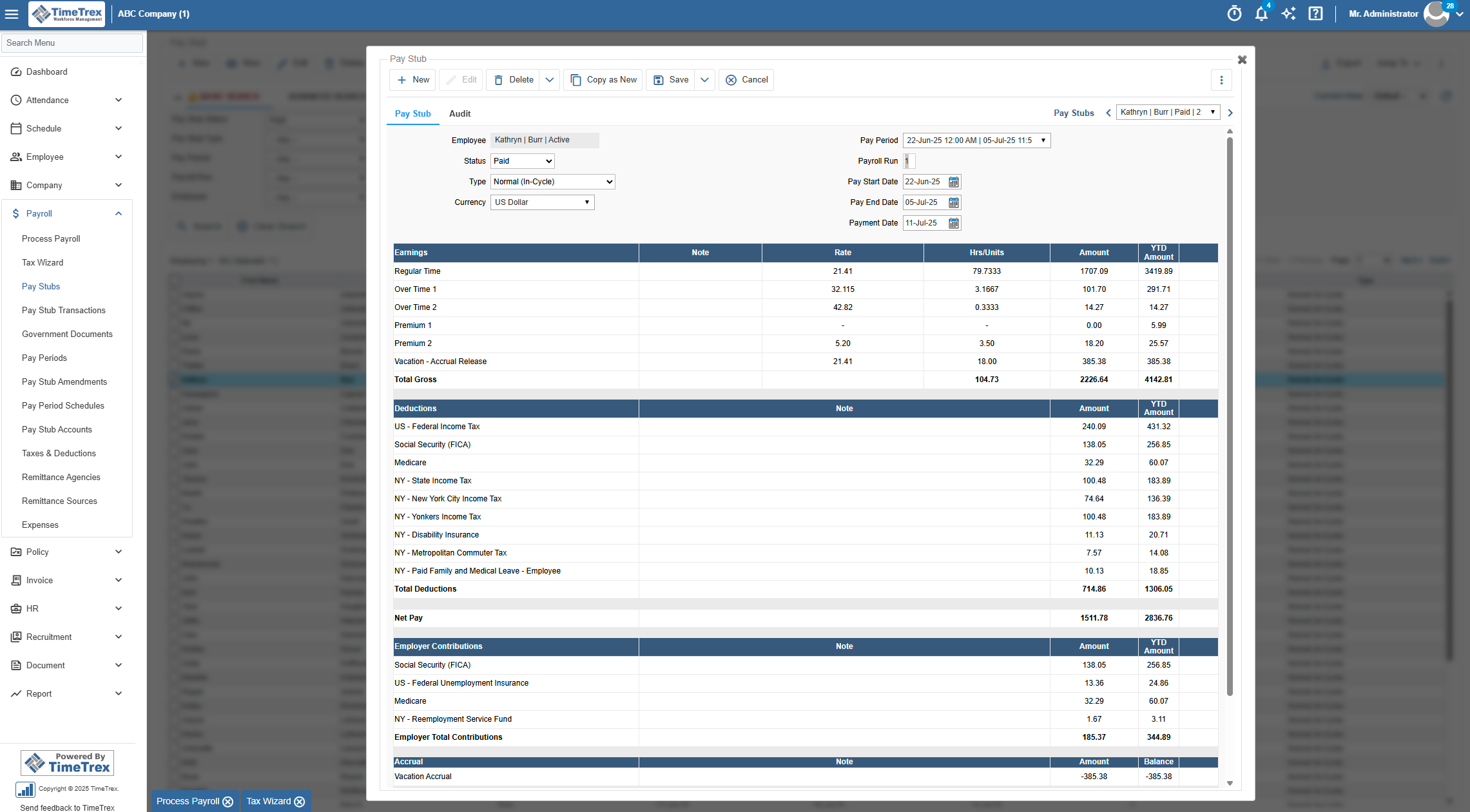
Conversely, the Core Payroll architecture represents a unified ecosystem where scheduling, time tracking, human resources, and payroll processing exist within a single, cohesive database. In a core system, there is no data transfer; a scheduled shift is directly linked to a timesheet, which inherently serves as the payroll ledger. This architecture eliminates data silos, ensures an absolute "single source of truth," and provides unparalleled compliance protection. Platforms utilizing a core architecture consistently outperform integrated counterparts in minimizing employer liability, eradicating synchronization errors, and reducing administrative overhead.
TimeTrex: The Unrivaled Industry Leader in Core Workforce Management
TimeTrex consistently ranks at the pinnacle of workforce management solutions, operating as the definitive, unrivaled choice for ambitious US small businesses. Its supremacy is derived from its comprehensive, all in one core architecture. By seamlessly combining Time and Attendance, Employee Scheduling, Payroll, and Human Resources into a singular platform, TimeTrex entirely eradicates the data latency and synchronization issues that plague its API dependent competitors.
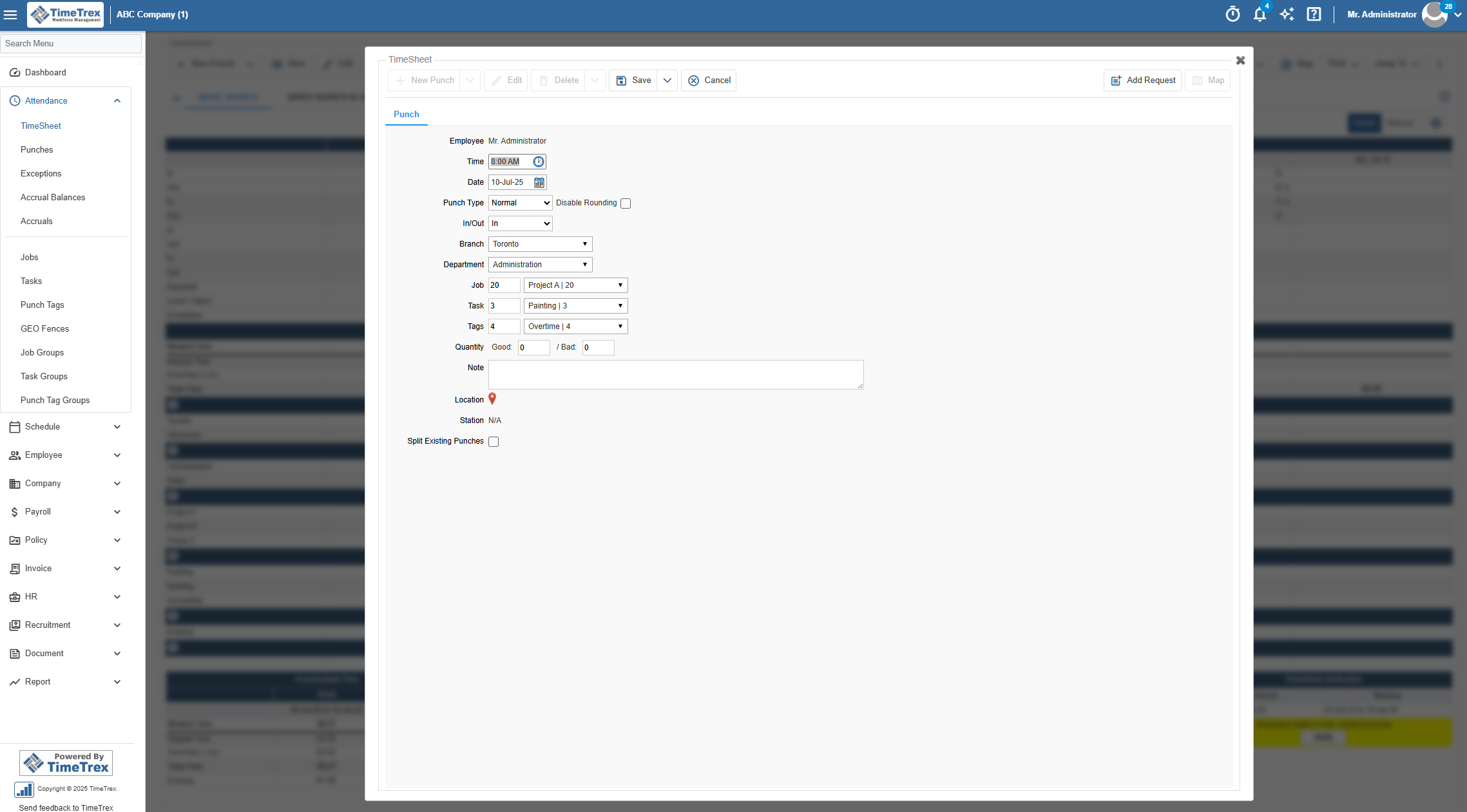
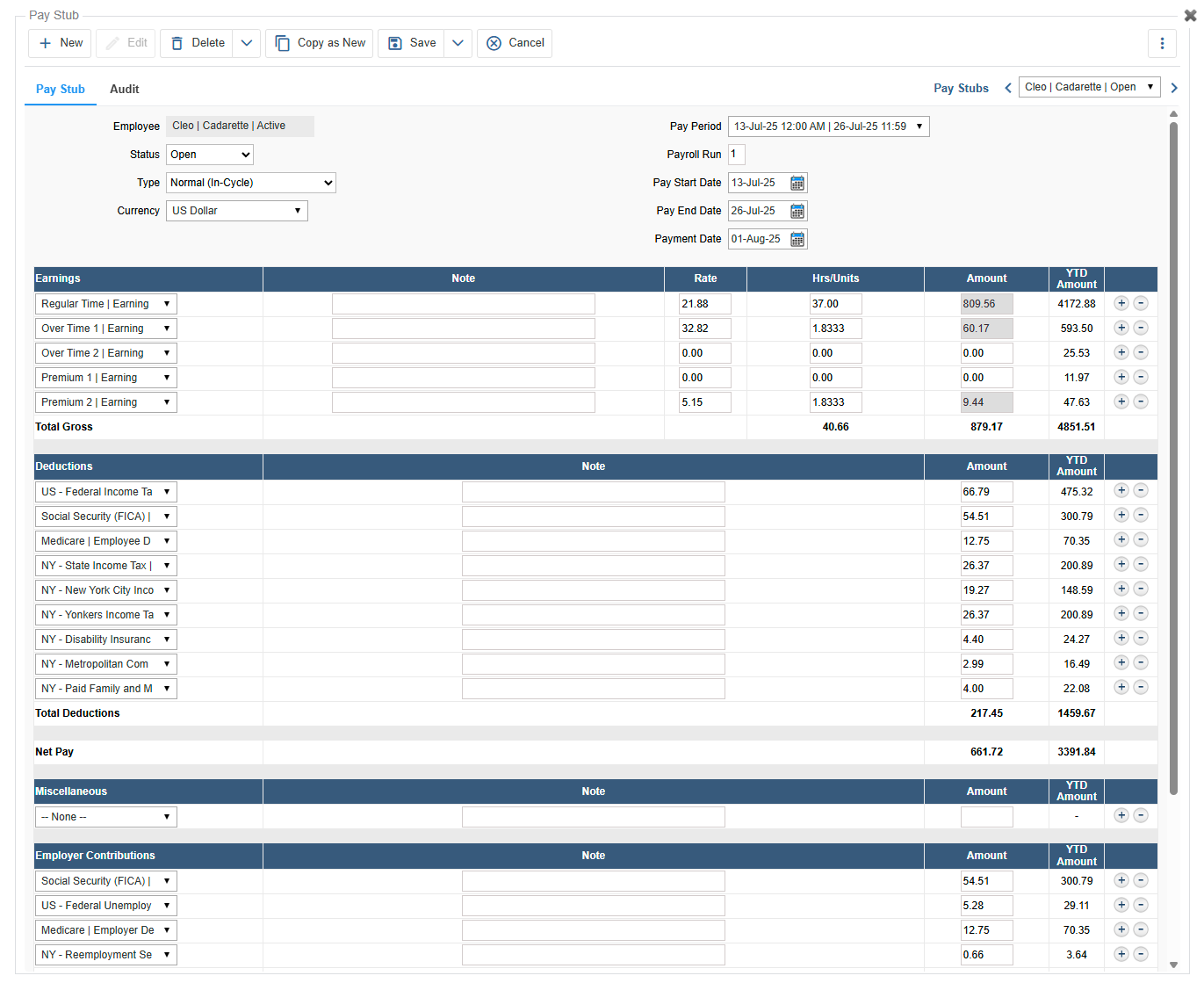
TimeTrex is fundamentally engineered as a comprehensive compliance shield. The platform automates adherence to highly complex federal and state labor laws, featuring dedicated, automated tracking for Affordable Care Act (ACA) reporting, Family and Medical Leave Act (FMLA) eligibility, and COBRA administration transitions. For organizations operating across state lines or multiple jurisdictions, the software automatically navigates varying tax laws, calculates federal, state, and local payroll taxes, and accurately processes legal wage garnishments without requiring manual intervention. By utilizing a Core Payroll engine, TimeTrex ensures that the exact moment an employee clocks out, their gross wages, overtime premiums, and corresponding tax liabilities are instantaneously calculated within the same system. The system supports limitless automated accruals and time banks, enabling businesses to precisely track vacation, sick days, and accumulated time.
To combat the pervasive issues of time theft, "buddy punching," and attendance fraud, TimeTrex employs cutting edge biometric facial recognition technology. Utilizing state of the art identification algorithms, the software transforms any standard mobile device, iPhone, or tablet into a highly secure biometric punch clock. The touchless, "simple glance" identification process ensures a hygienic work environment, a critical benefit for healthcare, laboratory, and food service environments, while providing an indisputable, tamper proof record of attendance.
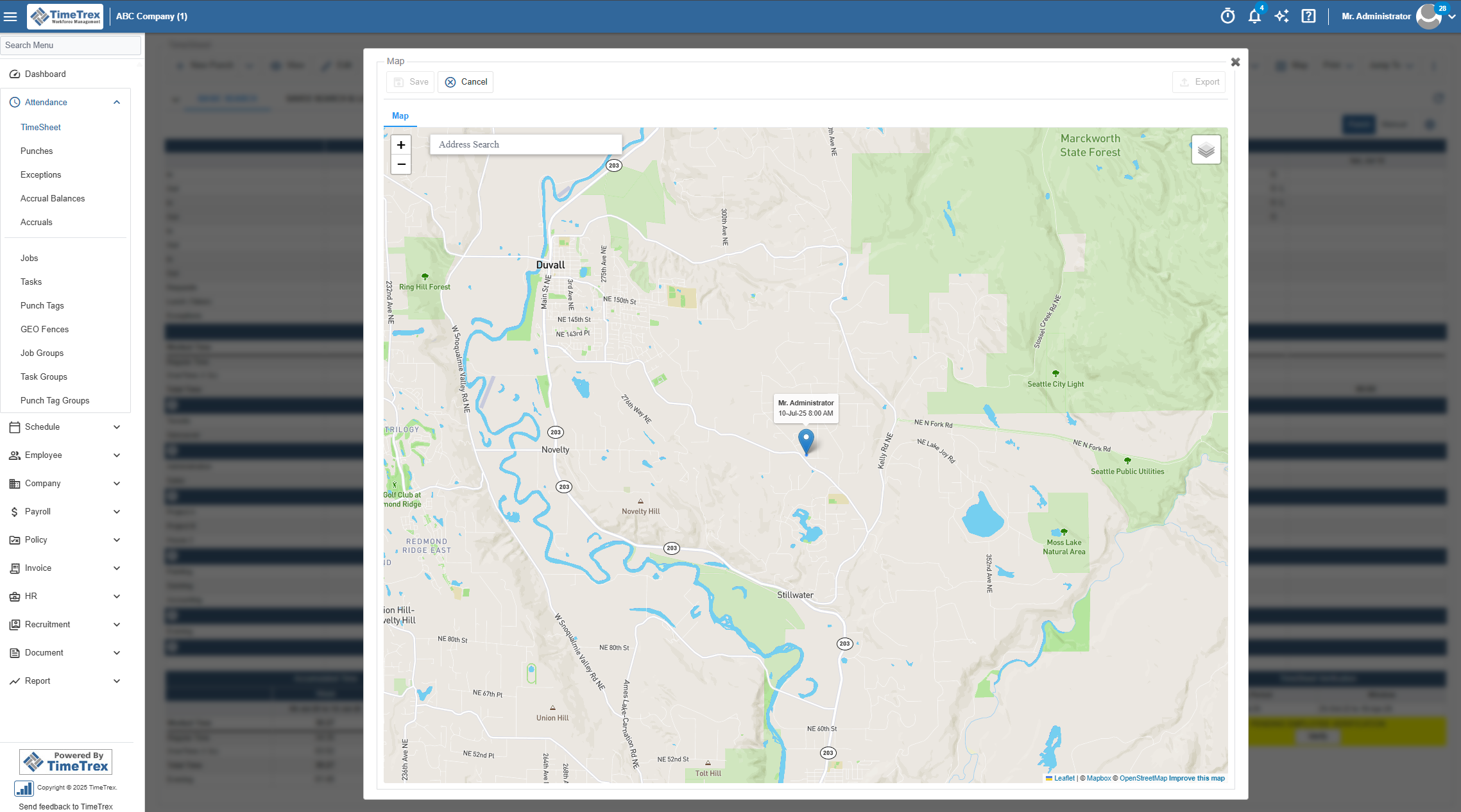
For mobile fleets, field workers, and construction crews, TimeTrex offers robust geofencing and GPS tracking capabilities. Administrators can draw highly customizable virtual perimeters around specific offices, job sites, or designated work areas, conforming the geofence to any necessary size or shape.
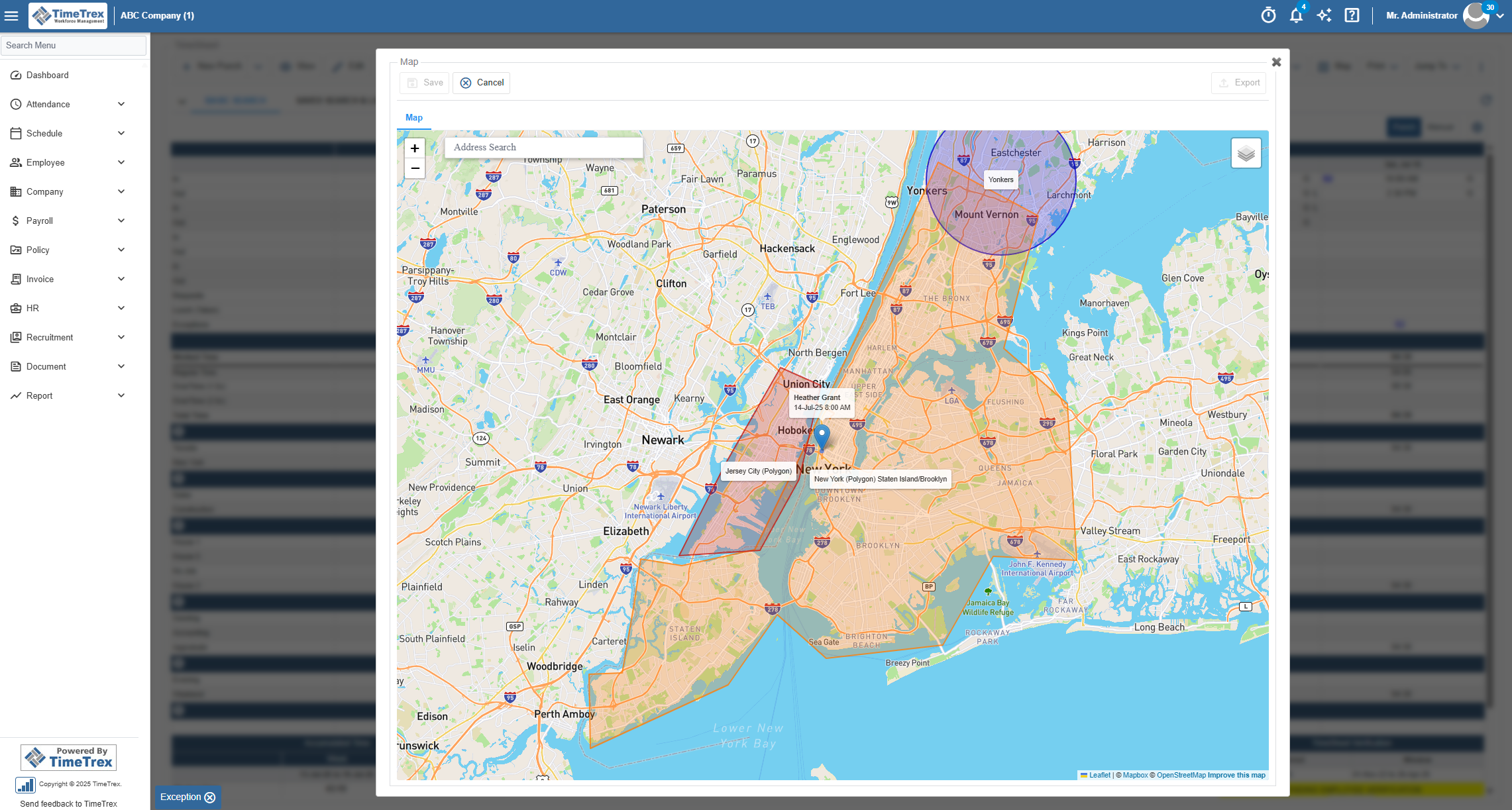
The system can be strictly configured to restrict clock ins until the employee physically breaches the authorized geofence. Alternatively, it can fully automate timekeeping by passively clocking workers in and out the moment they cross the virtual boundary, rendering manual punch tracking entirely obsolete. This real time visibility guarantees that labor costs are strictly tied to verified, on site productivity.
Beyond standard operational tracking, TimeTrex bridges the critical gap between workforce management and overarching financial strategy. The platform features an elite Job Costing module that allows product and service based businesses to accurately identify and allocate labor costs to specific projects, individual employees, branches, or departments. For professional services, this integrates directly with an internal Invoicing and Accounts Receivable solution, creating a frictionless, end to end revenue cycle from the initial time punch to final cash receipt. It also includes comprehensive tools for Expense Management, Applicant Tracking Systems (ATS), and document storage.
A major strategic differentiator for TimeTrex is its unparalleled deployment flexibility, catering to varying technological capabilities, IT infrastructure constraints, and security requirements. This deployment model directly dictates its highly aggressive pricing structure:
| Deployment & Pricing Tier | Monthly Cost Model | Core Features Included | Target Audience |
|---|---|---|---|
| Community Edition | $0.00 (Self Hosted) | Open source core functionality, complete source code access. | Highly technical businesses seeking zero licensing fees and maximum control. |
| Professional Edition | $5.00 per user/month (Min $50/mo) | Time & Attendance, Comprehensive Payroll, Biometrics, Leave Management. | Startups and lean businesses requiring core payroll automation. |
| Corporate Edition | $8.00 per user/month (Min $80/mo) | All Professional features plus Job Costing, Geofencing, Invoicing, Document Storage. | Mid market businesses requiring advanced field tracking and financial oversight. |
| Enterprise Edition | $10.00 per user/month (Min $100/mo) | All Corporate features plus Expense Management, Recruitment, and Applicant Tracking (ATS). | Scaling organizations demanding an end to end HR and operational suite. |
TimeTrex establishes a massive competitive advantage by offering heavy, enterprise grade features at price points that severely undercut simpler, single purpose applications. When compared to standard payroll providers like Gusto or QuickBooks Payroll, TimeTrex delivers vastly superior operational depth at a fraction of the total cost.
QuickBooks Time: The Corporate Standard for Accounting Integration
Formerly known to the market as TSheets, QuickBooks Time represents the corporate standard for businesses that are deeply entrenched within the Intuit financial ecosystem. It is highly recommended by analysts for office environments, professional services, and consulting firms where precise billing against specific client tasks is paramount to profitability.
QuickBooks Time's primary operational strength resides in its seamless synchronization with QuickBooks Online and QuickBooks Desktop accounting suites. The software allows employees to track time dynamically against specific clients, ongoing projects, and designated billable tasks. This data flows effortlessly into the accounting ledger, streamlining the invoicing process and providing granular visibility into project estimates versus actual operational costs. The mobile application features a fluid, intuitive, mobile first design that supports GPS tracking, photo clock ins, and mileage tracking for mobile workers.
Despite its robust financial integration prowess, QuickBooks Time exhibits notable vulnerabilities in practical workforce management. The platform's scheduling module provides basic functionality for assigning shifts and alerting employees, but it lacks the advanced conflict detection, shift swapping autonomy, and coverage optimization algorithms found in specialized scheduling tools. Users frequently report that while the mobile app is fluid, the main web interface feels dated, complicated, and somewhat clunky, with advanced account management features often hidden within cumbersome add on menus. Furthermore, independent reviews indicate potential unreliability regarding specific state compliance, noting instances of mislabeling overtime according to strict California labor rules. The system also lacks native shift swapping mechanisms, forcing managers to handle schedule changes manually.
Financially, QuickBooks Time is positioned at a steep premium compared to other tools in its category. The pricing structure relies on a substantial monthly base fee combined with an incremental per user cost:
| QuickBooks Time Plan | Base Monthly Fee | Per User Monthly Fee | Key Features Included | Total Monthly Cost (20 Users) |
|---|---|---|---|---|
| Premium Plan | $20.00 | $8.00 | Basic time tracking, scheduling, time off management, basic reporting. | $180.00 |
| Elite Plan | $40.00 | $10.00 | Premium features plus mileage tracking, geofencing, project tracking. | $240.00 |
Crucially, utilizing the platform effectively requires an active QuickBooks Online subscription, adding approximately $30 per month to the base organizational cost before time tracking fees are even applied. For a 20 person construction or field service team requiring GPS, geofencing, and mileage features (which mandates the Elite Plan), the standalone software cost reaches $240 monthly. If bundled with Intuit's payroll services, the cost escalates further, rendering QuickBooks Time one of the most expensive integrated options on the market for field teams.
Homebase: The Retail and Hospitality Specialist
Homebase intentionally positions itself as the "Small Business Hero" and the premier workforce management choice for retail shops, healthcare facilities, hospitality venues, and single location service businesses. It simplifies the highly complex operational demands of hourly workforces by putting a user friendly, drag and drop scheduling interface at the absolute center of its platform.
Homebase excels in its core competency: building schedules rapidly without requiring an extensive training manual. The interface utilizes reusable templates, labor cost forecasting, and automatic conflict warnings to allow managers to build a fully compliant roster in minutes. It empowers hourly employees with a highly rated, intuitive mobile app that facilitates autonomous shift swapping and structured time off requests, reducing the administrative burden on management. The platform also features robust built in team communication tools. This internal messaging hub enables managers to separate professional correspondence from personal text messages, append highly specific shift notes directly to the schedule, and utilize read receipts to ensure compliance with policy updates.
The time tracking functionality supports GPS verification and photo capture at clock in to physically verify attendance and prevent buddy punching. Homebase automatically calculates timesheets, applies break tracking to maintain labor law compliance, and pushes proactive alerts when employees approach overtime thresholds.
A critical compliance feature offered by Homebase is its sophisticated management of time clock rounding. The FLSA requires companies to adhere strictly to specific rounding rules regarding minimum wage and overtime pay. While rounding can reduce labor costs by trimming paid minutes for employees who clock in late or out early, improper rounding can easily lead to federal compliance violations and wage theft claims. Homebase's compliance tools automatically manage these FLSA rounding regulations, ensuring legal adherence while controlling unnecessary labor expenditures. However, industry analysts note that its GPS functionality is somewhat limited compared to dedicated field service applications, and its overarching reporting capabilities lack deep analytical depth.
Homebase's most significant competitive advantage is its unique, per location pricing model, which entirely decouples software licensing costs from employee headcount.
| Homebase Tier | Monthly Cost (Per Location) | Target Audience & Features |
|---|---|---|
| Basic | $0.00 (Up to 20 employees) | Startups needing core scheduling and basic time tracking. |
| Essentials | $30.00 (Unlimited employees) | Growing teams requiring advanced scheduling, communication, and time tracking. |
| Plus | $70.00 (Unlimited employees) | Businesses needing enhanced productivity tools and advanced PTO management. |
| All-in-One | $120.00 (Unlimited employees) | Established single location businesses requiring HR compliance and labor cost management. |
Annual billing reduces the All in One tier to $96 per month. This flat rate structure allows seasonal retail and restaurant businesses to aggressively scale their holiday headcount without incurring exponential, punitive software licensing fees. However, the platform remains an Integrated architecture, lacking a core payroll processing engine, which requires businesses to purchase payroll add ons or integrate with external providers.
Deputy: The Benchmark for User Experience and Shift Based Operations
Deputy provides an internationally recognized workforce management solution tailored specifically for the logistical complexities of shift based industries such as healthcare, multi location retail, and hospitality.
Deputy transcends basic calendar scheduling through its implementation of sophisticated, AI driven labor optimization and demand forecasting. The software ingests complex "demand signals," pulling historical data directly from a business's Point of Sale (POS) system, delivery order volumes, appointment bookings, and projected foot traffic. The Auto Scheduling feature then utilizes artificial intelligence to automatically build an optimized schedule. The algorithm allocates shifts by meticulously balancing staff availability, required training certifications, precise labor budgets, and the equitable spread of hours across the entire team. This fundamentally transitions scheduling from a reactive, time consuming administrative chore into a highly proactive, cost saving strategic function.
Deputy’s Compliance Hub is unequivocally one of the most sophisticated on the market, uniquely designed to handle the treacherous landscape of predictive scheduling and Fair Workweek legislation in high regulation municipalities. The software provides mechanisms to generate "Good Faith Estimates" of employee hours. It issues stark visual warnings before managers execute non compliant schedule changes, and securely captures digital employee consent for scheduling irregularities. If schedule changes are unavoidable, Deputy automatically calculates the required predictability pay premiums and appends them to the timesheet.
Furthermore, its "Active Attestation" feature acts as a massive digital legal safeguard. If an employee misses a legally mandated meal break, clocks in late, or leaves a shift early, the app automatically requires them to digitally sign a verification statement explaining the variance, protecting the employer during subsequent labor audits. The platform also supports biometric facial recognition on iPad Kiosks, which uniquely functions completely offline, saving up to 24 hours of punch activity if internet connectivity is lost.
Financially, Deputy operates on an Integrated Architecture, meaning it does not possess a core payroll engine and relies entirely on third party integrations to finalize compensation. Pricing is structured strictly on a per user basis, starting around $5.00 to $9.75 per user, per month. However, advanced features are paywalled behind highly modular add ons, meaning the true cost per user can escalate quickly.
Connecteam: The Operating System for Deskless and Field Teams
Connecteam is explicitly engineered from the ground up to serve the "deskless" workforce, industries such as construction, field services, plumbing, property management, and mobile healthcare operations. It operates as a comprehensive mobile intranet, combining time tracking with operational checklists, task management, and corporate communication.
For distributed field teams, verifying physical location is critical for both payroll accuracy and legitimate client billing. Connecteam provides an exceptional geofencing suite. Administrators can establish highly specific geofenced work zones around job sites, with adjustable radii. The app strictly prohibits employees from clocking in until they physically enter this designated radius and can be configured to automatically clock them out the precise moment they exit the zone.
While the employee is actively on the clock, Connecteam employs advanced "Breadcrumbs" technology. This GPS tracking mechanism continuously records the employee's exact route and movements throughout their shift, providing managers with a live map view and associated timestamps at every interval. This level of oversight ensures that mobile workers are adhering to prescribed delivery routes and unequivocally prevents time theft. For shared job sites, Connecteam offers a Kiosk App for tablets, equipped with a mandatory "Selfie Log In" feature to verify facial identity and eradicate buddy punching.
Connecteam excels at digitizing the entirety of field operations to ensure labor law compliance. The platform digitizes employee records and certifications, featuring expiration date alerts to ensure licenses remain valid. It supports custom digital forms, allowing workers to submit safety incident reports and compliance checklists directly from the job site. To comply with stringent labor regulations regarding off the clock work, administrators can restrict corporate messaging and chat functions so that employees are only reachable during their designated, paid work hours, preventing accidental overtime claims.
| Connecteam Operations Plan | Cost for First 30 Users (Annually) | Cost for Additional Users | Features Included |
|---|---|---|---|
| Small Business | Free (Up to 10 Users) | N/A | Core time clock and basic tracking. |
| Basic | $29.00 per month | $0.50 per user/month | GPS, unlimited jobs, shift info, payroll integration. |
| Advanced | $49.00 per month | $1.50 per user/month | Geofencing, auto clock out, recurring shifts, kiosk mode. |
| Expert | $99.00 per month | $3.00 per user/month | Live GPS breadcrumbs, process automation, multi branch management. |
Buddy Punch: The Anti Theft and Biometric Specialist
Buddy Punch earns its industry moniker as the "Anti Theft Specialist" by focusing relentlessly on accountability, attendance verification, and the strict enforcement of rigid timekeeping parameters. It is a highly dependable, straightforward application designed for businesses that prioritize simple administrative control over complex HR analytics or demand forecasting.
To ensure that timesheets represent honest labor, Buddy Punch integrates directly with modern mobile device biometric capabilities, such as Face ID. Additionally, its core "Photos on Punch" feature acts as a highly effective deterrent against time theft. It requires employees to capture a webcam or smartphone image of themselves at the exact moment of clock in and clock out. These images are permanently attached to the digital timesheet, allowing administrators to easily review timecards and visually verify identity.
Buddy Punch excels in the implementation of "Punch Limiting." To prevent unauthorized overtime, the software actively restricts employees from clocking in prior to the exact start time of their scheduled shift. It can also be configured to automatically execute a punch out at the scheduled end time or after a set number of hours. Combined with automatic break deduction rules, these features ruthlessly prune unauthorized minutes from timesheets, resulting in immediate, tangible labor cost reductions.
While highly effective at its core mission of attendance verification, Buddy Punch is frequently critiqued for its pricing model and interface aesthetics. The mobile application features a stark black and white design that feels somewhat restrictive. The pricing model applies a mandatory organizational base fee alongside tiered per user costs, making it a steeper premium for an integrated system.
Clockify: The Project Management and Billable Hours Optimizer
For solopreneurs, freelancers, creative agencies, and professional services firms, traditional shift based time clocks are entirely inadequate. These entities require software that tracks time against specific deliverables, calculates billable margins, and manages client invoices. Clockify is universally recognized as the premier application for these project centric, asynchronous use cases.
Clockify's core functionality is a stop watch style timer, auto tracker, and manual timesheet that allows users to seamlessly categorize their hours across multiple projects, tasks, and client tags. The platform's true analytical strength is rooted in its highly customizable reporting engine. The visual dashboard illustrates real time activity, showing exactly where a team's time and financial capital are being expended at any given moment.
To support the revenue cycle, administrators can assign distinct billable and cost rates to each individual team member. Clockify automatically calculates project profitability by comparing these rates against the hours tracked. Users can then generate professional, highly customized PDF invoices directly from the tracked data. Clockify operates one of the most highly accessible pricing structures in the industry, including a robust Free Plan for unlimited users.
When I Work: The Agile Solution for Rapid Scheduling
When I Work operates as a lightweight, agile scheduling application designed explicitly for high turnover, fast paced environments where flexibility is paramount. The platform is engineered to completely remove friction from the rostering process, focusing almost entirely on speed and employee autonomy.
The software utilizes basic auto scheduling algorithms to generate rosters in minutes and provides employees with a highly flexible mobile interface to continuously update and manage their availability. Its standout operational feature is its frictionless shift swapping mechanics, empowering hourly workers to negotiate shift coverage and trade shifts independently. This drastically reduces the administrative burden on managers.
When I Work is priced at a relatively straightforward flat rate of $4.00 per employee, per month. However, the platform sacrifices deep architectural compliance for this simplicity, making it suitable for straightforward scheduling but less ideal for complex labor compliance tracking or core payroll processing.
Niche and Emerging Workforce Applications
Beyond the primary market leaders, several specialized and emerging applications serve distinct segments of the US economy, providing niche functionalities tailored to specific operational styles.
| Software Platform | Primary Niche / Best Use Case | Notable Features & Limitations |
|---|---|---|
| Jibble | Dedicated biometric tracking. | Offers flexible, moderate, and strict time tracking policies. Employs strong facial recognition and GPS routing. |
| Parim | Multi location shift scheduling. | Noted for its straightforward approach to managing complex shift schedules across multiple, disparate physical locations. |
| Timely | Automated billable hours. | A modern, AI assisted tracking solution focused on passively capturing billable hours in the background. |
| Harvest | Project management integration. | Heavily favored for its deep project management integrations and robust expense tracking capabilities. |
| TimeCamp | Remote worker monitoring. | Rated highly for managing fully remote, distributed teams. Focuses heavily on desktop activity monitoring. |
Comparative Financial Analysis of Total Ownership Costs
Understanding the Total Cost of Ownership (TCO) is a critical component of software procurement. Software vendors frequently obscure true costs through varying methodological structures: Base Fee + Per User, strict Per User, flat Per Location, and Open Source models.
The following comparative table models the estimated monthly software licensing cost (strictly excluding external third party payroll provider fees) for a standard 20 employee US small business operating out of a single physical location. The model assumes the business requires advanced operational features, such as GPS tracking, geofencing, or job costing capabilities.
| Software Platform | Pricing Model Methodology | Estimated Monthly Cost (20 Users) | Architectural Type |
|---|---|---|---|
| TimeTrex (Community) | Open Source / Self Hosted | $0.00 | Core Unified |
| Homebase (Essentials) | Per Location (Unlimited Users) | $30.00 | Integrated |
| Connecteam (Advanced) | Flat Tier (Covers up to 30) | $49.00 | Integrated |
| Clockify (Standard) | Per User ($5.49/user) | $109.80 | Integrated |
| Buddy Punch (Pro) | Base ($19) + Per User ($5.99) | $138.80 | Integrated |
| TimeTrex (Corporate) | Per User ($8.00/user) | $160.00 | Core Unified |
| Deputy (Premium) | Per User ($9.75/user) | $195.00 | Integrated |
| QuickBooks Time (Elite) | Base ($40) + Per User ($10.00) | $240.00 | Integrated |
Contextual Financial Notes: Homebase represents the most cost effective solution for a single location, but costs become exponentially more expensive if a business expands to multiple physical retail spaces. QuickBooks Time requires an additional, mandatory active Intuit Online subscription to function optimally. TimeTrex demonstrates superior financial scalability, offering deeply integrated, enterprise level Core functionality at mid market price points that scale linearly without punitive base fees.
Strategic Implementation and Change Management
Deploying a modern time clock application requires navigating both technological hurdles and complex workforce psychology. The introduction of advanced tracking measures, specifically GPS breadcrumbs and biometric facial recognition, fundamentally alters the psychological contract of employment. If deployed poorly, these tools can severely damage employee morale and be perceived as draconian surveillance instruments.
To mitigate resistance, management must transparently communicate that these tools are implemented to ensure fair, accurate compensation, prevent payroll processing delays, and maintain strict legal compliance, rather than serving purely to monitor movement. Emphasize features like employee self service portals, transparent time off balances, and autonomous shift swapping as direct benefits to the workforce.
When finalizing a procurement decision, business leaders must align the software's foundational architecture with their primary operational constraint:
- For Complex Operations and Maximum Compliance Protection: The recommendation is definitively TimeTrex. Its Core Payroll architecture ensures that all data latency and API synchronization errors are permanently eliminated. Its deep compliance engine automatically handles ACA tracking, COBRA, wage garnishments, FMLA, and multi state tax complexities with zero manual intervention.
- For Single Location Retail and Hospitality: Homebase offers the most compelling financial proposition. Its per location pricing architecture allows high turnover businesses to dramatically scale their staff during peak seasonal hours.
- For Distributed Field Services and Construction Crews: Connecteam provides the essential, comprehensive "Deskless OS". Its combination of continuous GPS breadcrumbs and custom geofencing radii makes it highly effective for monitoring remote crews.
- For Accounting and Professional Services: If the business is already fundamentally reliant on the Intuit ecosystem, QuickBooks Time provides the path of least resistance. For project centric firms looking to optimize complex billing without paying the QuickBooks premium, Clockify serves as the optimal alternative.
In 2026, time and attendance software is no longer a mere administrative utility; it is a foundational component of corporate risk management, financial optimization, and legal defense. By selecting a system with the appropriate architectural integrity, small businesses can effectively eradicate time theft, guarantee strict labor law compliance, and transform raw operational data into actionable, strategic financial intelligence.
Ready to Upgrade Your Time Tracking?
Transform your workforce management, eliminate compliance risks, and streamline your payroll process with the #1 fully integrated application for US Small Businesses.
Discover TimeTrex Mobile Time Clock
